
Can't log in
Sign-in fails with the email and password you were given
Possible causes
- •The email is mistyped. Your email address is your username in both the admin dashboard and the Host App.
- •The password is wrong or was never set.
Fix
On the Sign in page, click Forgot password?, enter your Email and click Continue. Open the reset link in the email and enter a new Password and Confirm Password on the Set Your Password page. The Host App sign-in page has the same Forgot password? link.
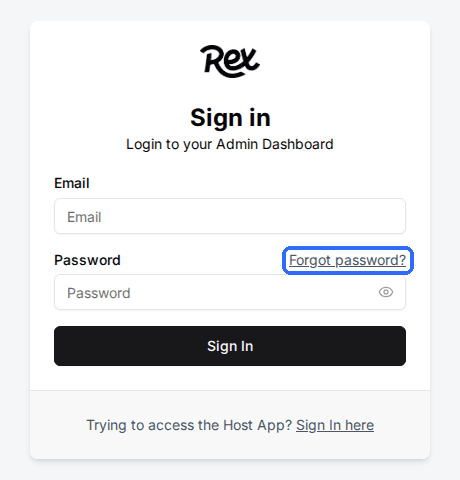
The password reset email never arrives
Possible causes
- •The email entered is not a user in your Rex account, or is spelled differently there.
- •The email landed in spam or a filtered folder.
Fix
Ask a Global Admin to open Settings > Users and search for your email. If the user is missing, they click Add User to create it. If it exists, they can click the user, type a new password in the Password field (left blank, it keeps the current one) and click Save changes.
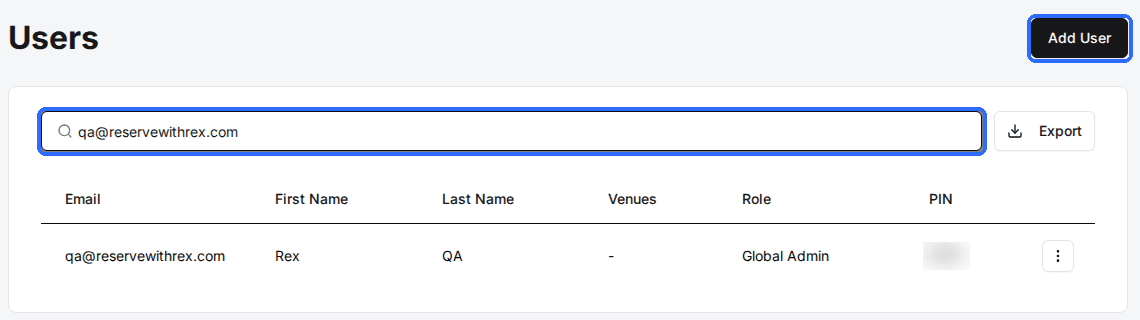
The Host App says “Too many incorrect PIN attempts. Try again in 30 minutes.”
Possible causes
- •Ten wrong PINs were entered on this device. PIN switching is then locked on that device for 30 minutes.
Fix
Wait 30 minutes, then switch users again. The device stays signed in during the lockout, so the front desk can keep working as the current user. To check or change someone's PIN, a Global Admin opens the user in Settings > Users and edits the Host App PIN field.
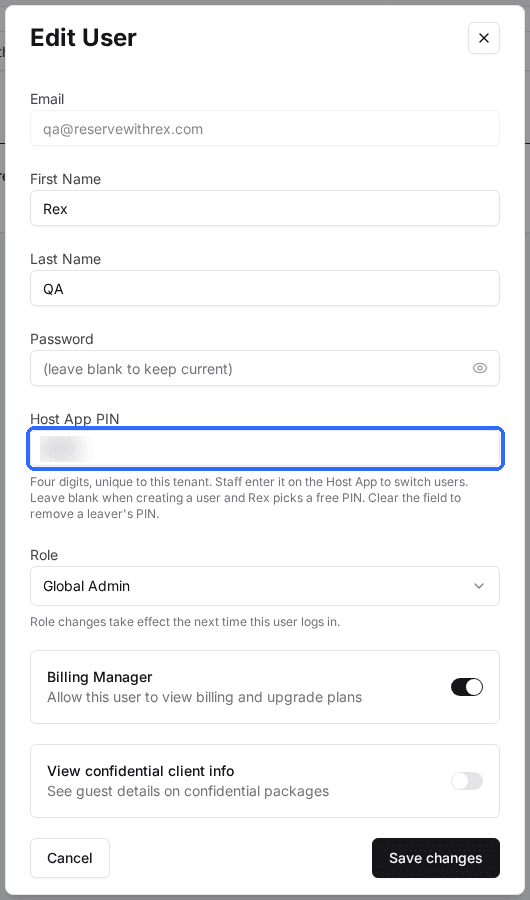
You can sign in but see no venues, packages or bookings
Possible causes
- •The user's Role limits them to certain venues, and the Venues field does not include the one they need.
- •The user has the Pro role, which is limited to the Packages and Resources chosen for them.
- •The role was changed while they were signed in. Role changes take effect the next time the user logs in.
Fix
A Global Admin opens the user in Settings > Users, checks Role, then adds the missing venues in Venues (or packages and resources in Packages and Resources for a Pro user) and clicks Save changes. The user then signs out and back in.
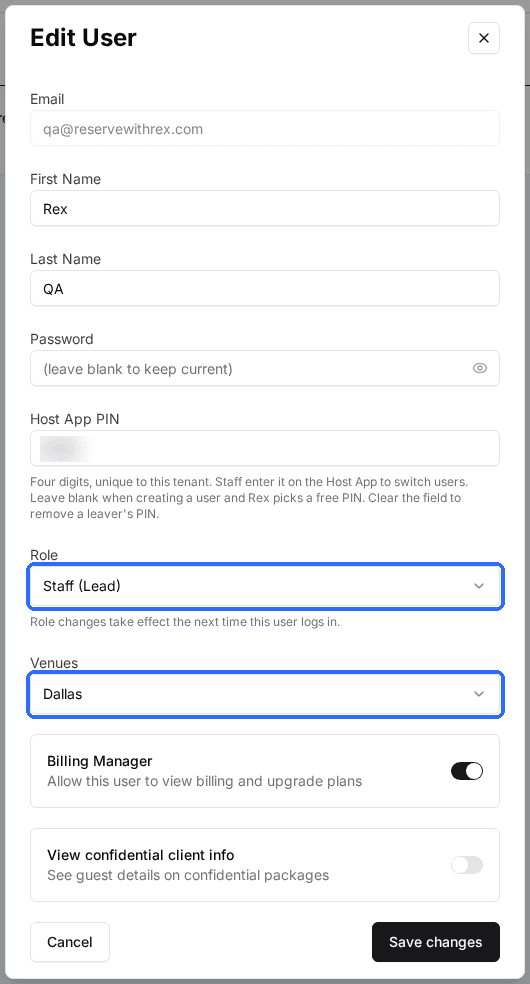
Only a Global Admin can see Settings > Users. If you are not one, send these steps to the person who manages Rex at your venue.
Updated Oct 8, 2026
Was this helpful?