
Add custom scripts
Inject custom HTML or JavaScript into your booking page for pixels, chat widgets, or other third-party tools.
1
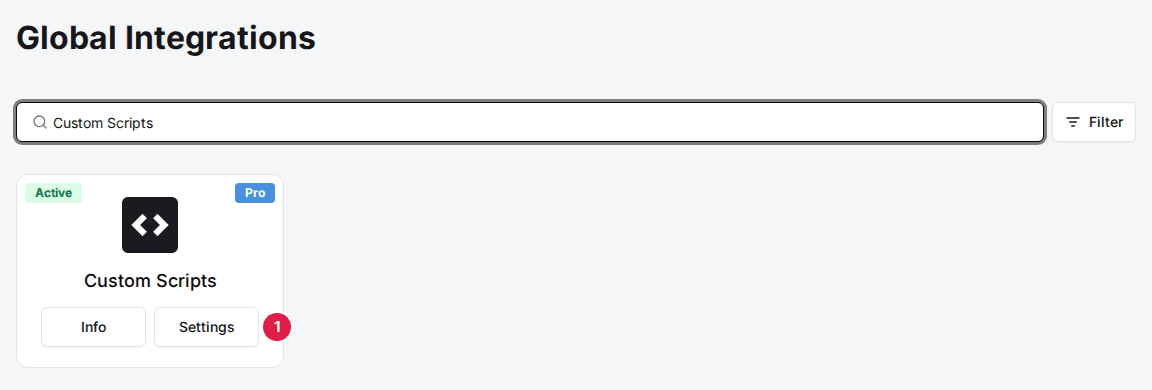
Open the Custom Scripts integration
Navigate to the Marketplace and find the Integrations page. Search for Custom Scripts and click Settings on its card. If the card shows Add instead, click Add and then Confirm and Add first.
Marketplace›Integrations
2
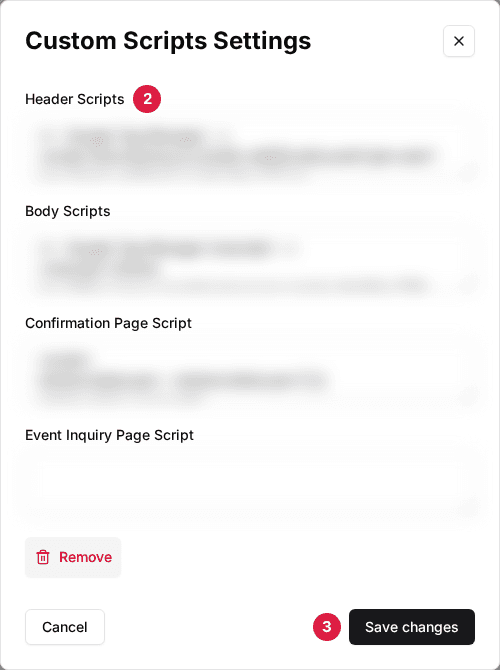
Add your scripts
Paste script tags or HTML into the appropriate fields depending on where each script should load.
3
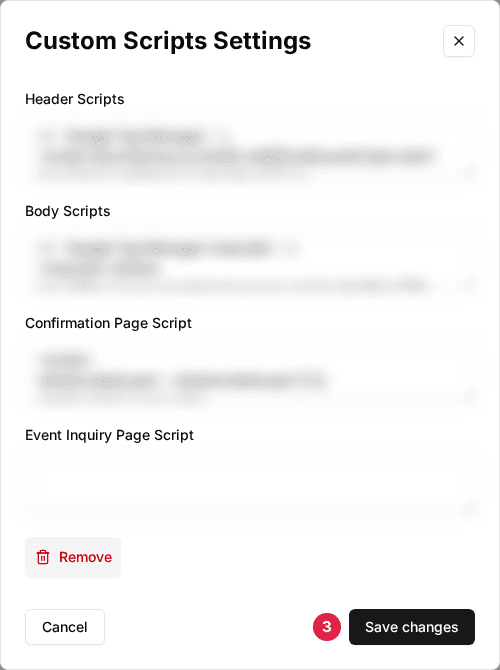
Save
Click Save Changes. Scripts take effect immediately on your booking page.
| Field | Description |
|---|---|
| Header Scripts | Scripts injected into <head> on all booking pages. Use for fonts, analytics libraries, or tag managers. |
| Body Scripts | Scripts injected at the end of <body> on all booking pages. Use for chat widgets or other UI tools. |
| Confirmation Page Script | Scripts injected only on the reservation confirmation page. Use for conversion pixels. |
| Event Inquiry Page Script | Scripts injected only on the event inquiry (thank you) page. |
Updated Oct 8, 2026
Was this helpful?