
Set up texting
Rex sends SMS confirmations, reminders and staff messages through a dedicated Twilio number set up for your account. You don't need your own Twilio account: Rex creates and manages that number for you through a short setup wizard, for venues in both the United States and Canada.
Start the setup wizard
Navigate to Global Integrations
Type Texting in the search box to find its card.
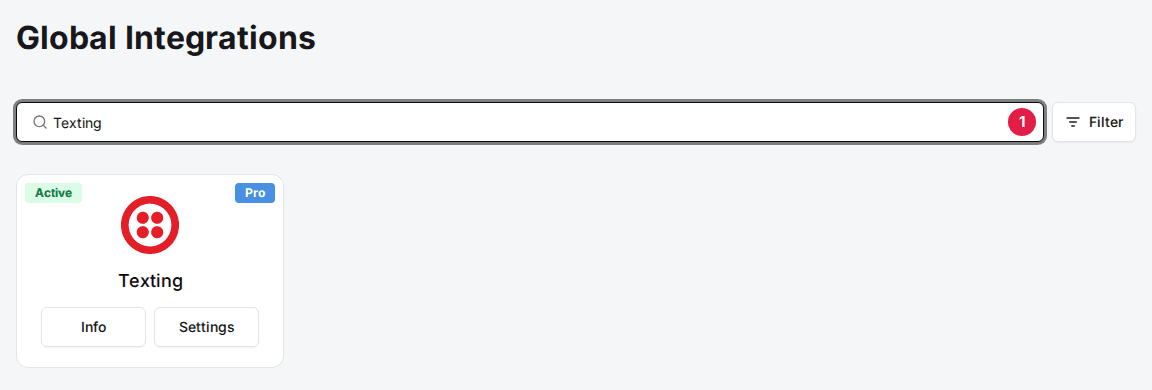
Click Add on the Texting card
The Texting setup wizard opens straight away. If the card already shows Info and Settings, click Settings instead to reopen the wizard or check the texting status.
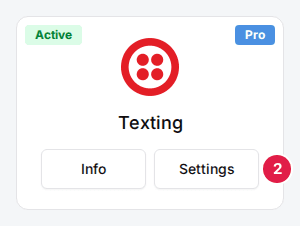
Work through the setup wizard
The wizard has four steps: Business Info, Address, Representative and Phone Number. A venue in Canada skips Representative. Use Back and Next to move between them, then click Connect Twilio on the last step.
Enter your business information
Fill in the fields below, then click Next.
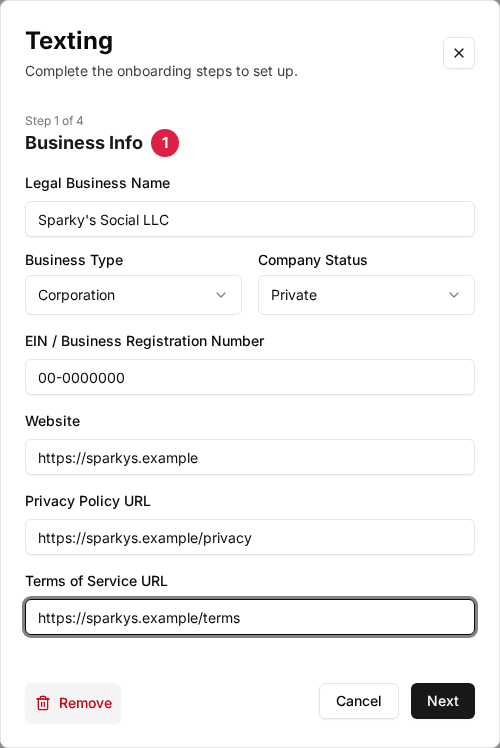
| Field | Description |
|---|---|
| Legal Business Name | Your business's registered name. |
| Business Type | Your business structure: Corporation, LLC, Partnership, Co-operative, Non-profit or Sole Proprietorship. |
| Company Status | Private or Public. Selecting Public adds Stock Exchange and Stock Ticker fields. |
| EIN / Business Registration Number | Your business tax ID. Used for U.S. carrier registration. |
| Website | Your venue's website address. |
| Privacy Policy URL | A link to your privacy policy. For a U.S. venue, carriers read this page during review. |
| Terms of Service URL | A link to your terms of service. |
Enter your venue's address
Fill in the fields below, then click Next.
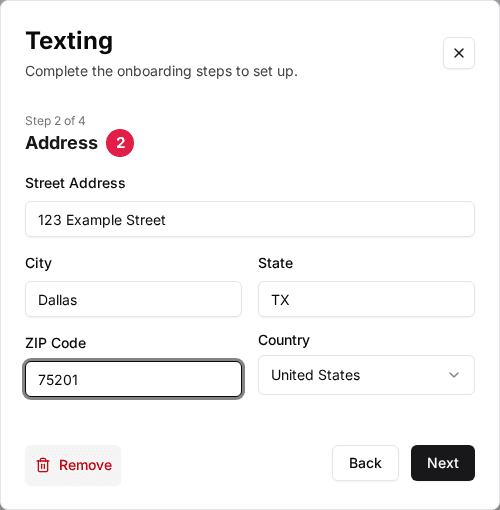
| Field | Description |
|---|---|
| Street Address | Your venue's street address. |
| City | Your venue's city. |
| State | Your two-letter state or province abbreviation, for example IL. |
| ZIP Code | Your venue's ZIP or postal code. |
| Country | United States or Canada. Twilio keeps a separate phone number inventory per country, so this decides which numbers the Phone Number step finds. Canada also skips the Representative step. |
Set Country to Canada before you reach the Phone Number step. Left on United States, the number search only finds U.S. numbers, even for a Canadian venue.
Enter an authorized representative
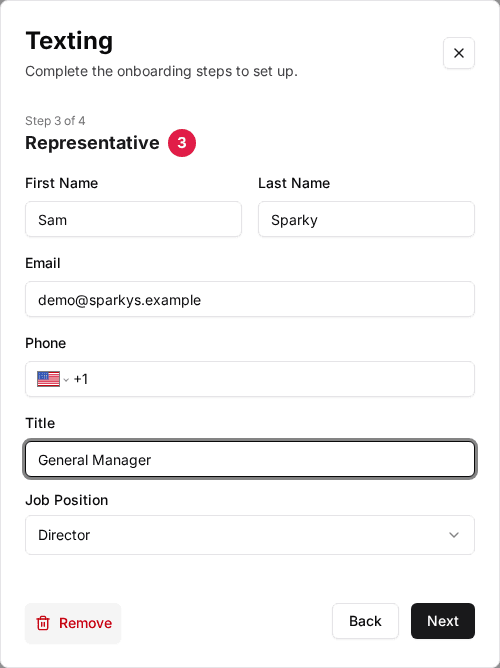
U.S. venues only. Add the First Name, Last Name, Email, Phone, Title and Job Position of the person authorized to act for your business. Twilio uses this to verify your account.
Pick a phone number
Type an area code into the search box. Rex lists the available Twilio numbers for the country you set on the Address step, with their city and region. Click a number to select it.
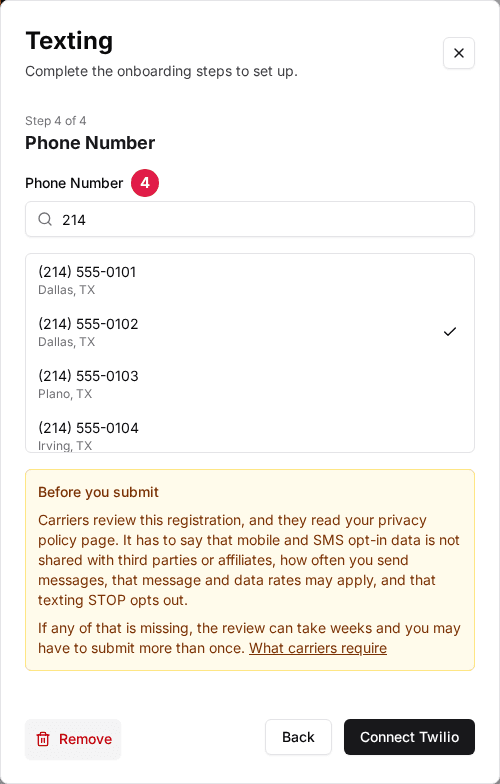
If no numbers turn up, the wizard says: "No numbers are available for that area code. Try another area code for the same region." Twilio's number coverage doesn't always match how phone companies split up an area, so a nearby area code for the same city can turn up numbers where the first one didn't. For example, a venue in North Bay, Ontario should search 249: Twilio has no numbers under 705, even though 705 also serves North Bay.
For a U.S. venue, carriers read your privacy policy page during review. It has to say that mobile and SMS opt-in data is not shared with third parties or affiliates, how often you send messages, that message and data rates may apply, and that texting STOP opts out. If any of that is missing, the review can take weeks and you may have to submit more than once.
Click Connect Twilio to finish. Rex sets up your Twilio number and, for a U.S. venue, submits the required carrier registration automatically.
What happens for a Canadian venue
Canada has no equivalent to A2P 10DLC, the U.S. carrier registration program. With Country set to Canada, Rex skips registration entirely after you click Connect Twilio, so there's no approval to wait for. The texting status reads Connected as soon as setup finishes.
Canadian mobile carriers filter business texting more strictly than U.S. carriers. Twilio recommends a verified toll-free number or a short code for the best delivery on Canadian texts. A regular Canadian local number still sends with no registration, it just may see more carrier filtering.
What a U.S. venue sees
Rex submits carrier registration (A2P 10DLC) after you click Connect Twilio. Click Settings on the Texting card to see where it stands: the status moves from Registration Not Submitted through Awaiting Brand Approval and Awaiting Campaign Approval to Connected. While it waits, the Texting card shows Pending; it shows Active once texting is live. Rex checks with Twilio once a day, and you don't need to do anything while it's pending.
Twilio can also reject the registration. If that happens, Rex emails the person who submitted the setup with what to change, and the wizard opens again with Twilio's reasons at the top so you can fix them and submit again. See Texting registration rejected for what each rejection reason means.
Choose which texts guests get
Once texting is connected, choose for each venue which texts its guests get. Every switch starts off.
Navigate to the venue
Open the venue. The Integrations section is at the bottom of the General tab.
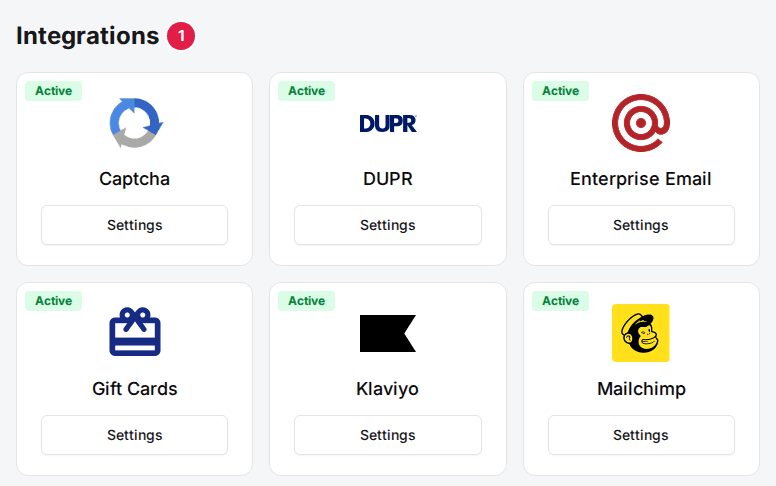
Click Settings on the Texting card
The Texting window opens.
Turn on the texts you want
Set the switches and fields described below, then click Save changes.
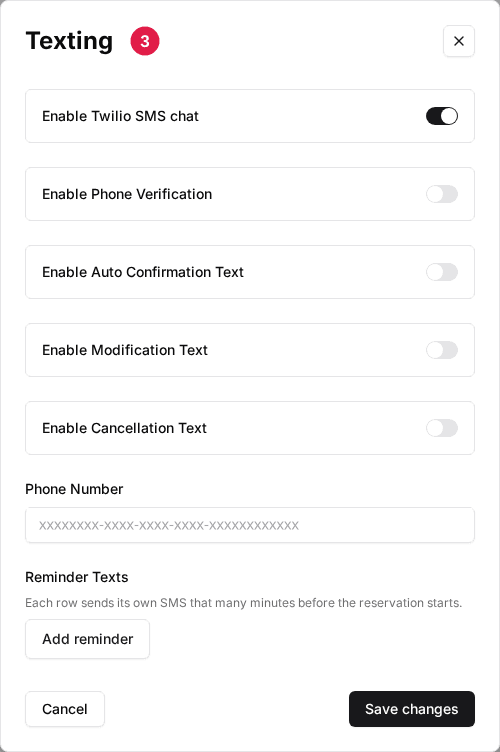
| Field | Description |
|---|---|
| Enable Twilio SMS chat | The venue's main switch. Confirmation, modification, cancellation and reminder texts only send while it's on. |
| Enable Phone Verification | Guests confirm their phone number with a code texted to them before they finish booking. |
| Enable Auto Confirmation Text | Texts the guest when a reservation is created. |
| Confirmation Text | Appears once Enable Auto Confirmation Text is on. An optional custom message for the new-reservation text only; the modification and cancellation texts always use the Rex wording. |
| Enable Modification Text | Texts the guest when a reservation is changed. It's independent of Enable Auto Confirmation Text. |
| Enable Cancellation Text | Texts the guest when a reservation is cancelled, whether the guest or the venue cancels it. |
| Phone Number | The venue's Twilio number. Required, or no text sends. |
| Reminder Texts | Click Add reminder for each reminder you want, then enter the Minutes before reservation and the Message. Each row sends its own text that many minutes before the reservation starts. |
Each reservation text names the venue, states the reservation date, start time and guest count, and ends with a short link. The guest opens the link to view their reservation, where they can change or cancel it without signing in. The link is the same for a given reservation across all three messages.
New reservation: "Preview Venue: reservation confirmed for Sep 7 7:00 PM, 4 guests. Manage: https://yourvenue.com/r/Ab3xK9q"
Changed reservation: "Preview Venue: reservation updated to Sep 7 8:30 PM, 4 guests. Manage: https://yourvenue.com/r/Ab3xK9q"
Cancelled reservation: "Preview Venue: your Sep 7 7:00 PM reservation for 4 guests is cancelled. Details: https://yourvenue.com/r/Ab3xK9q"
If Confirmation Text is empty, Rex sends the standard wording shown above. If you enter your own wording, Rex sends that and adds the short link to the end. Long custom wording can push the message past one SMS segment, which costs more to send; clear the field to go back to the shorter Rex wording. The cancellation text links to the reservation so the guest can see it's cancelled, but the guest can't use that link to book again.
Once texting shows Connected, set up Quick Texts so hosts can message guests with pre-written messages from the Host App.
Updated Oct 8, 2026
Was this helpful?