
Configure international settings (Outside the USA)
Rex works for venues outside the USA. The time zone is set on each venue; currency, date format, the clock and the booking page language are set once for your whole account in Global Settings.
Set the venue's time zone
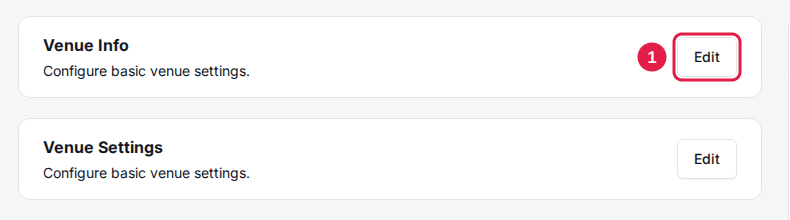
Click Edit on the Venue Info card
On the venue's General tab, find the Venue Info card and click Edit.
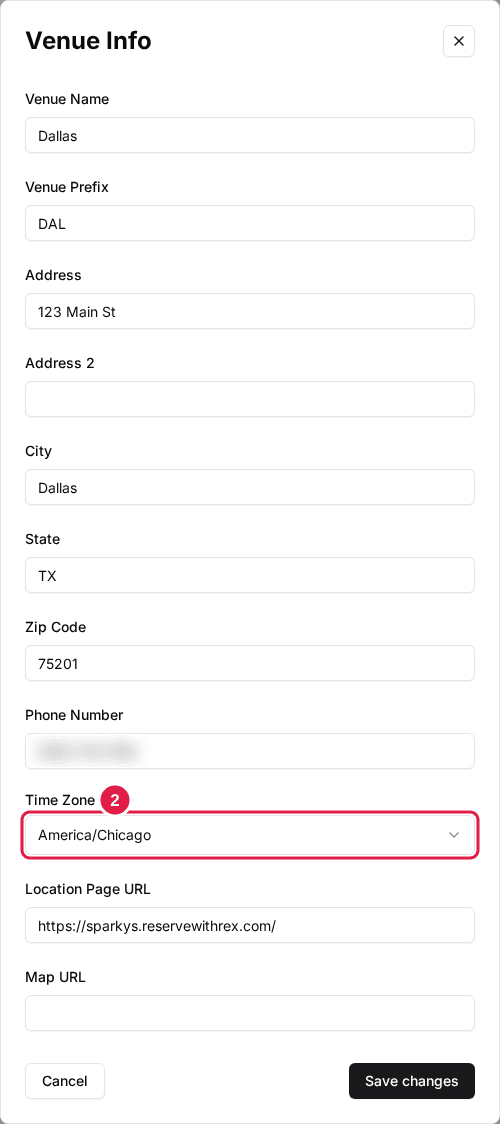
Select the Time Zone
Search for and pick your venue's time zone, then click Save changes. Every booking, report and reminder at this venue uses it.
Repeat for each venue in a different time zone.
Set currency, date format and clock
These three are in the Global Settings panel on the right of the page and save as soon as you change them.
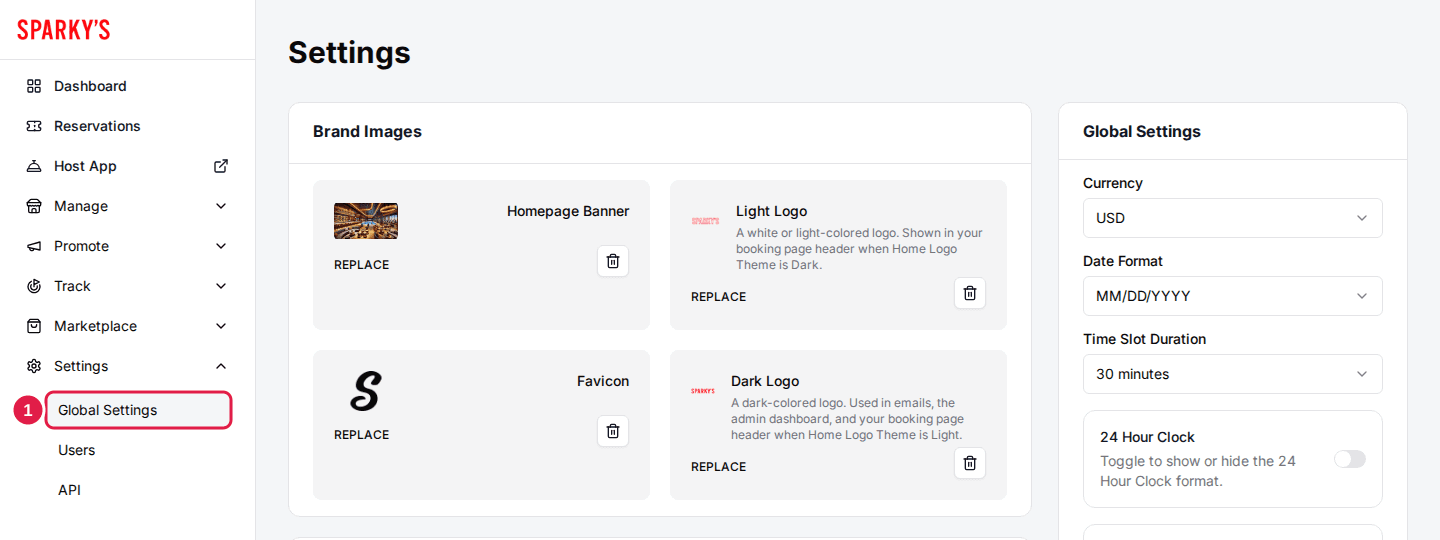
Navigate to Global Settings
Only account-level admins see this page.
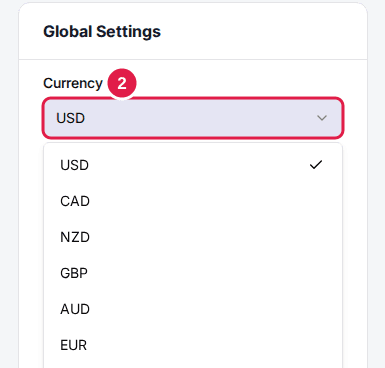
Select your Currency
Pick your currency. It applies to prices at every venue on your account.
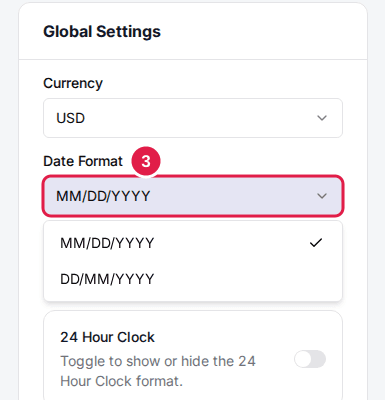
Select your Date Format
Choose DD/MM/YYYY instead of the default MM/DD/YYYY if that's what your guests expect.
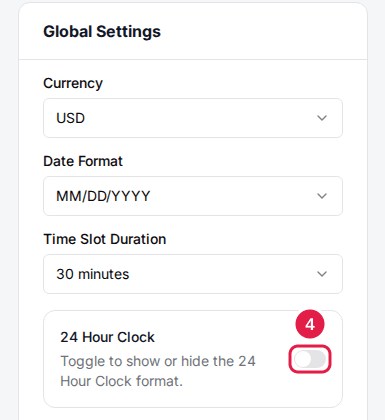
Toggle 24 Hour Clock on
Times then show as 13:00 instead of 1:00 PM across your venues.
If any of your venues takes payments through Square, the Currency list only offers the currencies of your Square locations. Rex currently supports USD, CAD, NZD, GBP, AUD, EUR and ISK.
Set the booking page language
On the same page, click Edit on the Page Settings card, choose your Language (English or Icelandic) and click Save changes. The guest booking page then shows its built-in text in that language.
Phone numbers
Phone number fields let you and your guests pick a country code, so international numbers work without any setup. Guest-facing phone fields start on the US code, and guests switch it to their own.
Open your booking page to check that prices show in your currency, times appear in your chosen format and time zone, and dates read the way your guests expect.
Updated Oct 8, 2026
Was this helpful?