
Payment failed at checkout
Rex has no Failed reservation status. When a guest's payment does not go through at checkout, the booking is not confirmed: it stays Pending while the guest can still pay, and Rex deletes it once the checkout is abandoned. Use the symptom below that matches what you or the guest see.
Every 15 minutes Rex clears out Pending checkouts that are more than 15 minutes old and still unpaid, so an abandoned booking disappears 15 to 30 minutes after checkout started. For Stripe and Teya, Rex first asks the processor: if the payment did go through, the reservation is confirmed instead of deleted.
The guest says their card was declined
Possible causes
- •The bank declined the charge: not enough funds, a fraud hold, or a card blocked for online payments.
- •The card number, expiry date, security code or postal code was mistyped.
Fix
Ask the guest to try again with the details checked, or with a different card. If the same card keeps failing, they need to call their bank. The decline reason itself is in your Stripe or Square dashboard, not in Rex.
You can't find the guest's booking in Reservations
Possible causes
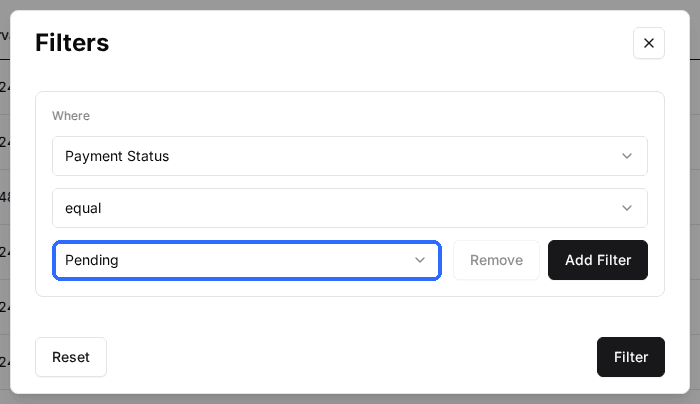
- •There is no Failed filter. An unpaid checkout shows with Payment Status Pending.
- •The checkout was abandoned more than 15 to 30 minutes ago, so Rex has already deleted it.
Fix
Click Filter, choose Payment Status and select Pending. Open the reservation: its Payment History card shows the charge as Incomplete (Pending for Square). If it is gone, the guest has to book again or you book it for them.
The guest wants to pay another way, or at the venue
Possible causes
- •The online checkout cannot be finished with the guest's card.
Fix
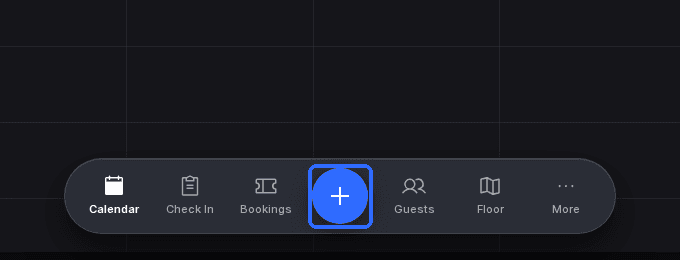
Book it in the Host App: tap the + button in the bottom bar, create the reservation and take payment there, or use Actions > Send payment link to email the guest a link for the amount. The admin dashboard cannot create reservations.
Every guest's payment fails
Possible causes
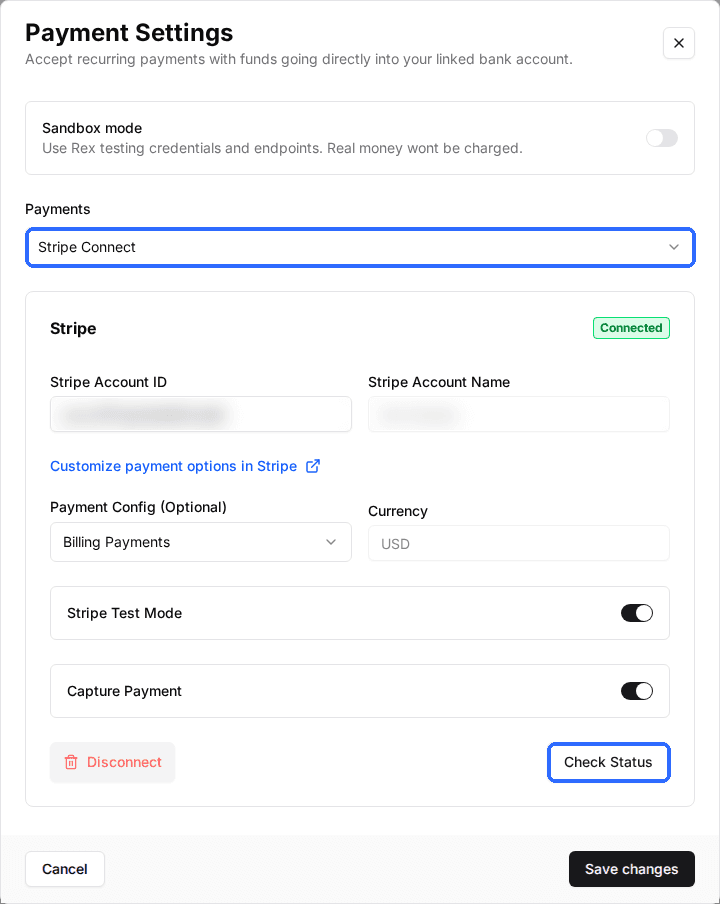
- •The venue's payment processor is not connected: the Payment card on the venue page shows Not Connected.
- •The Payment card shows Test Mode, so real cards are not charged.
Fix
Open the venue, click Settings on the Payment card and check the processor under Payments. For Stripe, click Check Status. Contact Rex support if the connection still fails.
A reservation that stays Pending for longer than this has a different cause. See Reservation stuck in Pending.
Updated Oct 8, 2026
Was this helpful?