
Create contact-only packages
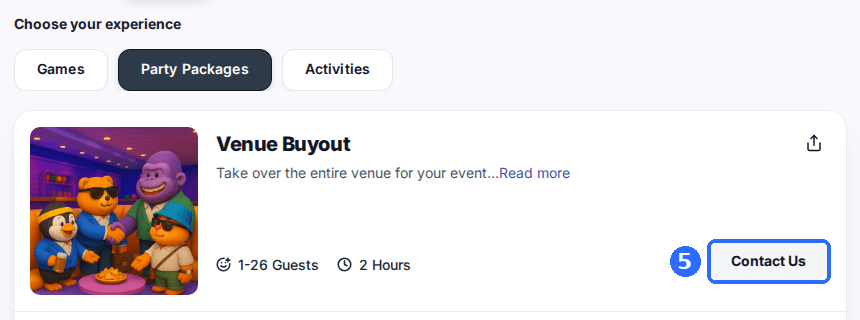
A contact-only package shows on your reservation page without times or online booking. Instead of a book button, guests get a contact button that calls your venue, opens a web address you choose, or opens your contact form. Use it for buyouts, private events, and anything you'd rather quote by hand.
Open the package
Click your venue, open the Packages tab, and click the package you want to make contact-only.
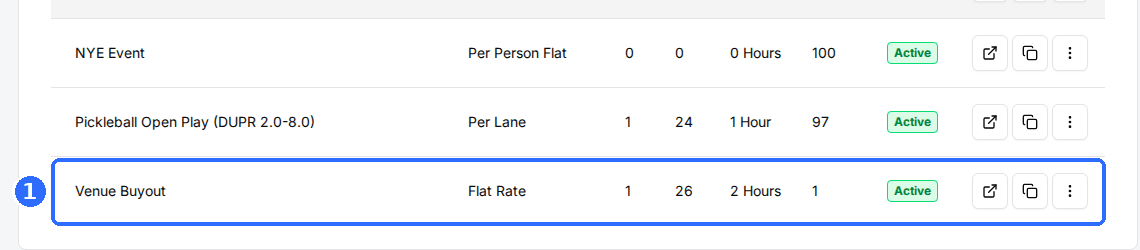
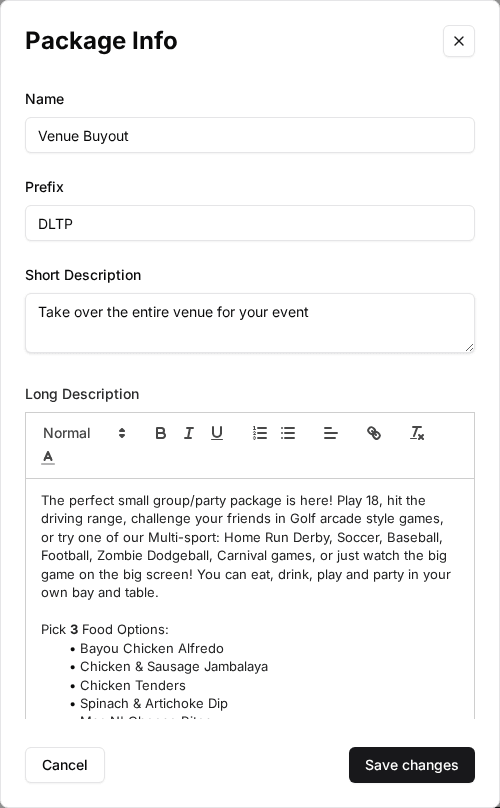
Finish the package details first
Set the name, descriptions, and image before switching on contact-only. Once it's on, the Schedules card and Parent Schedule are hidden, because the package no longer takes bookings.
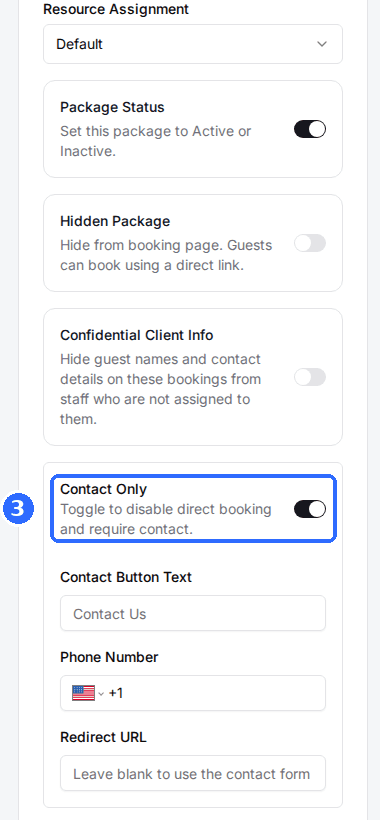
Toggle on Contact Only
In the Package Controls card, switch on Contact Only. Three fields appear beneath it.
Set the button and where it goes
Fill in the fields below. Each one saves when you click out of it.
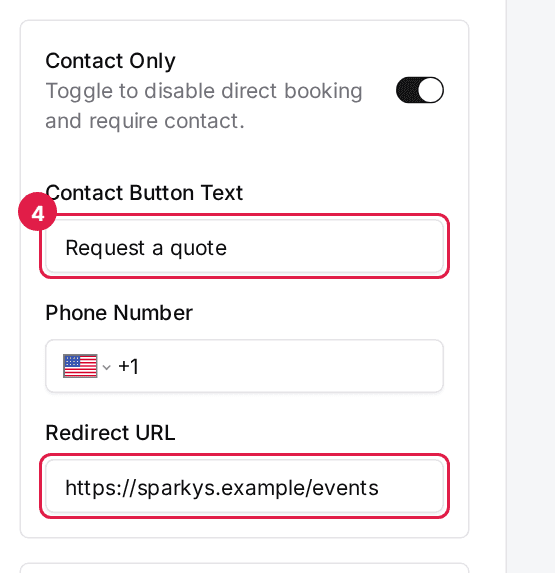
| Field | Description |
|---|---|
| Contact Button Text | The button label, up to 30 characters. Leave it blank to use your venue's default contact label, or Call to Book (Call on phones) when a Phone Number is set. |
| Phone Number | Guests who tap the button call this number. Leave it blank to use the Redirect URL. |
| Redirect URL | Guests who click the button go to this web address. Leave it blank to open your contact form. |
The button follows the first field that's filled in: Phone Number, then Redirect URL, then your contact form. Leave all three blank and the package keeps the classic behaviour, your venue's contact label linking to your contact form.
Verify on your reservation page
Make sure Package Status is on, then click View package at the top of the page. The package shows your contact button instead of times, on any date guests pick.
Updated Oct 8, 2026
Was this helpful?