
Create hidden packages available only to select guests
A hidden package doesn't appear on your public reservation page. Guests reach it only through its direct link, which opens a page showing that one package, whatever date they pick. Use it for members-only offers, private events, corporate rates, or a promotion you share with a select list.
Open the package
Click your venue, open the Packages tab, and click the package you want to hide.
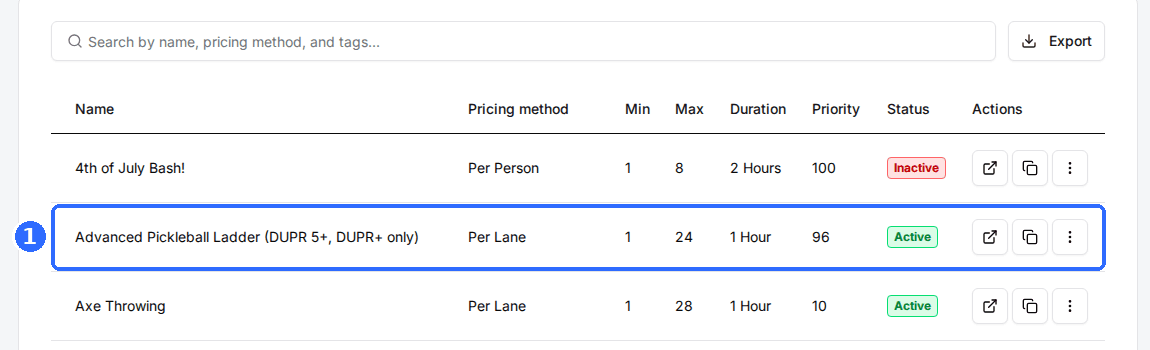
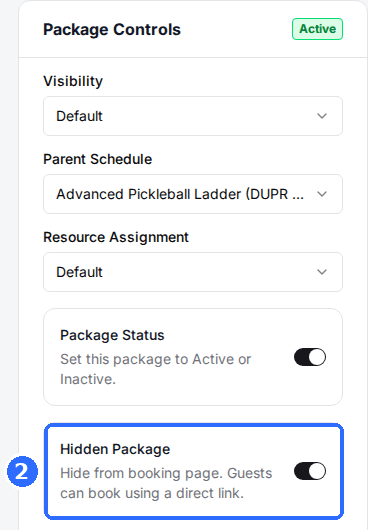
Toggle on Hidden Package
In the Package Controls card, switch on Hidden Package. It saves straight away, and the package drops off your public reservation page. Package Status must stay on, or the link won't work either.
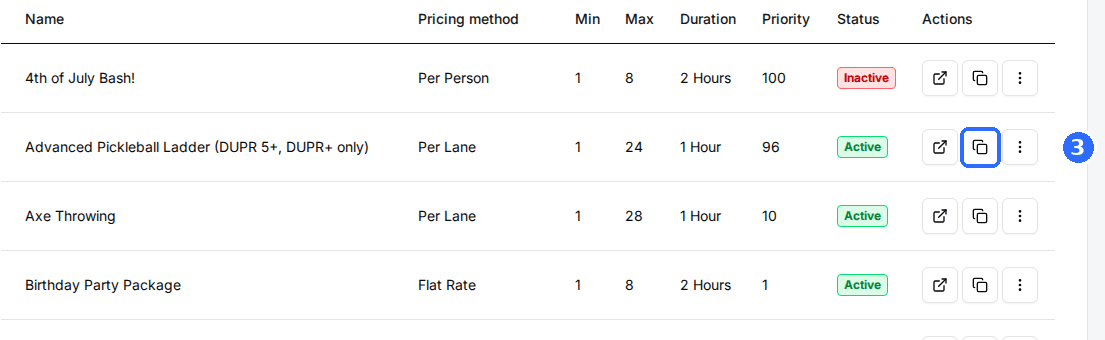
Copy the direct link
Go back to the Packages tab and click the copy icon in the package's row. The link is copied to your clipboard; share it with the guests who should see the package.
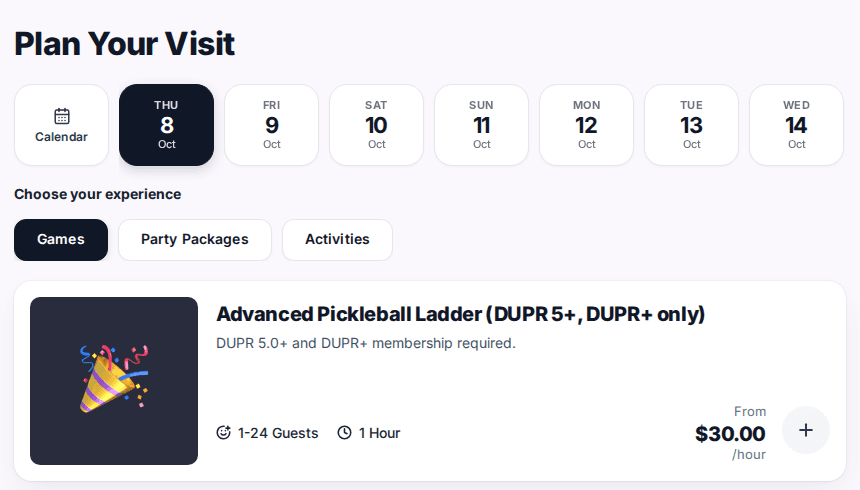
Verify the link
Open the link in a private browser window. Only the hidden package shows, even when you change the date. Then open your public reservation page and check the package isn't listed there.
Hidden only applies to your public reservation page. Staff still see and book the package in the Host App. To keep a package for staff only, set Visibility to Admin Only instead.
You can also click View package at the top of the package's page to open the same link in a new tab. To see how Rex links are built, see Reservation page link URLs explained.
Updated Oct 8, 2026
Was this helpful?