
Enable and use early check-in
When a guest shows up ahead of schedule, early check-in lets your staff pull the whole reservation forward: checking in before the scheduled start offers to move the start time to now, keeping the full duration. Rex checks lane availability first, so you know the earlier slot actually works.
Early check-in is off by default and is turned on per venue. Without it, checking in early simply checks the guest in and the reservation stays at its scheduled time.
Turn on early check-in
Open the venue's Host tab
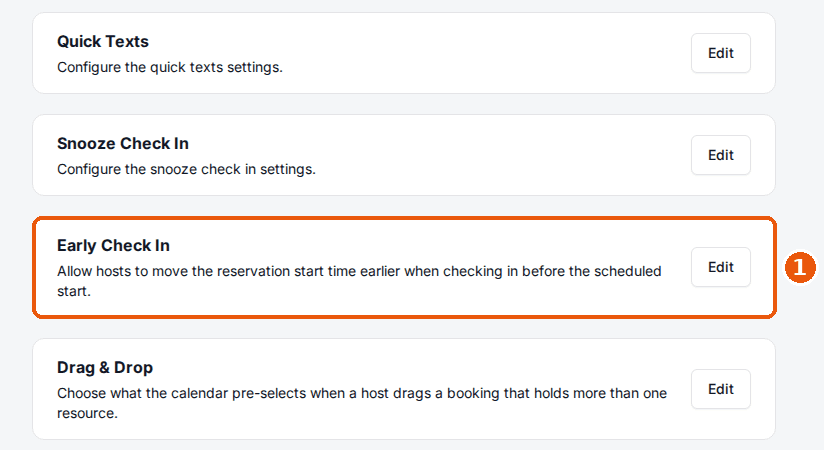
In the admin dashboard, open the venue and its Host tab. The Early Check In card is near the bottom of the list, just above Drag & Drop.
Toggle Enable Early Check In
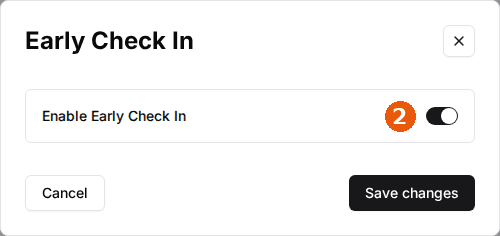
Click Edit on the Early Check In card, switch on Enable Early Check In, and click Save changes.
Check a guest in early
Click Check in
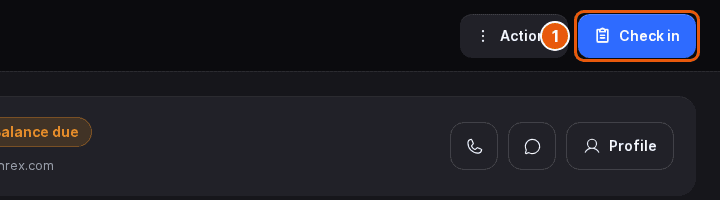
In the Host App, open the reservation from the Check In page or the Calendar and tap Check in before its scheduled start time on the day. The Check in early? dialog opens and checks the resources.
Choose what happens to the start time
The dialog shows when the reservation starts and the time now. What it offers depends on availability; the three cases are below.
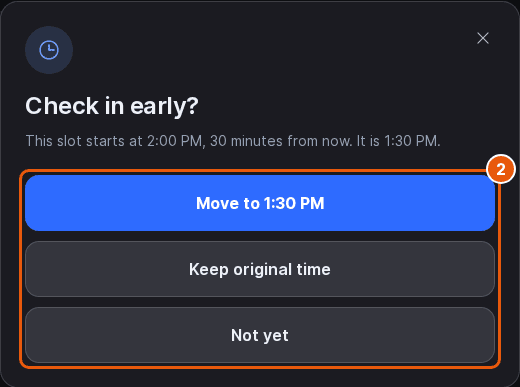
If the reservation's lanes are free at the earlier time, choose Move to followed by the time now (for example Move to 2:15 PM) to move the start to now, keeping the same duration, or Keep original time to check the guest in without changing the schedule.
If the reservation can't keep its lanes at the earlier time but other lanes are free, the dialog names them. Choose Move to followed by those lanes (for example Move to Lane 3) to move the reservation onto them, Move anyway to keep the original lanes despite the overlap, or Keep original time.
If no free lanes cover the reservation at the earlier time, the dialog says so. Keep original time is the first choice; you can still choose Move anyway, which double-books the lanes.
In every case Not yet closes the dialog without checking the guest in. Any other dialogs your venue uses, such as a balance due prompt, follow; see Check in guests.
Moving a reservation earlier frees up its original slot. The Calendar updates straight away, so the rest of the team sees the real timeline.
Updated Oct 8, 2026
Was this helpful?