
Modify or reschedule a reservation from the Host App
Floor staff can change a booking on the spot without opening the admin dashboard: a group shows up early, needs another lane, wants more time or has to move to another day. Rescheduling is the same job; in Rex it is called modifying.
What you can change
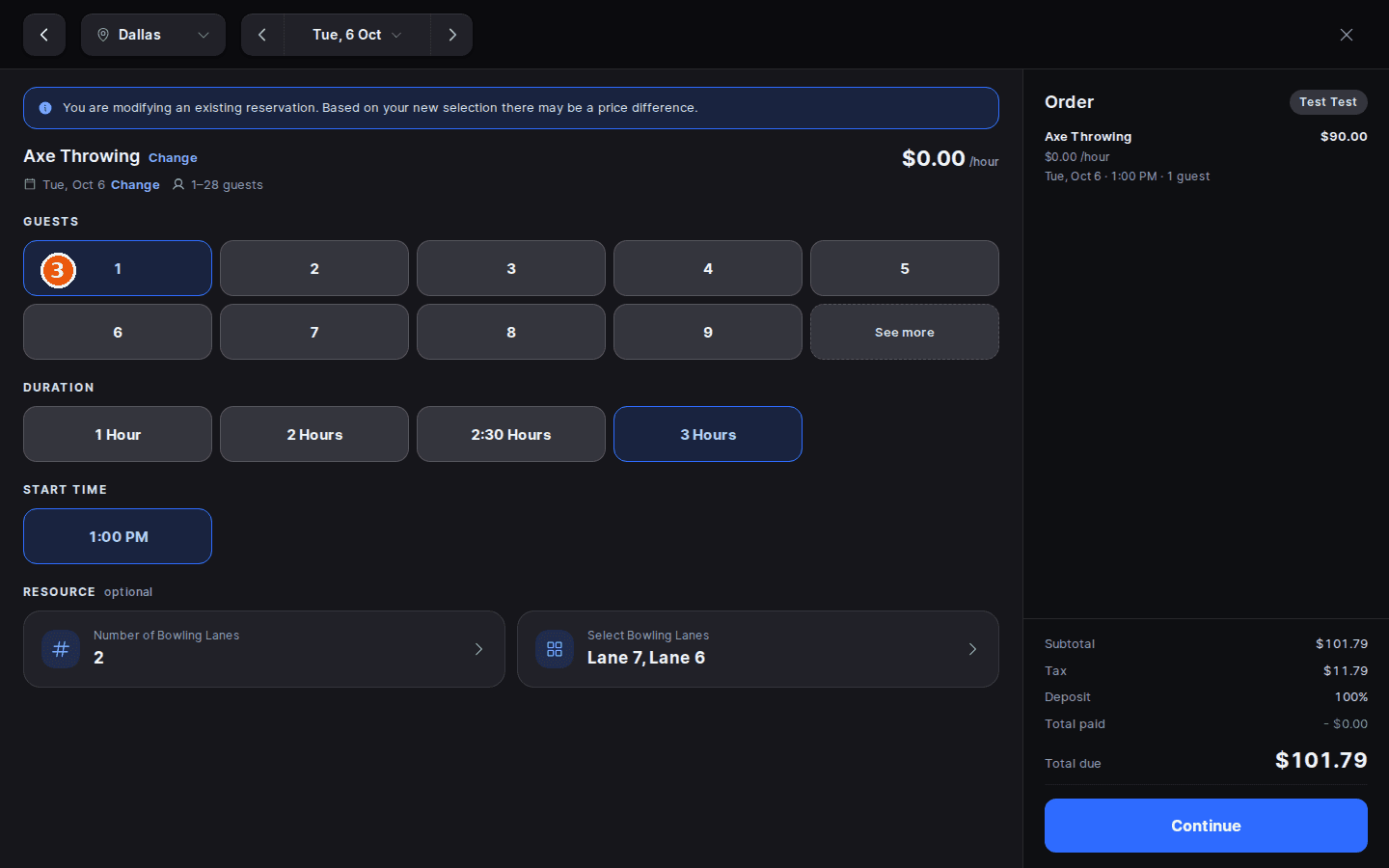
Modifying reopens the reservation in the Create screen with its current details filled in. From there you can change:
- The date, and the package, with the Change links next to them.
- Guests, Duration and Start time.
- The resources: how many lanes and which ones.
- Add-ons and the guest's details, on the steps that follow.
Hosts aren't bound by the package's modification rules or cut-off times; those only limit what guests can do themselves. Modify reservation is only greyed out on a cancelled reservation.
Modify a reservation
Open the reservation
Tap Check In in the dock, find the reservation and tap it. You can also tap the booking on the Calendar.
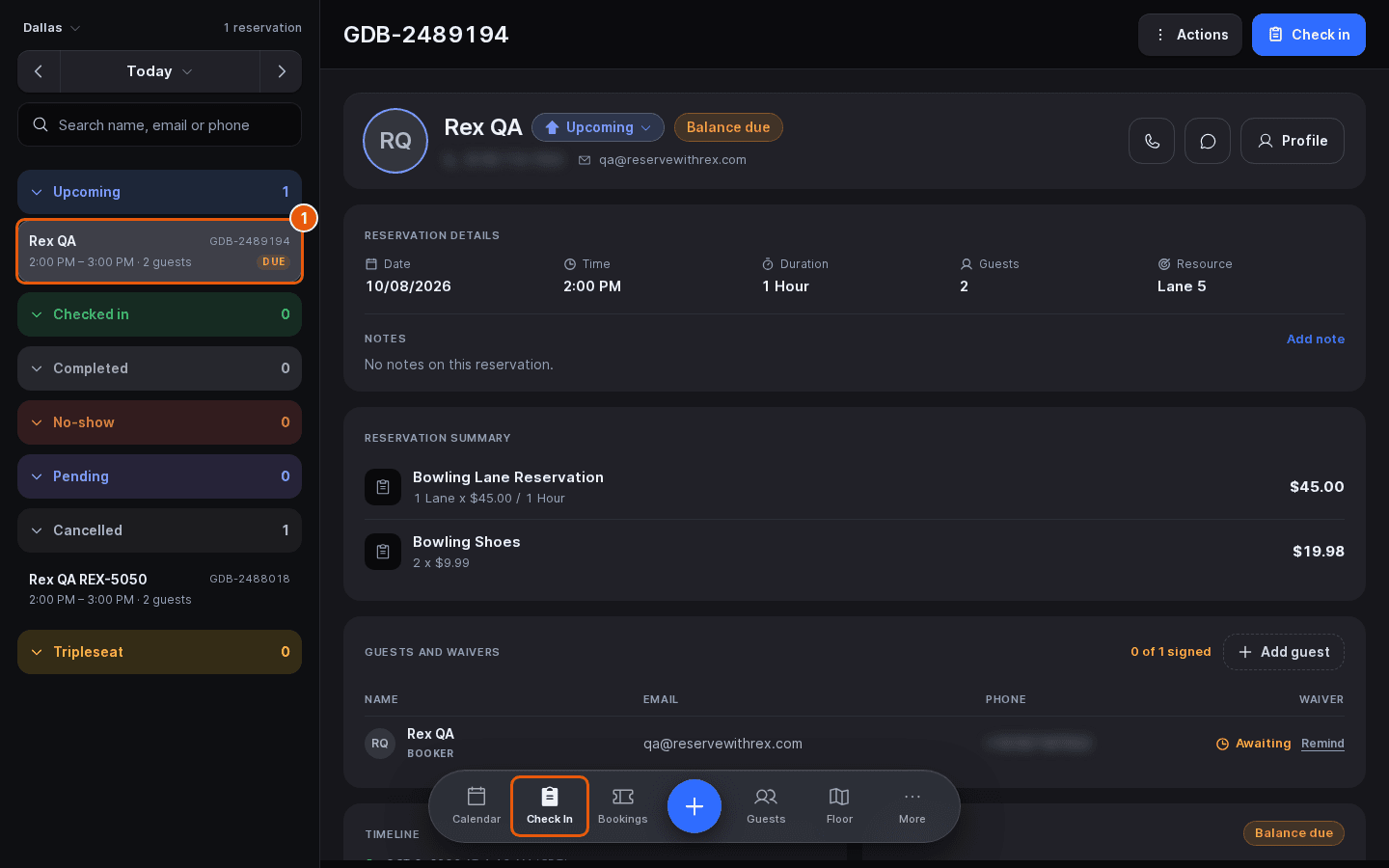
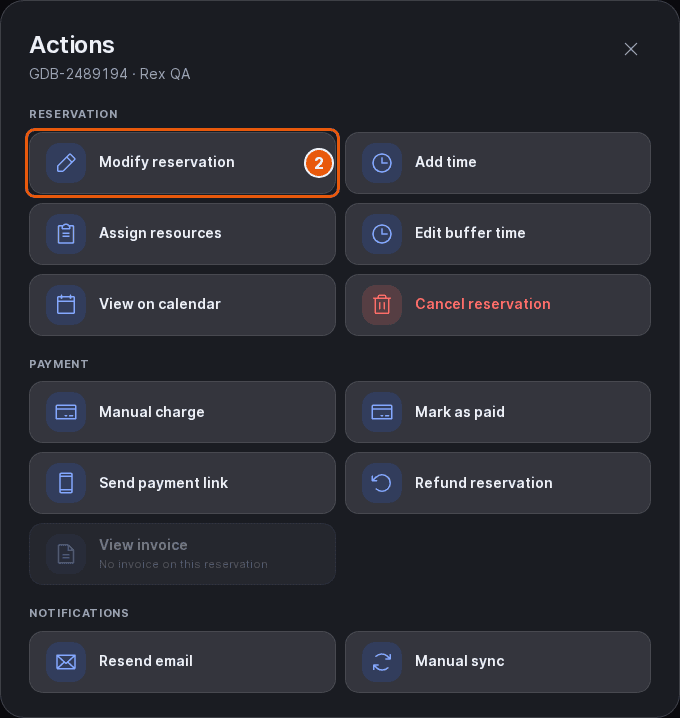
Select Modify reservation
Tap Actions at the top right, then Modify reservation in the Reservation group. The Create screen opens with a note that you are modifying an existing reservation.
Update the details
Change what needs changing, then tap Continue to move through add-ons, guest details and checkout. Availability is checked as you go, so a time or lane that's already taken can't be picked.
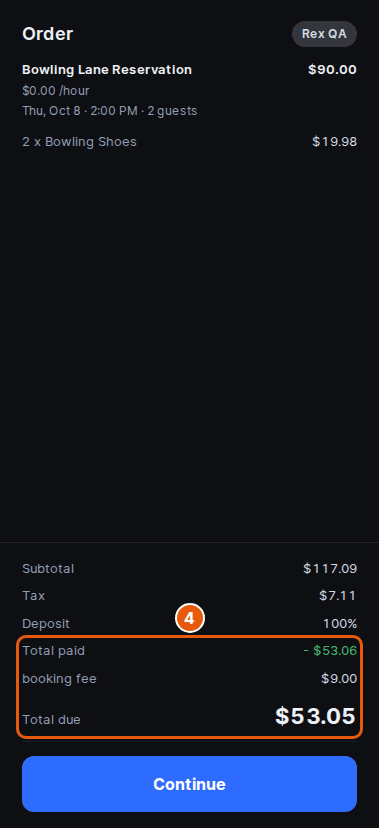
Review Total due
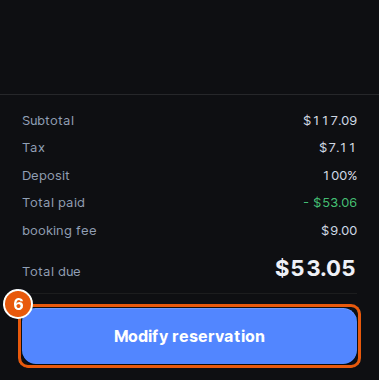
The Order panel on the right shows Total paid and Total due. On a modification, Total due is the difference between the new price and what the guest has already paid, including any modification fee. If the new price is lower, the difference is refunded. On GoTab venues the order is billed again in full.
Waive charges if needed
At the payment step a Waive charges section can appear. Tap Waive the modification fee so the guest isn't charged the fee, or Waive the charge to forgive the price difference. When the new price is lower the row reads Waive the refund, and the guest doesn't get the difference back. Each row only shows when your venue allows it (see below).

Click Modify reservation
Take any payment that's due with the payment method you pick, then tap Modify reservation to save. The Calendar, the Check In list and the reservation update straight away.
About modification fees
A modification fee is an optional charge when a booking is changed. An admin sets it per package in the dashboard, on the package's Cancel and Modify Rules card (Manage › Venues › your venue › Packages). These rules decide what guests can do from the booking page and their account; they don't stop hosts modifying from the Host App.
| Field | Description |
|---|---|
| Allow Modification | Lets guests modify their own booking. When it's off, guests can't self-modify, but hosts still can. |
| Fee Type | Whether the modification fee is a percentage of the booking or a flat amount. |
| Modification fee | The amount charged when a change falls inside the fee window, as a percentage or an amount depending on Fee Type. |
| Free Modification Cut Off (Hours) | How far ahead of the reservation a guest can modify for free. Changes made before this window carry no fee. |
| Modification Cut Off (Hours) | The last point a guest can modify the booking themselves. |
When a host modifies inside the fee window, the fee shows in Total due, where the host can charge or waive it.
Let hosts waive fees and price changes
Open the venue's Host tab
In the admin dashboard, open the venue and its Host tab.
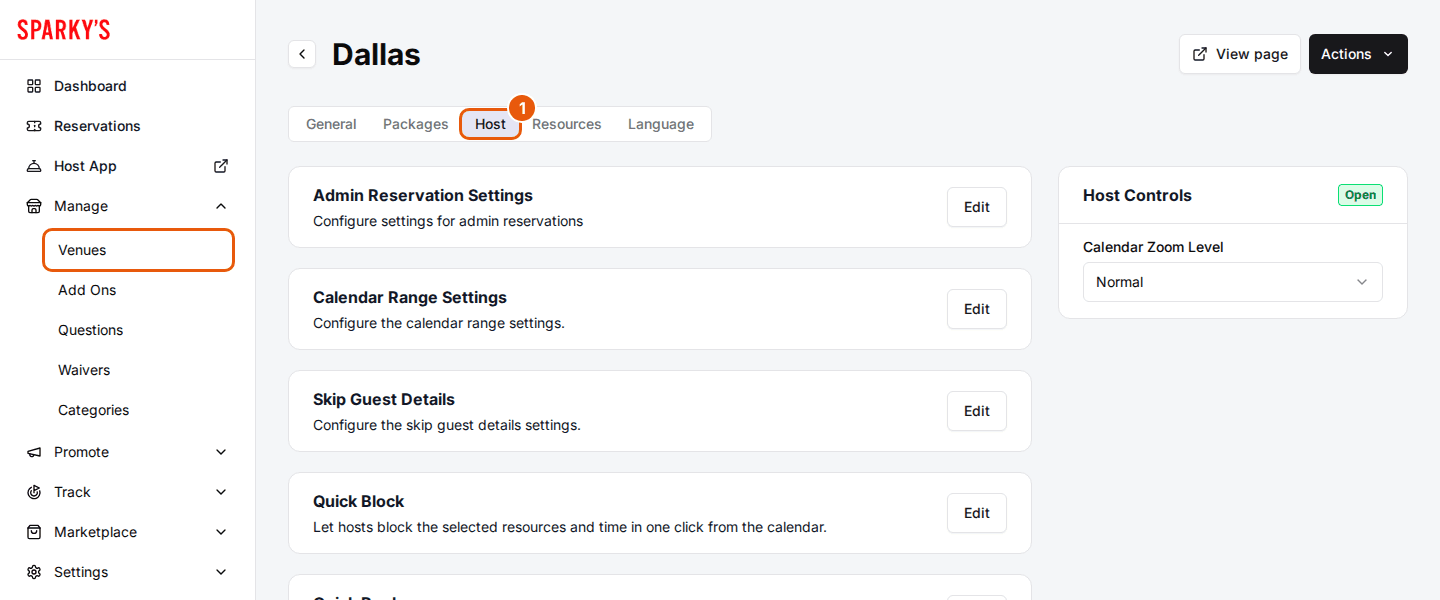
Click Edit on the Payment Settings card
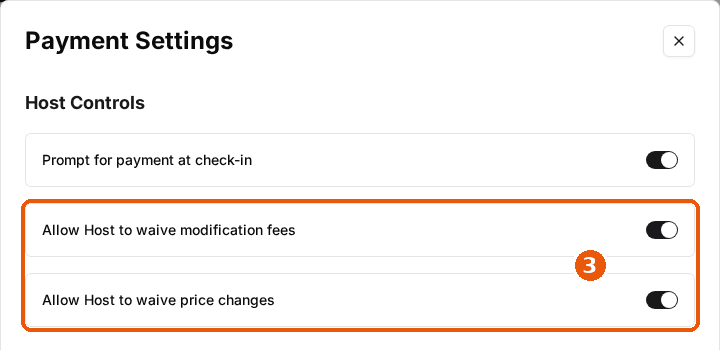
Payment Settings opens. The waive switches are under Host Controls.

Toggle the waive switches
Turn on Allow Host to waive modification fees for the Waive the modification fee row, and Allow Host to waive price changes for the Waive the charge and Waive the refund row. Then click Save changes.
To take a refund separately from a modification, see Refund a reservation from the Host App.
Updated Oct 8, 2026
Was this helpful?