
Set up Reserve with Google
Reserve with Google adds a Book online button to your venue's Google Business Profile. Guests who find you on Google Search or Google Maps click the button and land directly on your Rex booking page. Rex sends your venue and package details to Google once a day.
Before you start: your venue needs a claimed, verified Google Business Profile. Adding the integration to your account (the first section below) requires an account admin — venue admins can't see the Global Integrations page.
Setup happens in three places, in order:
- Account — add the Reserve with Google integration once, for your whole account.
- Per venue — turn the sync on and set the map link. Each location is enabled separately.
- Per package — choose which packages appear on Google. Only packages you publish are sent.
Add the integration to your account
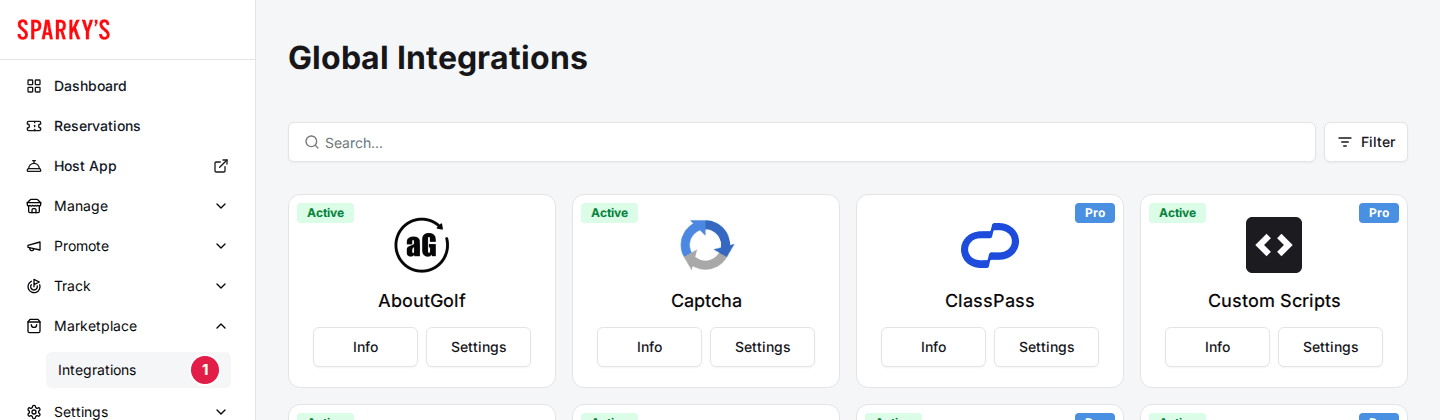
Navigate to Global Integrations
Only account admins see this page — if Integrations is missing from your Marketplace menu, ask your account admin or Rex support to do this part.
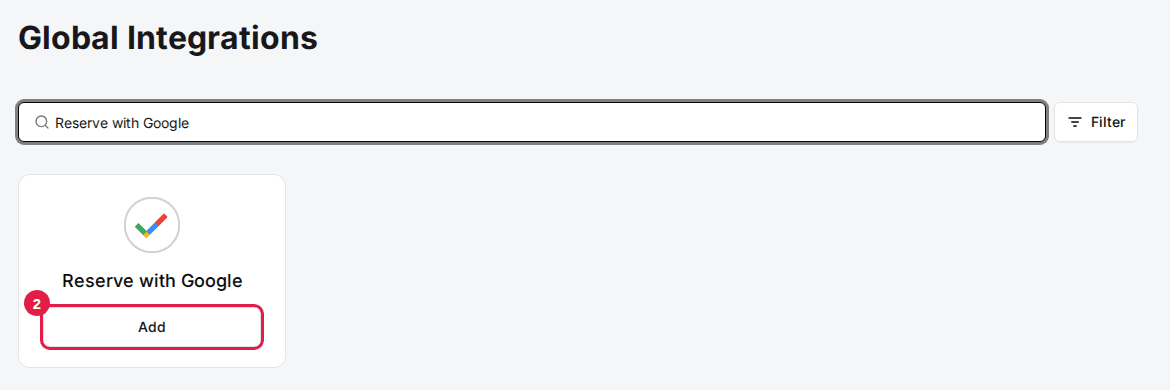
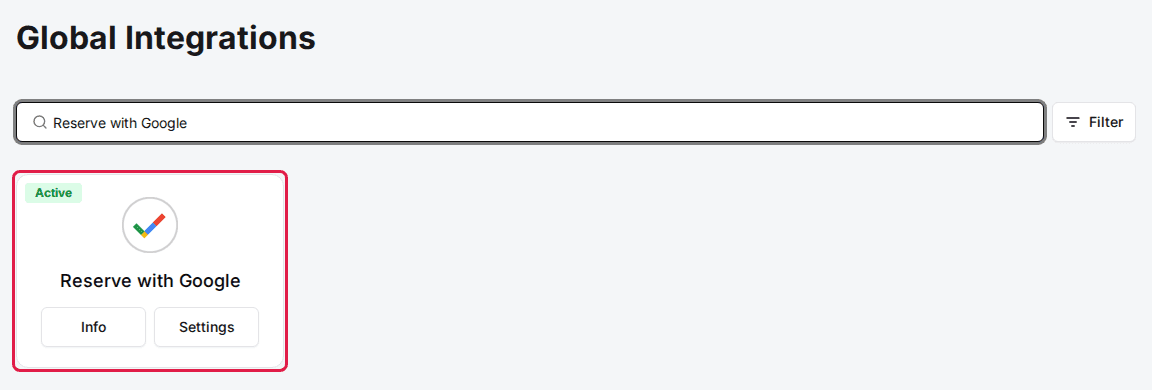
Click Add on the Reserve with Google card
Use the search box at the top to find the card. A dialog opens describing the integration.
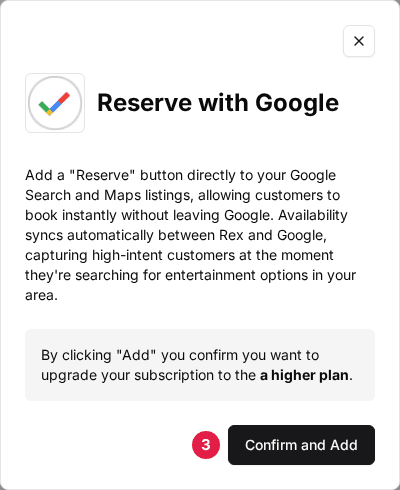
Click Confirm and Add
The card badge flips to Active and the Reserve with Google card now appears in every venue's settings. You only do this once per account.
Enable the venue
Navigate to your venue's integrations
Open the venue, stay on the General tab, and scroll down to the Integrations section.
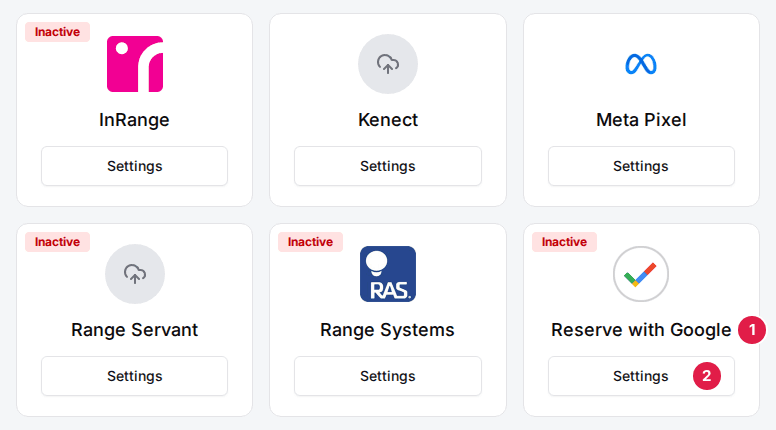
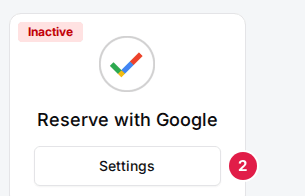
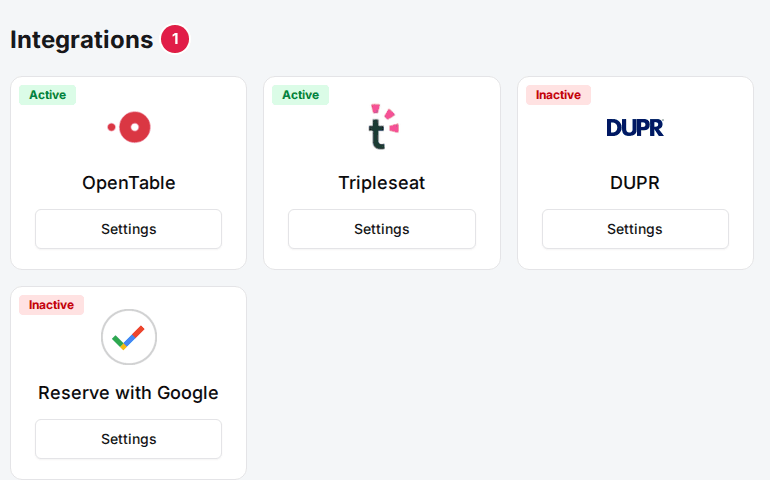
Click Settings on the Reserve with Google card
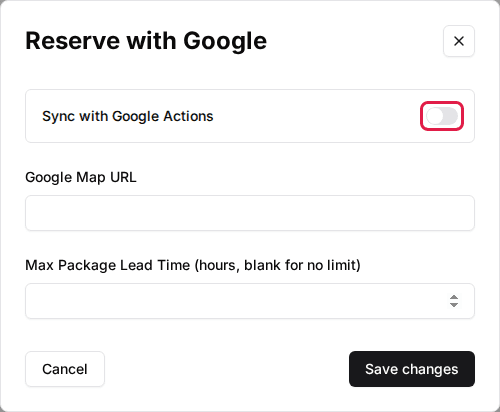
The Reserve with Google settings dialog opens. The card badge reads Inactive until you finish this section.
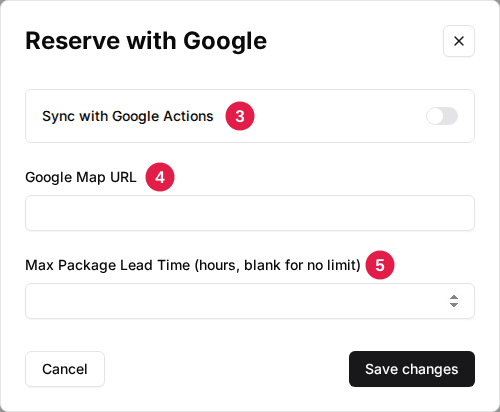
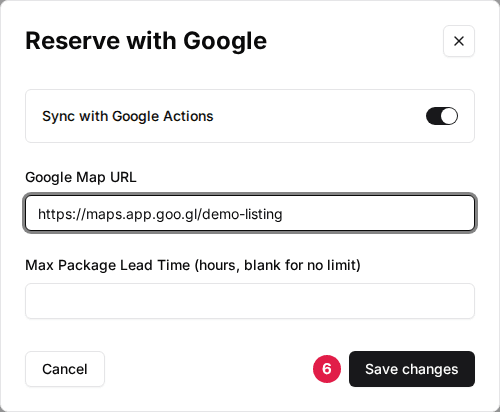
Toggle Sync with Google Actions to ON
This includes the venue in the daily feed Rex sends to Google.
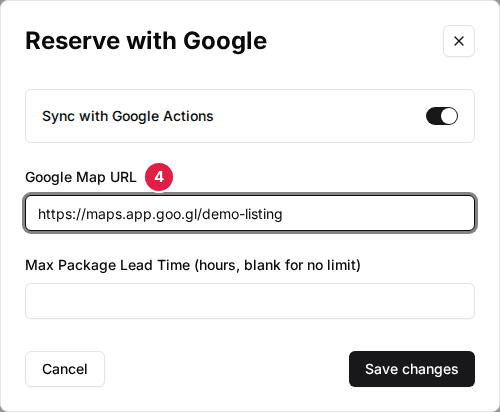
Enter your Google Map URL
Open your venue on Google Maps, click Share, then Copy link, and paste it here. Use the exact same listing as your Google Business Profile — Google uses this pin to match Rex's feed to your profile.
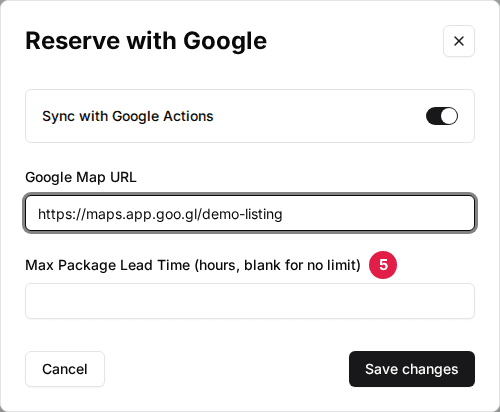
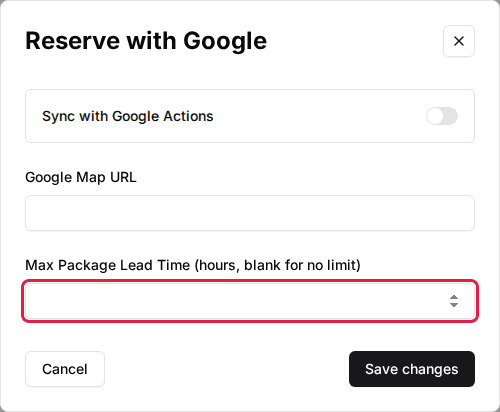
Set Max Package Lead Time (optional)
Leave it blank to publish every package. See the field guide below for what this does.
Save your changes
Click Save changes. The card badge flips to Active.
| Field | Description |
|---|---|
| Sync with Google Actions | Includes this venue in the daily feed to Google. Turn it off to remove the venue from Google booking. |
| Google Map URL | A link to your venue's pin on Google Maps (Share → Copy link). Must point at the same listing as your Business Profile. |
| Max Package Lead Time (hours, blank for no limit) | Keeps long-notice packages off Google. Every package has a lead time — the minimum notice a guest must give before booking. Packages whose lead time is above this number of hours are not sent to Google. Guests coming from Google usually want to book same-day, so a package that needs 48 hours' notice would just look unavailable there. This never changes how or when guests can book — it only controls what Google shows. Leave blank to publish every package; note that 0 is a real limit (it keeps out every package with any lead time), and negative numbers are rejected when you save. |
Publish packages
Navigate to the package's integrations
Open the Packages tab, click the package, and scroll to its Integrations section. The Reserve with Google card only appears here after the venue toggle above is on.
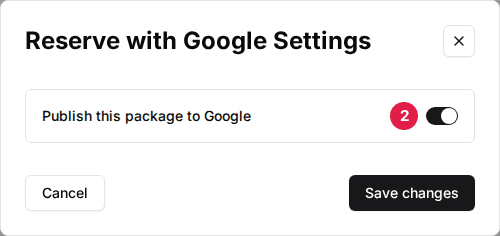
Toggle Publish this package to Google to ON
Click Settings on the Reserve with Google card, turn on Publish this package to Google, then click Save changes. Repeat for each package you want bookable from Google.
Google only accepts packages that have a name, a description that differs from the name, a duration, and a current or upcoming schedule. A package missing any of these is silently left out of the feed.
Wait for Google to match your listing
Rex uploads the feed once a day, overnight (1 AM US Central), so changes you save today reach Google by the next morning. After your first upload, Google reviews the feed and matches it against your Business Profile — this typically takes a few days to a couple of weeks. The Book online button appears automatically once matching completes; there is nothing to configure on Google's side to make it show.
What your guests see
The Book online button shows on your profile on mobile Search, the desktop knowledge panel, and your Google Maps listing — same button, slightly different placement per surface. Clicking it opens your Rex booking page with all published packages visible. From there the booking works exactly like a direct booking — same packages, prices, and confirmation — and the reservation arrives in Rex like any other online booking.
Package prices show on Google as an exact price or a range, based on your schedule rates. Packages with hidden pricing, or a $0 rate, show no price on Google. Rex also automatically reports completed bookings back to Google so the button keeps performing well; no guest details are shared beyond that confirmation.
Troubleshooting
No Book online button on my profile yet
Possible causes
- •Google is still reviewing and matching the feed — this takes days to a couple of weeks after first enabling
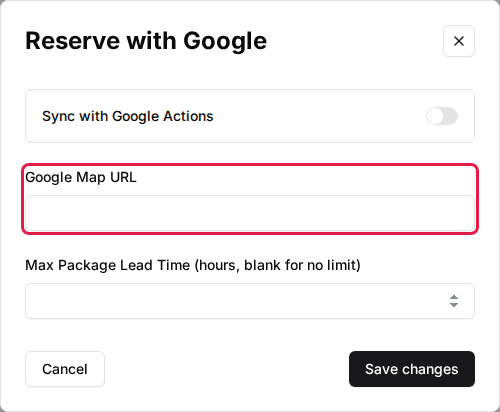
- •The Google Map URL points at a different listing than your Business Profile, or isn't a Google Maps link at all
- •No package at the venue is published and eligible, so the venue is left out of the feed entirely
Fix
Wait out the review period first. Then confirm the Google Map URL in your venue's Reserve with Google settings is a Google Maps share link to the exact same listing as your Business Profile, and that at least one package has Publish this package to Google turned on.
The Reserve with Google card is missing from my venue settings
Possible causes
- •The integration hasn't been added to your account
Fix
Add it on the Global Integrations page — find the Reserve with Google card, click Add, then Confirm and Add. Only account admins see this page; venue admins should ask their account admin or Rex support.
The Reserve with Google card is missing from a package
Possible causes
- •The venue-level Sync with Google Actions toggle is off
Fix
Turn on Sync with Google Actions on the venue first, then return to the package.
A package doesn't show up on Google
Possible causes
- •Its lead time is above the venue's Max Package Lead Time (remember 0 counts as a limit — leave the field blank for no limit)
- •Publish this package to Google is off
- •The package is hidden, inactive, or has no upcoming schedule
- •Its description is missing or identical to its name
Fix
Check each cause on the package. Raise the venue's Max Package Lead Time or leave it blank if the package needs more notice than the current limit.
No price shows on Google for a package
Possible causes
- •The package hides its price
- •Its lowest scheduled rate is $0
Fix
This is expected — Google does not display free or hidden prices. The package is still bookable.
Set up your Google Business Profile
Everything above happens in Rex. On Google's side, first claim and verify your Business Profile at google.com/business if you haven't already.
Once Google matches the Rex feed, a Rex booking link appears automatically under Links to your online booking tools in your profile's booking settings — leave it in place. To make the button prominent, set the Rex link as your preferred provider under Choose preferred link. You can also add your Rex booking page manually as an additional link — use your venue's specific booking link, not just your domain.
See Google's Business Profile help center for managing booking links on your profile.
Updated Oct 8, 2026
Was this helpful?