
Integrations overview
Integrations connect Rex to the other systems your venue runs: payments and POS, event sales, booking channels, marketing, and the lane and bay systems on your floor. Most are set up in two places: once for your account, then per venue.
Where integrations live
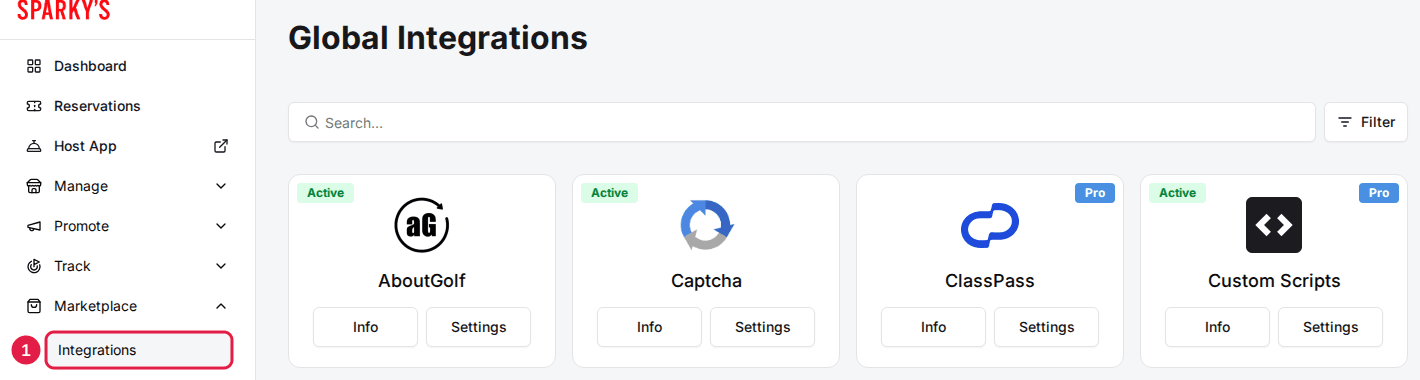
- Account level: Marketplace > Integrations opens the Global Integrations page, with one card per integration. Account-wide details, such as a Klaviyo API key or your Salesforce login, are entered here. Venue Admin, Regional Admin and read-only users don't see this page.
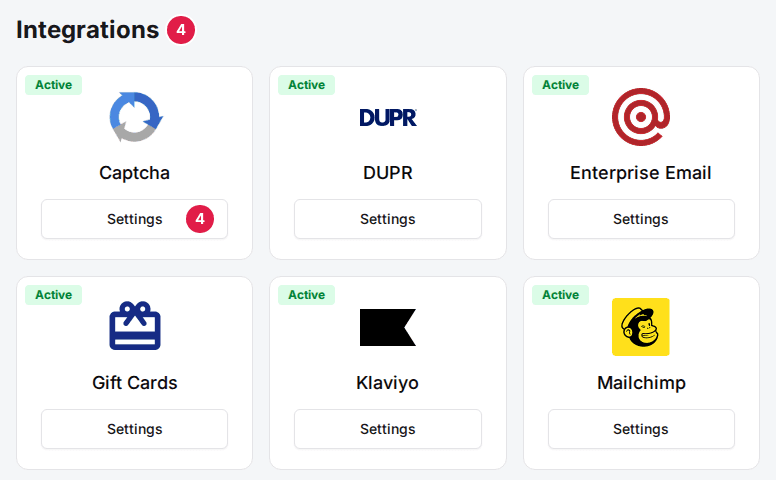
- Venue level: each venue's General tab ends with an Integrations section (Manage > Venues, then open the venue). It lists the integrations your account has added and holds the per-venue switches and IDs, such as Enable Steltronic or the InRange Facility ID.
- Package level: some integrations also appear in a package's own Integrations section, where you choose which packages they apply to.
Add an integration
Navigate to Marketplace > Integrations
Search by name, or use Filter to narrow the cards.
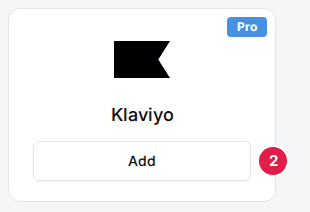
Click Add on the integration's card
A window describes the integration, with Learn more when there is a guide. If your plan doesn't include it, the window says that adding it upgrades your plan.
Click Confirm and Add
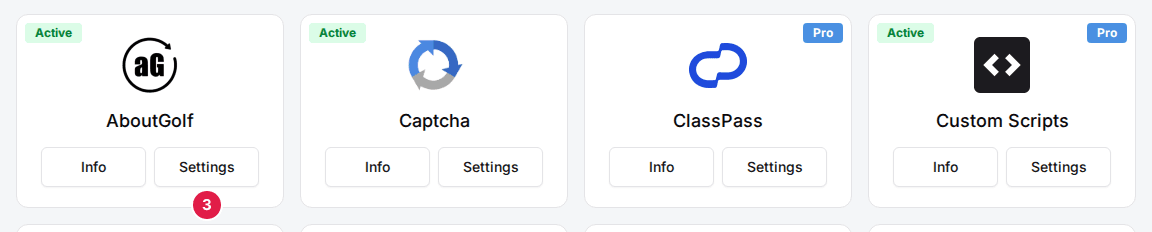
The card now shows Settings and Info. Click Settings to enter the account-level details, if the integration has any.
Turn it on for each venue
Open the venue, find the card in the Integrations section of the General tab, click Settings and switch the integration on.
Texting works differently: Add on the Texting card opens the texting setup wizard straight away. See Set up texting.
Card buttons and badges
| Field | Description |
|---|---|
| Add | Shown on an integration your account hasn't added yet. Opens its description and Confirm and Add. |
| Settings | Shown once the integration is added. Opens its account-level settings; on a venue, its settings for that venue. |
| Info | Shown once added. Shows the description and Remove, which takes the integration off your account. |
| Pro | The integration comes with the Rex Pro plan. Adding it on a plan that doesn't include it asks you to confirm an upgrade. |
| Active | Added and set up. On a venue's Integrations section, it also means the integration is on for that venue. |
| Pending | Added but waiting on someone else, such as carrier review for texting or Gift Up finishing your gift card setup. |
| Not Connected | Texting was added but its registration hasn't been submitted yet. |
| Inactive | Venue page only: the integration is set up for your account but turned off for this venue. |
What you can connect
Payments, POS and event sales
| Field | Description |
|---|---|
| Square | Links reservations to Square point-of-sale orders and can take guest payments through Square, including Cash App, Afterpay and bank account. Guide: Set up Square payments. |
| GoTab | Opens a GoTab tab for the reservation when guests check in. Guide: Connect GoTab. |
| Tripleseat | Creates Tripleseat leads and events from bookings, and can pull Tripleseat events in to block availability. Guide: Connect Tripleseat. |
| Salesforce | Sends booking and guest data to Salesforce. Guide: Connect Salesforce. |
Booking channels
| Field | Description |
|---|---|
| Reserve with Google | Adds a Reserve button to your Google Search and Maps listings, with availability from Rex. Guide: Set up Reserve with Google. |
| OpenTable | Pushes Rex reservations into OpenTable so the host stand sees them alongside walk-ins. Guide: Connect OpenTable. |
| ClassPass | Lists selected Rex inventory on ClassPass so its members can book. Guide: Connect ClassPass. |
| Viator | Sells your packages on Viator, which checks availability and books directly in Rex. Enter the Viator Supplier ID and Viator API Key on the venue, then turn on Enable Viator for each package you sell. |
Marketing and guest messaging
| Field | Description |
|---|---|
| Texting | Two-way texts with guests from the host app, plus automatic confirmation and reminder texts. Guide: Set up texting. |
| Mailchimp | Sends guests and booking data to Mailchimp for email campaigns. Guide: Connect Mailchimp. |
| Klaviyo | Adds booked guests to Klaviyo as profiles, and adds guests who opted in to offers to the list you choose. Rex doesn’t send booking events. Guide: Connect Klaviyo. |
| Kenect | Sends booked guests' contact details to Kenect for automated welcome texts. Needs your Kenect API Key and API Secret, and each venue's Kenect Location ID. |
Tracking, scripts and data
| Field | Description |
|---|---|
| Google Tag Manager | Loads your GTM container on the booking pages and sends booking events to it. Guide: Set up conversion tracking (Meta Pixel & Google Tag Manager). |
| Meta Pixel | Sends page views and booking events to Meta (Facebook and Instagram) Ads. Same guide as Google Tag Manager. |
| Custom Scripts | Adds your own scripts to the booking page header and body, the confirmation page and the event inquiry page. Guide: Add custom scripts. |
| SFTP | Delivers daily report files to your SFTP folder. Guide: Set up SFTP file transfers. |
Booking page and guest features
| Field | Description |
|---|---|
| Gift Cards | Sells gift cards on your booking page and accepts them as payment, through Gift Up. Guide: Set up gift cards. |
| Waivers | Collects digital waivers before checkout or at check-in. Guide: Collect signed waivers from guests. |
| DUPR | Links guests' DUPR profiles so you can require a rating level for racquet-sport activities. |
| Captcha | Adds invisible bot protection (Cloudflare Turnstile) to the booking payment form. |
Lane and bay systems
| Field | Description |
|---|---|
| Steltronic | Sends bowling reservations, with lanes and players, into your Steltronic system. Guide: Connect Steltronic. |
| InRange | Creates an InRange PIN for the guest's bays at check-in. Guide: Connect InRange. |
| Range Systems | Sends bookings to Range Systems' bay management platform. Turn on Enable Range Systems for the venue and set each bay's Range Systems Bay Id on the resource's Mapping tab. |
| AboutGolf | Syncs reservations with About Golf simulators so staff can check guests in from the About Golf dashboard. Enter the venue's Facility ID, then pick each bay's About Golf Sim ID on the resource's Mapping tab. |
A venue's payment processor isn't chosen on the integrations page: click Settings on the Payment card on the venue's General tab. See Set up Stripe payments, Set up Heartland payments and Set up Teya payments.
If an integration stops sending bookings, see Integration not syncing — how to diagnose.
Updated Oct 8, 2026
Was this helpful?