
Configure advanced package settings
Once a package is set up, a set of advanced settings control its visibility, display, host behavior, and cancellation rules. This article covers those. Basic package setup — name, pricing, guests, resources, duration, schedule, status, and image — is covered in Create your first package.
Before you start
- Create and activate the package first — see Create your first package.
- Pricing, deposits, and age tiers live in Configure package pricing.
- Resources and schedules are covered in Assign resources to a package and Set up your schedule and pricing.
Where it's configured
These settings apply per package.
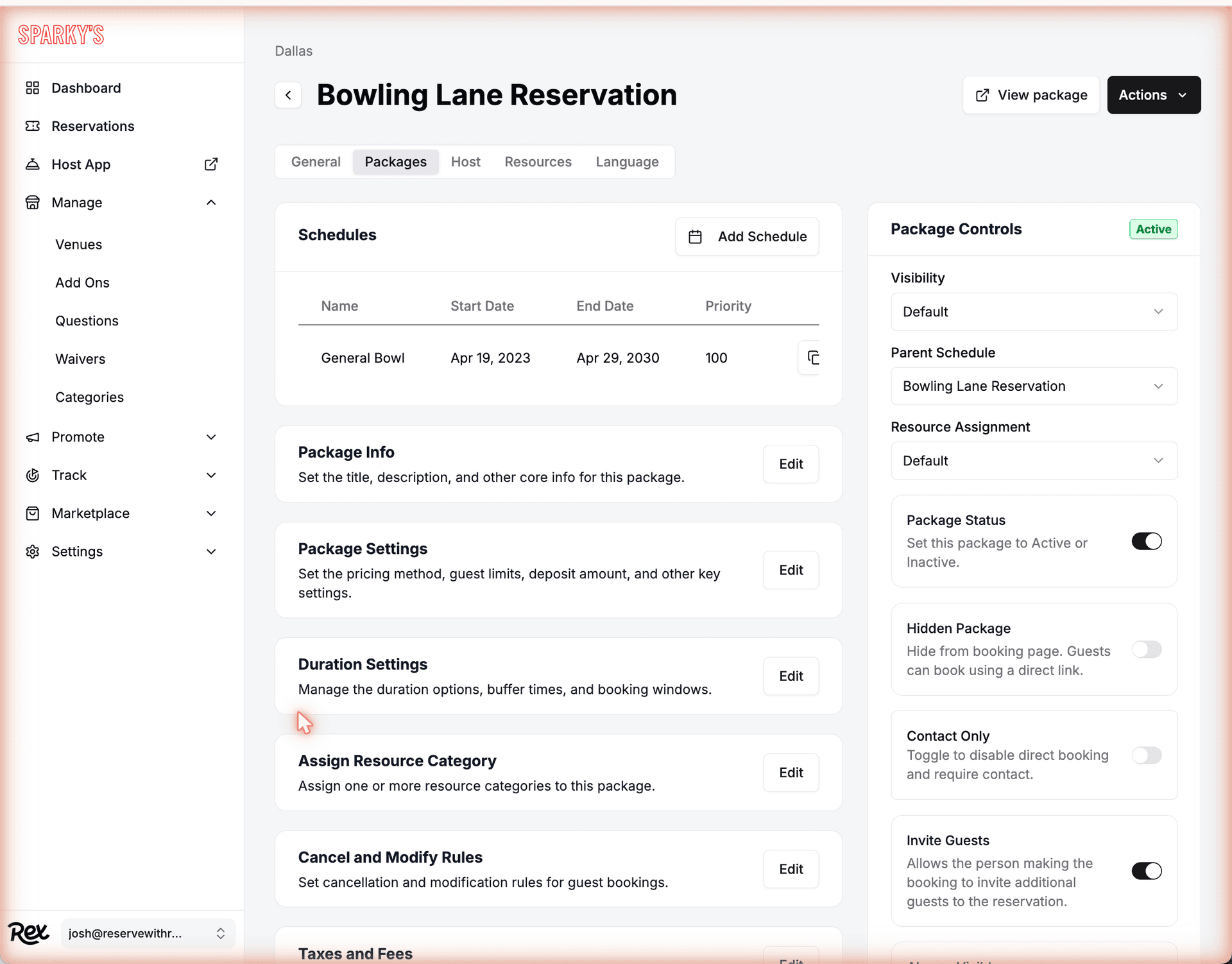
Click a venue, open the Packages tab, and select a package. The advanced settings are split across one card and three modals:
| Field | Description |
|---|---|
| Package Controls | A card of toggles and dropdowns on the package detail view. Saves immediately as you change each one. |
| Package Settings | A modal. Saves when you click Save changes. |
| Cancel and Modify Rules | A modal. Saves when you click Save changes. |
| Host Settings | A modal. Saves when you click Save changes. |
Settings reference
Package Controls
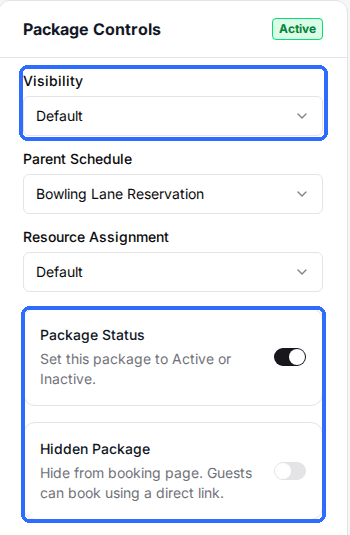
These dropdowns and toggles sit on the package detail view and save the moment you change them. Package Status, Visibility, and the package image are part of basic setup — see Create your first package. The advanced controls are:
| Field | Description |
|---|---|
| Parent Schedule | Inherit time slots from the Venue Schedule or from another package. |
| Resource Assignment | Default, Side by Side Optional, or Side by Side Only. |
| Hidden Package | Hide from the booking page. Guests can still book using a direct link. |
| Contact Only | Disable direct booking and require guests to contact the venue. |
| Invite Guests | Let the booker invite additional guests to the reservation. |
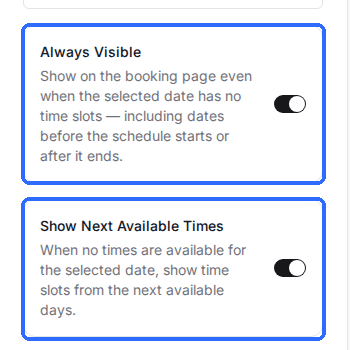
| Always Visible | Show the package on the booking page even when no time slots exist for the selected date. |
| Show Next Available Times | When no times exist for the selected date, show slots from the next available days. |
| Add to Events Calendar | Show this package on the public events calendar page. |
Learn more about these controls:
- Parent vs. independent schedule
- Group resources for side-by-side bookings
- Create hidden packages
- Create contact-only packages
- Create and manage ticketed events
Package Settings
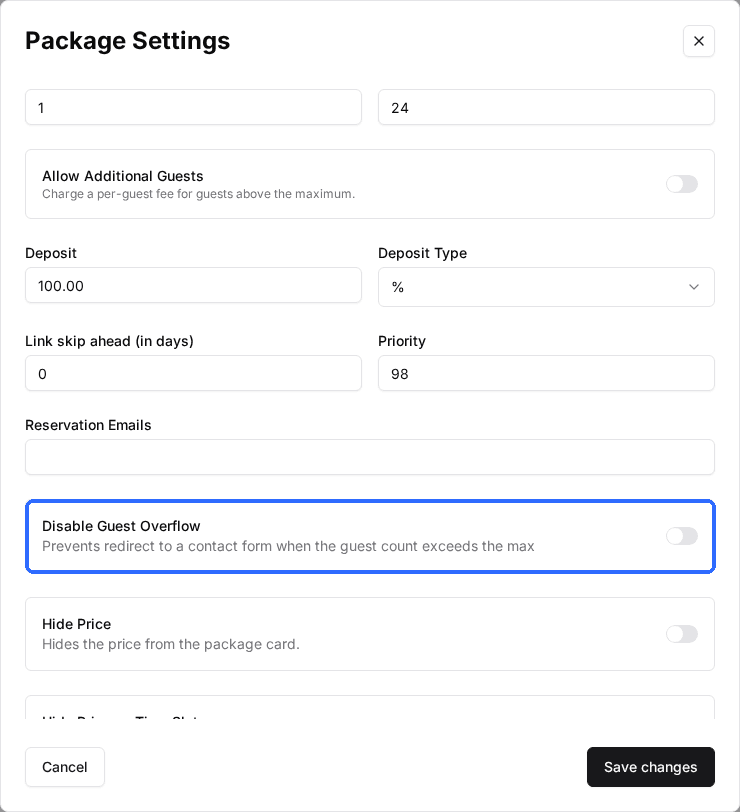
The Package Settings modal holds the package's pricing method, guest counts, resource allocation, and deposit — see Configure package pricing and Set different prices by guest type. The advanced display and checkout options in the same modal are:
| Field | Description |
|---|---|
| Link skip ahead (in days) | Number of days ahead a booking link opens to. |
| Disable Guest Overflow | Prevent the redirect to a contact form when the guest count exceeds the max. |
| Hide Price | Hide the price from the package card. |
| Hide Price on Time Slot | Hide the price shown on each time slot. |
| Hide Deposit Line Item | Hide the deposit percentage as a line item at checkout. |
| Show Resource Quantity | Show the number of resources booked, even when the quantity is fixed. |
| Show Full Price on Time Slot | Show the calculated total on each time slot instead of the per-unit rate. |
| Allow Only One Discount Per Reservation | Limit a reservation to a single discount code. |
| Auto Store Card | Automatically save the guest's card on file at checkout. |
| Show "Free" for $0 Packages | Show "Free" on the card when the price is zero. |
| Require Purchase Minimum | Require a minimum spend. Turn on to set the Purchase Minimum amount. |
Cancel and Modify Rules
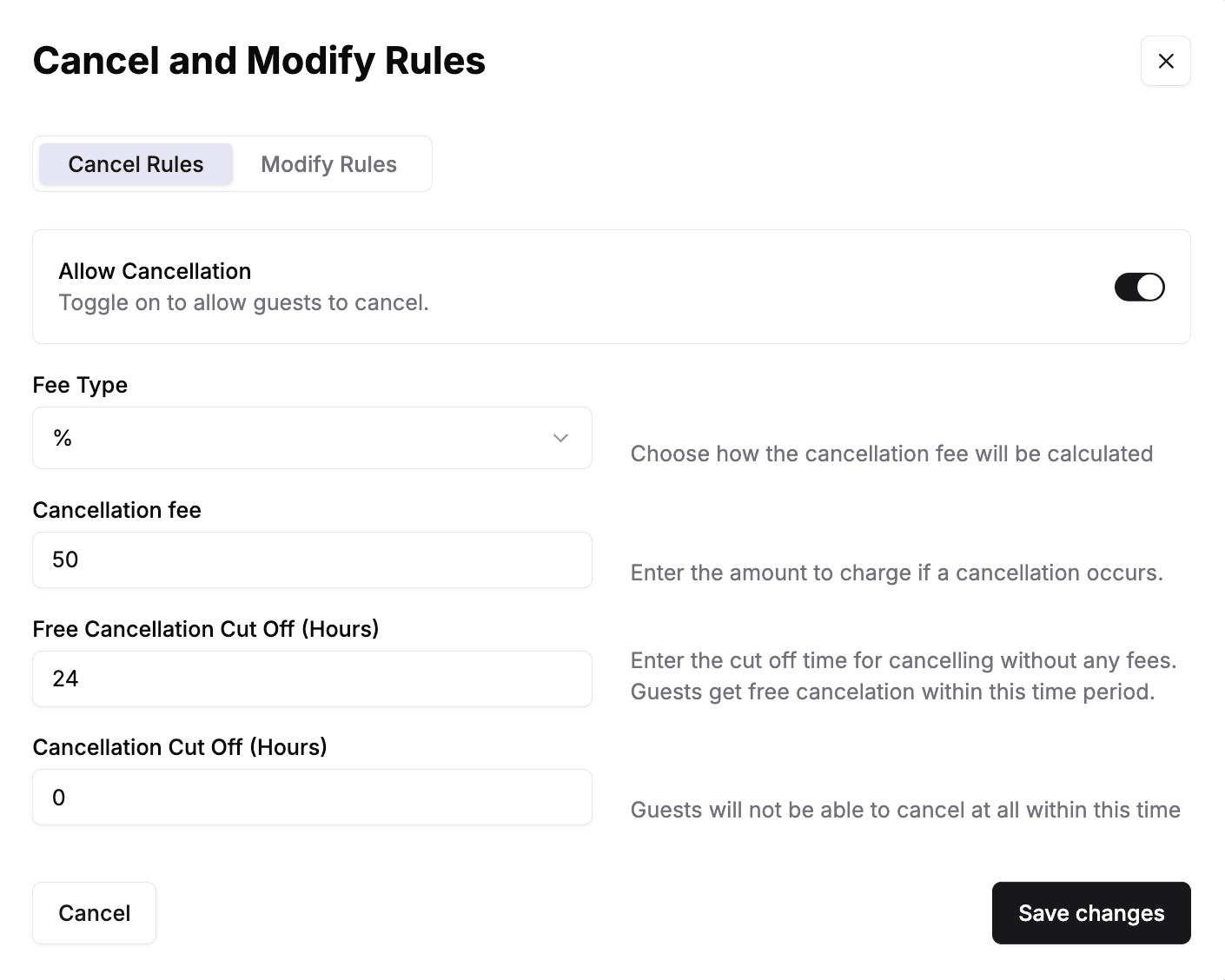
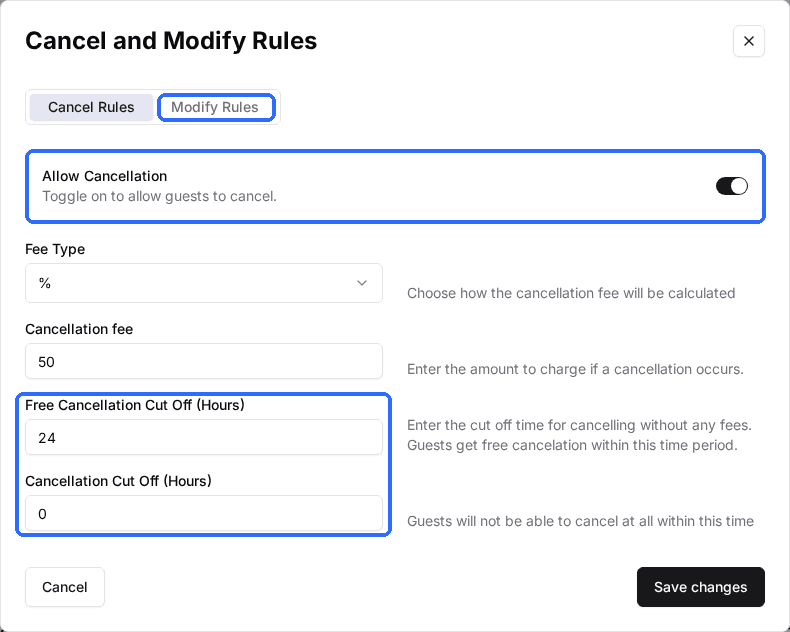
Open the Cancel and Modify Rules modal from the package detail view. It has two tabs — Cancel Rules and Modify Rules — that work the same way. Cancellation lets a guest call off a reservation; modification lets a guest change an existing one, such as its date, time, or guest count. Each tab starts with a toggle; turn it on to enable the fee and cut-off fields beneath it. While the toggle is off, those fields stay greyed out and guests can't take that action themselves — they have to contact you. When a guest says they want to reschedule, this is the setting that decides whether they can.
Set the fee with two fields. Fee Type is either % (a percentage of the reservation total) or Flat Rate (a fixed dollar amount); a percentage can't exceed 100. The fee field is the amount charged.
Two cut-offs, both measured in hours before the reservation start time, decide whether the fee applies and whether the action is allowed at all. Together they create three windows:
- Earlier than the free cut-off — the guest cancels or modifies for free.
- Between the two cut-offs — the guest can still cancel or modify, but the fee applies.
- Inside the final cut-off — the guest can no longer cancel or modify and must contact you.
For example, a Free Cancellation Cut Off of 24 and a Cancellation Cut Off of 2 means a guest cancels free more than 24 hours out, pays the fee if they cancel between 2 and 24 hours before the start, and can't cancel at all within 2 hours. Leave the free cut-off at 0 and there's no free window — every cancellation is charged. Leave the final cut-off at 0 and guests can cancel right up to the start time.
Cancel Rules
| Field | Description |
|---|---|
| Allow Cancellation | Turn on to let guests cancel their own reservation. The fields below are disabled until this is on. |
| Fee Type | How the fee is calculated — % (a percentage of the reservation total) or Flat Rate (a fixed dollar amount). |
| Cancellation fee | The amount charged when a guest cancels, applied per the Fee Type. A percentage can't exceed 100. |
| Free Cancellation Cut Off (Hours) | Cancel more than this many hours before the start and there's no fee; cancel inside this window and the fee applies. Set to 0 for no free window. |
| Cancellation Cut Off (Hours) | Guests can't cancel once the reservation is within this many hours of the start. Leave at 0 to allow cancellation up to the start time. |
Modify Rules
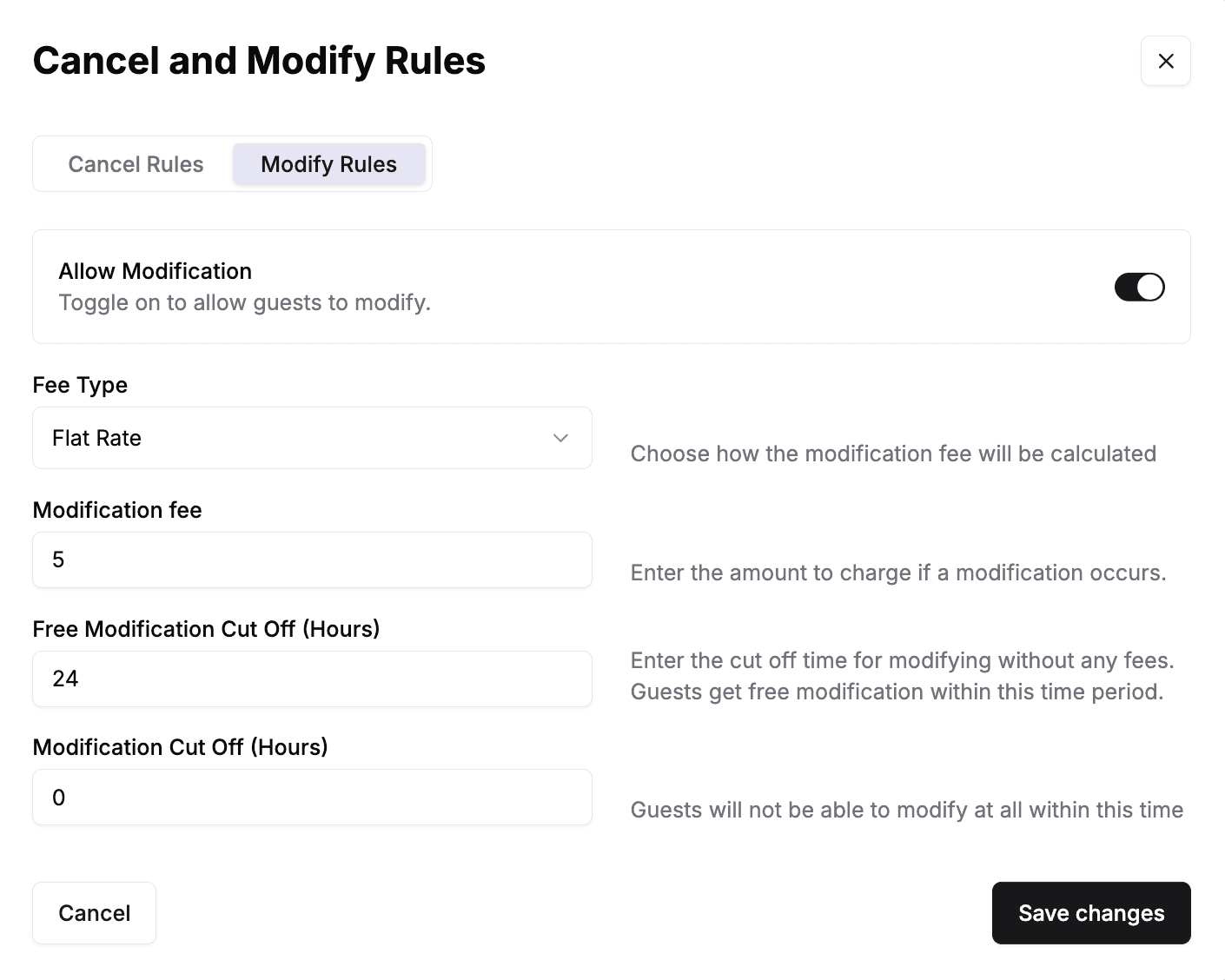
The Modify Rules tab mirrors Cancel Rules, applied to guest changes instead of cancellations.
| Field | Description |
|---|---|
| Allow Modification | Turn on to let guests modify their own reservation. The fields below are disabled until this is on. |
| Fee Type | How the fee is calculated — % (a percentage of the reservation total) or Flat Rate (a fixed dollar amount). |
| Modification fee | The amount charged when a guest modifies, applied per the Fee Type. A percentage can't exceed 100. |
| Free Modification Cut Off (Hours) | Modify more than this many hours before the start and there's no fee; modify inside this window and the fee applies. Set to 0 for no free window. |
| Modification Cut Off (Hours) | Guests can't modify once the reservation is within this many hours of the start. Leave at 0 to allow modification up to the start time. |
Host Settings
The Host Settings modal sets host-app overrides for this package. These apply to staff bookings only — see Configure host settings for a venue for venue-wide host settings.
| Field | Description |
|---|---|
| Card Color | Background color of this package's card in the host app. |
| Min Guests for Host | Minimum guest count staff can enter. |
| Max Guests for Host | Maximum guest count staff can enter. |
| Max Guests Per Lane for Host | Maximum guests per resource staff can assign. |
| Max Resources for Host | The most resources staff can select for one booking in the host app. Leave blank to offer one choice for every resource that's free at that time. |
| Host Cut Off Time (hours) | Lead time for host bookings, independent of the guest cut off. |
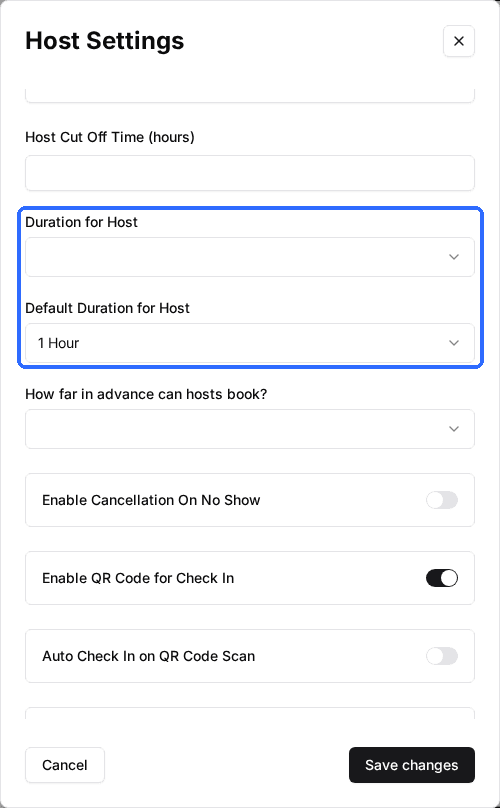
| Duration for Host | Duration options available when staff book this package. |
| Default Duration for Host | The duration selected by default for host bookings. |
| How far in advance can hosts book? | Booking window for host bookings, independent of the guest window. |
| Enable Cancellation On No Show | Automatically cancel when the guest doesn't check in. |
| Enable QR Code for Check In | Generate a QR code on the reservation for check-in scanning. |
| Auto Check In on QR Code Scan | Check the guest in automatically when the QR code is scanned. |
Max Resources for Host applies only to the host app — it doesn't change the guest booking page. It works alongside two settings that are easy to mix up. Max Guests Per Lane for Host is a minimum, not a maximum — Rex divides the guest count by it to find the smallest number of resources the party needs, and it never caps how many resources the host app offers. Max Guests for Host limits the number of guests on a booking, not the number of resources. Max Resources for Host is the setting that actually caps resource count, and it applies no matter which Resource Allocation mode the package uses — Fixed Number, Flexible, Guest Chooses, or Flexible Based on Resource Capacity.
A booking that already holds more resources than Max Resources for Host stays open and editable at its saved count. The limit only bounds new selections — it doesn't shrink existing bookings.
Because Max Guests Per Lane for Host sets a minimum resource need and Max Resources for Host sets a maximum, the two can conflict and quietly block your biggest parties from being booked.
Set Max Resources for Host so that Max Resources for Host × Max Guests Per Lane for Host is at least Max Guests for Host. Otherwise the smallest workable resource count for your largest party sits above the limit and the booking can't be made. Example: 24 max guests at 6 guests per resource needs 4 resources, so Max Resources for Host must be at least 4.
What your guests see
| Field | Description |
|---|---|
| Hidden Package | The package is gone from the booking page but still books via its direct link. |
| Contact Only | The book button becomes a Contact Us button (label set per venue). |
| Always Visible | The package stays on the page even with no open slots for that date. |
| Show Next Available Times | Upcoming open slots appear under Other dates with availability. |
| Invite Guests | An Invite Guests button appears on the confirmation screen. |
Troubleshooting
The package isn't on the booking page
Possible causes
- •It's Inactive, Hidden, or Admin Only — or has no availability.
Fix
Check Package Status and Visibility (basic setup) and Hidden Package. See the Common reasons packages don't appear article.
Guests are redirected to a contact form on high guest counts
Possible causes
- •The guest count exceeds the package max.
Fix
Turn on Disable Guest Overflow, or raise the max guests.
Guests can't cancel or modify
Possible causes
- •The action is off, or they're inside the cut-off window.
Fix
Check Allow Cancellation / Allow Modification and the cut-off hours.
The package shows with no bookable times
Possible causes
- •Always Visible is on.
Fix
Turn it off, or turn on Show Next Available Times to surface future slots.
Host duration options differ from the guest options
Possible causes
- •Host duration is set separately.
Fix
Set Duration for Host and Default Duration for Host in Host Settings.
Updated Oct 8, 2026
Was this helpful?