
Set a venue to Coming Soon mode
Coming Soon mode hides a venue from guests while you finish setting it up. While it's on, the venue doesn't appear in any of the booking page's location pickers — guests can't select it or book it — but you can still open it with a direct link to preview your work.
Turn on Coming Soon
Open the venue
Go to Manage → Venues and click the venue you're setting up.
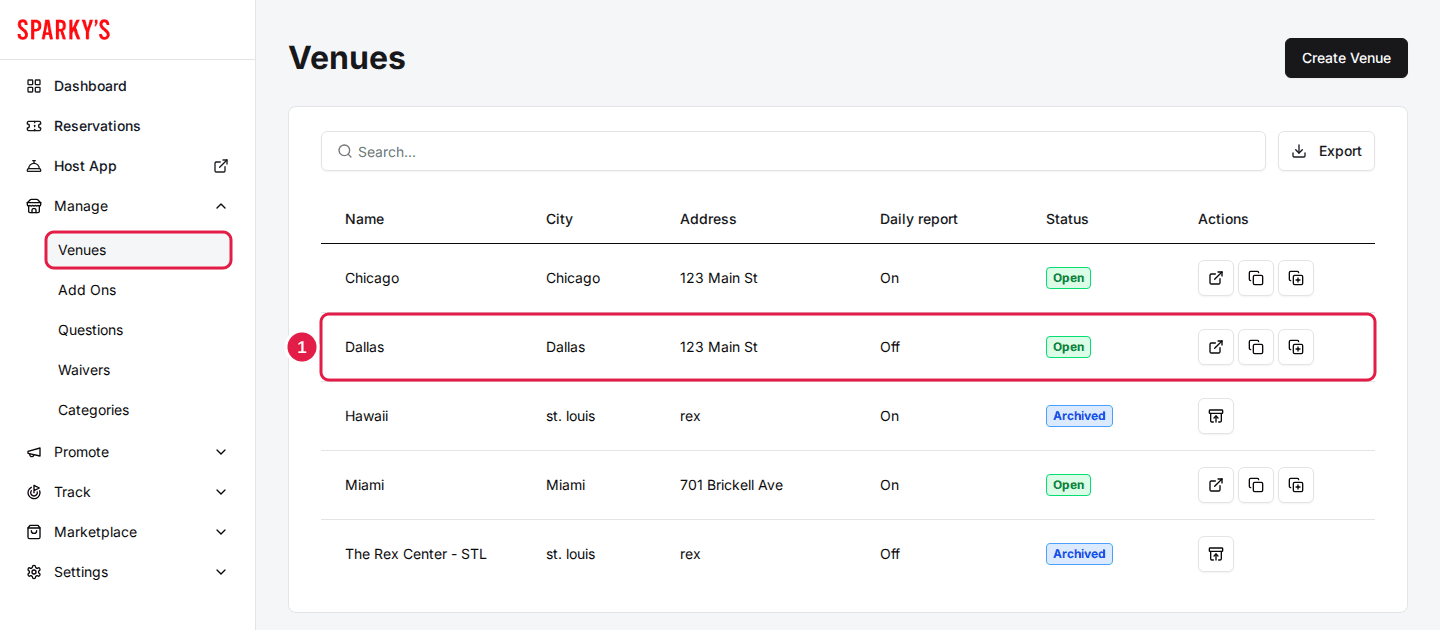
Toggle Venue Coming Soon
In the Venue Controls card on the right side of the page, switch on Venue Coming Soon. The change applies immediately — there's no save button.
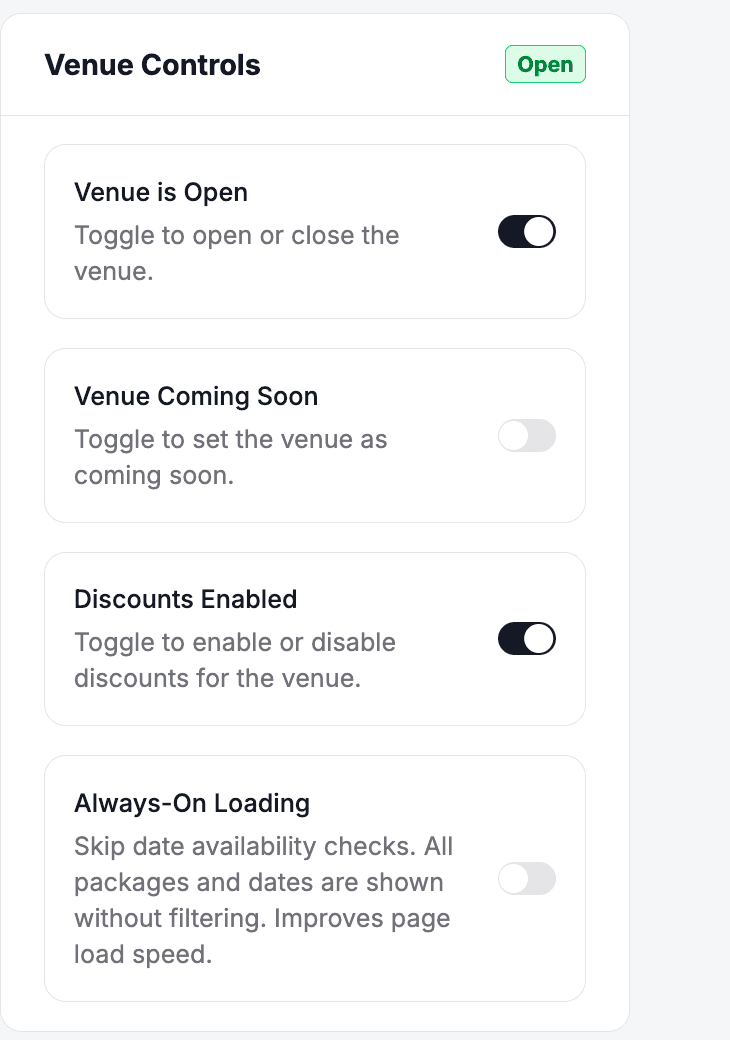
What guests see
The venue disappears from the location dropdowns on your booking page, so guests browsing your other venues won't run into a half-configured one. There's no separate "coming soon" page — the venue is simply not offered.
A reservation page link that names the venue directly still loads it, even in Coming Soon mode. Use that link to preview the booking page yourself — or share it with your team — before launch.
Coming Soon is different from closing the venue: Venue is Open controls whether a live venue accepts bookings, while Venue Coming Soon removes the venue from the list entirely. Use Coming Soon for venues that haven't launched yet.
When you're ready to launch
Toggle Venue Coming Soon off and the venue appears in the location pickers immediately. Before you flip it, run through the go live checklist — packages, schedules, payments, and a test booking — so guests land on a finished page.
Updated Oct 8, 2026
Was this helpful?