
Configure venue general settings
The General tab is a venue's home base: its name and address, booking rules, notification emails, taxes, links, photos, venue controls and payment all live here. If you haven't created the venue yet, start with Create your first venue.
Open the General tab
Navigate to Venues
Open Manage in the left menu and click Venues.
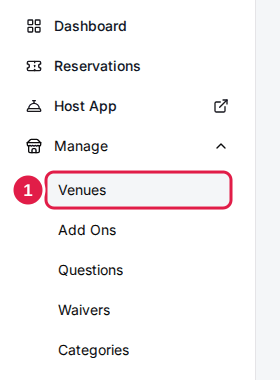
Click your venue
The venue opens on its General tab. The settings cards are on the left; Venue Controls and the Payment card are on the right. Click Edit on a card to change its settings in a dialog, then click Save changes.
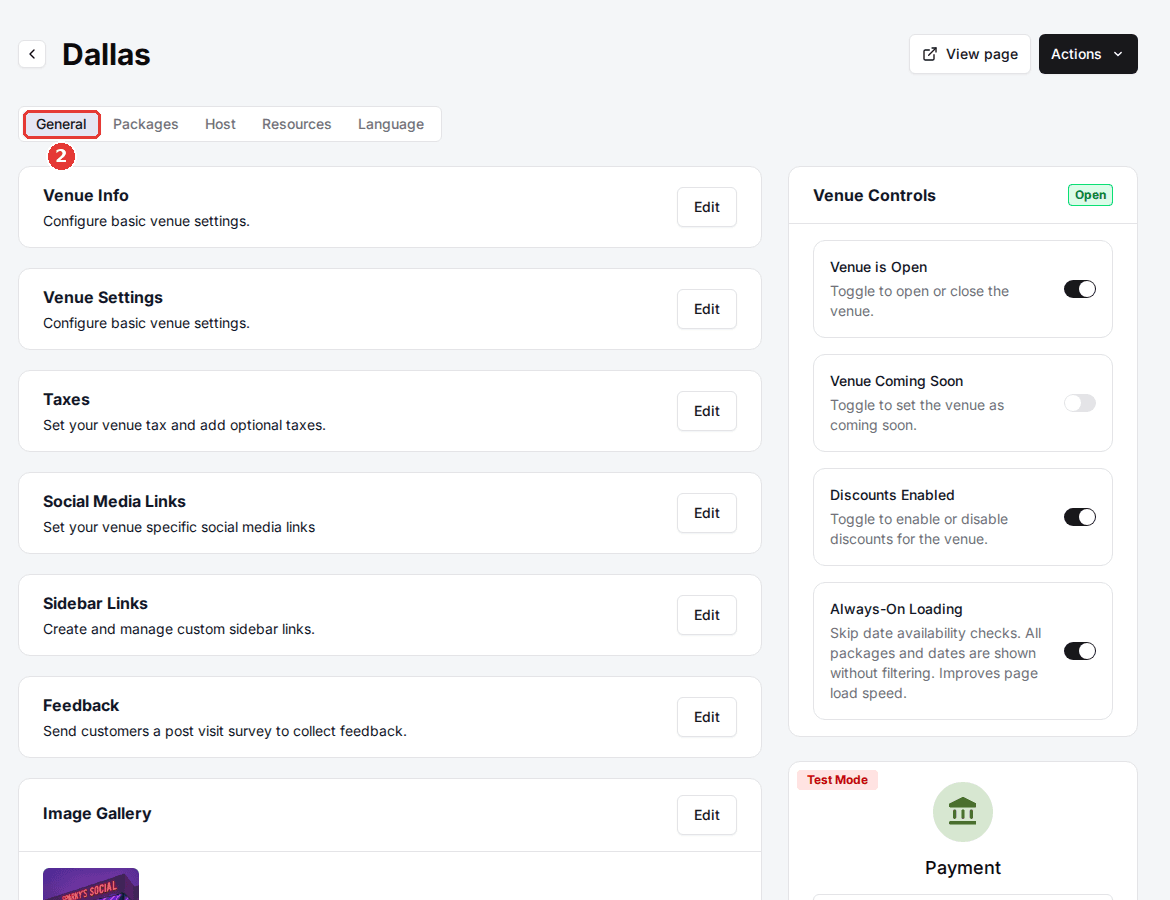
Card settings apply only after you click Save changes in their dialog. The Venue Controls toggles on the right apply the moment you switch them.
Venue Info
Your venue's identity: the name guests see, the address and phone shown on the booking page, and the time zone every booking, report and reminder at this venue runs on.
| Field | Description |
|---|---|
| Venue Name | The name shown to guests and staff. |
| Venue Prefix | A short internal identifier for this venue. |
| Address | Street address. |
| Address 2 | Suite or unit number (optional). |
| City | City. |
| State | State or region. |
| Zip Code | Postal code. |
| Phone Number | Contact phone shown to guests. |
| Time Zone | The local time zone used for every booking and report at this venue. |
| Location Page URL | A link to this location's page on your own website. |
| Map URL | A directions link, such as a Google Maps link. Guests open it from the booking page to get directions. |
Venue Settings
Day-to-day rules: how far ahead guests can book, the daily report, which inboxes get notified, your minimum age policy and per-guest limits.
| Field | Description |
|---|---|
| Calendar Display Range | How many days ahead guests can see and book times, from Same day upward. |
| Daily Report | Turns the daily reservation summary email on or off. |
| Daily Report Emails | Comma-separated addresses that receive the daily report. |
| Daily Report Time | When the daily report is sent. The +1 options (12 AM to 2 AM the next day) send the previous day's report. |
| Error notification emails | Comma-separated addresses that receive error alerts for this venue. |
| Reservations Email | The inbox that receives reservation notifications. |
| Events Email | The inbox that receives event inquiry notifications. |
| Minimum Age Policy | The minimum age (16 to 21) guests must confirm when they book an age-restricted time. |
| Link skip ahead (in days) | Moves the date a booking link opens on forward by this many days. |
| Max reservations per guest per day | Caps a guest's bookings at this venue on the same day, matched by email or phone. 0 means no limit; staff bookings don't count. |
| Landing page max guests | The guest dropdown on the booking landing page lists 1 up to this number (1 to 200), then a "more" option that opens the event inquiry page. |
Taxes, social links and sidebar links
The Taxes card sets your venue's sales tax and any additional taxes; the full walkthrough is in Set venue taxes and fees. The Sidebar Links card adds promo cards that point guests to your menu, events or socials, covered in Customize your reservation page.
| Field | Description |
|---|---|
| Facebook Link | Full URL of the venue's Facebook page. |
| Instagram Link | Full URL of the venue's Instagram profile. |
| X (Twitter) Link | Full URL of the venue's X (Twitter) profile. |
| TikTok Link | Full URL of the venue's TikTok profile. |
| View Menu Link | URL of the venue's menu. |
Feedback
The Feedback card emails guests a short survey after their visit. Turn on Enable Feedback and choose how long after the visit the email goes out in Send feedback email after (1 to 24 hours). If your plan doesn't include feedback surveys, the card shows an upgrade button instead of Edit.
Add venue photos
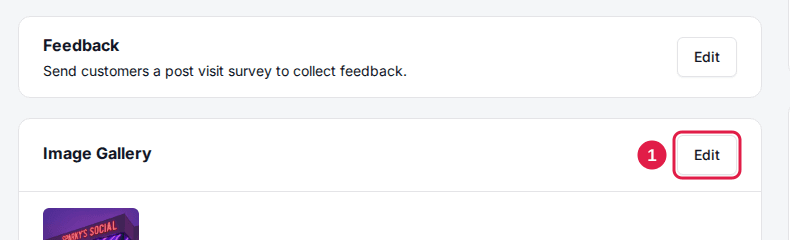
The Image Gallery card holds the venue's photos for the booking page. The Main Image is the one guests see first; the rest appear in the gallery.
Click Edit on the Image Gallery card
The Venue Images dialog opens.
Click Add Venue Images
Pick one or more photos. If the venue has no Main Image yet, the first photo becomes it. Photos upload and go live straight away; there's no save button.
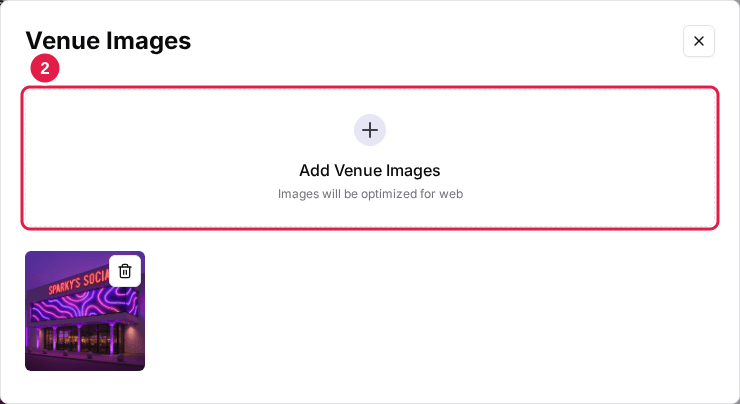
To change a photo, click it and pick a new file. Use the trash icon to remove one. Photos stay in the order you added them. Recommended sizes are in Image sizes and formats.
Venue Controls
The Venue Controls card on the right shows an Open or Closed badge and four switches that apply instantly.
| Field | Description |
|---|---|
| Venue is Open | Opens or closes the venue for online bookings. |
| Venue Coming Soon | Hides the venue from the location choices on your booking page while you finish setting it up. A link that names the venue still opens it. |
| Discounts Enabled | Turns discount codes on or off for this venue. |
| Always-On Loading | Skips date availability checks so the page loads faster. All packages and dates show without filtering. |
Payment and integrations
Below Venue Controls, the Payment card shows whether the venue's payment processor is Connected, Not Connected or in Test Mode. Click Settings on it to choose and connect the processor; each venue connects its own account. See Set up Stripe payments to get started.
Under Integrations at the bottom of the tab, each integration on your account has a card for this venue. Click Settings on a card to configure it for this venue. See the Integrations overview for what's available.
General is one of five tabs on the venue page. Packages, Host and Resources control what guests can book and how staff run the floor (see Configure host settings for a venue), and Language holds the guest-facing text, covered in Edit your venue's booking page text, FAQs, and emails.
Updated Oct 8, 2026
Was this helpful?