
Connect ClassPass
Connecting ClassPass lets ClassPass members find and book your packages through ClassPass. ClassPass reads your venues, the packages you choose and their availability from Rex, and each booking a member makes arrives in Rex as a confirmed reservation.
You need a ClassPass partner account, and ClassPass gives you your Partner ID. ClassPass carries a Pro badge: if your account isn't on the Pro plan, the Add window says that adding it upgrades your subscription before you confirm.
Connect your account
Navigate to Global Integrations
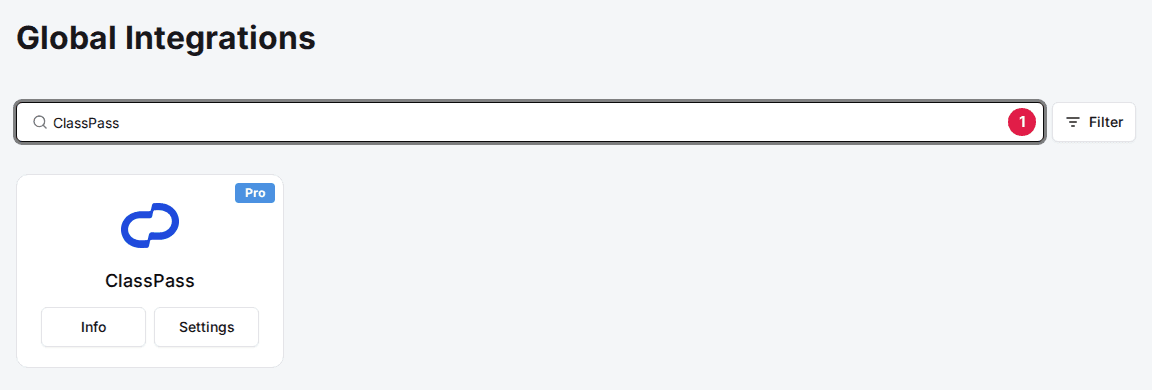
Type ClassPass in the search box to find its card.
Add the ClassPass card
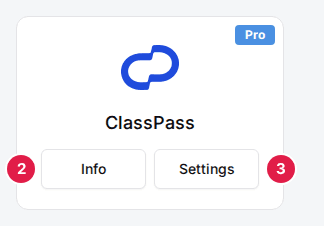
Click Add, then Confirm and Add. If the card already shows Info and Settings, it's added, so go to the next step.
Enter your Partner ID
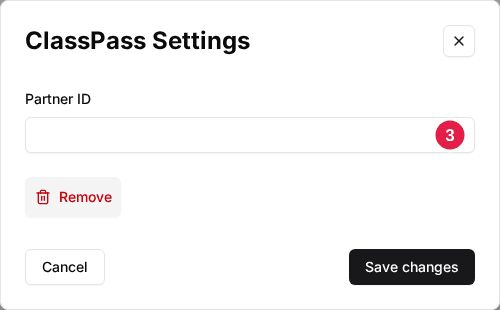
Click Settings on the ClassPass card, enter the Partner ID from ClassPass, and click Save changes. Once it's saved, the card shows Active.
Turn on ClassPass for each venue
Navigate to the venue
Open the venue. The Integrations section is at the bottom of the General tab.
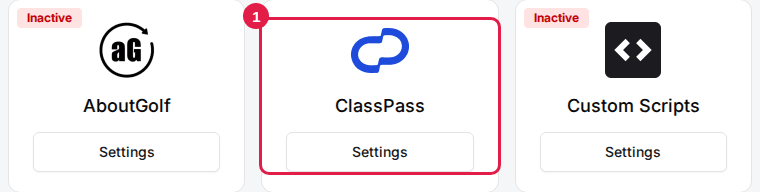
Click Settings on the ClassPass card
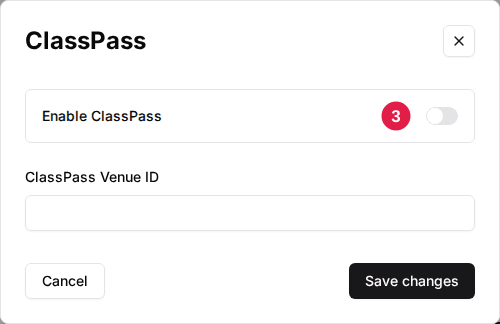
The ClassPass window opens.
Toggle Enable ClassPass to ON
If ClassPass gave you an ID for this venue, enter it in ClassPass Venue ID. Click Save changes. The venue's packages now show a ClassPass card.
Choose which packages ClassPass can book
ClassPass only sees active packages that have their own ClassPass switch on. Open each package from the venue's Packages tab and click Settings on the ClassPass card in the package's Integrations section. Set the fields below, then click Save changes.
| Field | Description |
|---|---|
| Enable ClassPass | Makes this package bookable on ClassPass. |
| Reservation Duration | How long a ClassPass booking of this package lasts. |
| Lead Time (hours) | Extra time Rex adds onto each ClassPass booking and holds along with it. |
| How far in advance can users book? | How many days ahead ClassPass members can book. |
Rex offers ClassPass a time only when a resource the package uses is free for the whole Reservation Duration plus Lead Time, following the package's normal schedule.
How ClassPass bookings appear in Rex
- A booking arrives as a confirmed, paid reservation at $0. ClassPass members pay with credits, and ClassPass pays you directly.
- The reservation is placed on the resources the member booked through ClassPass.
- When a member cancels in ClassPass, Rex cancels the reservation.
To check it works, make sure the package shows on ClassPass for your venue, then look for the next ClassPass booking in your reservations list.
Updated Oct 8, 2026
Was this helpful?