
Why is my discount code not working?
Every refused code shows the guest the same message, “This code is not valid. Please enter a valid code.”, whichever rule stopped it. Codes are not case-sensitive, so capitalization is never the cause. Find the symptom that matches below. To set a discount up from scratch, see Discount codes (promo codes).
If guests see no Promo Code field at checkout at all, the venue has discounts switched off: turn on Discounts Enabled in the Venue Controls card on the venue page.
The code is refused on every booking
Possible causes
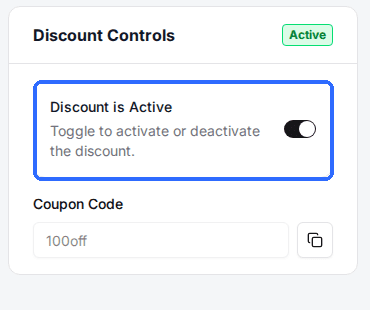
- •Discount is Active is turned off on the discount.
- •No package is ticked on the Assign Packages tab. A discount with no packages assigned matches no package booking, it does not cover them all.
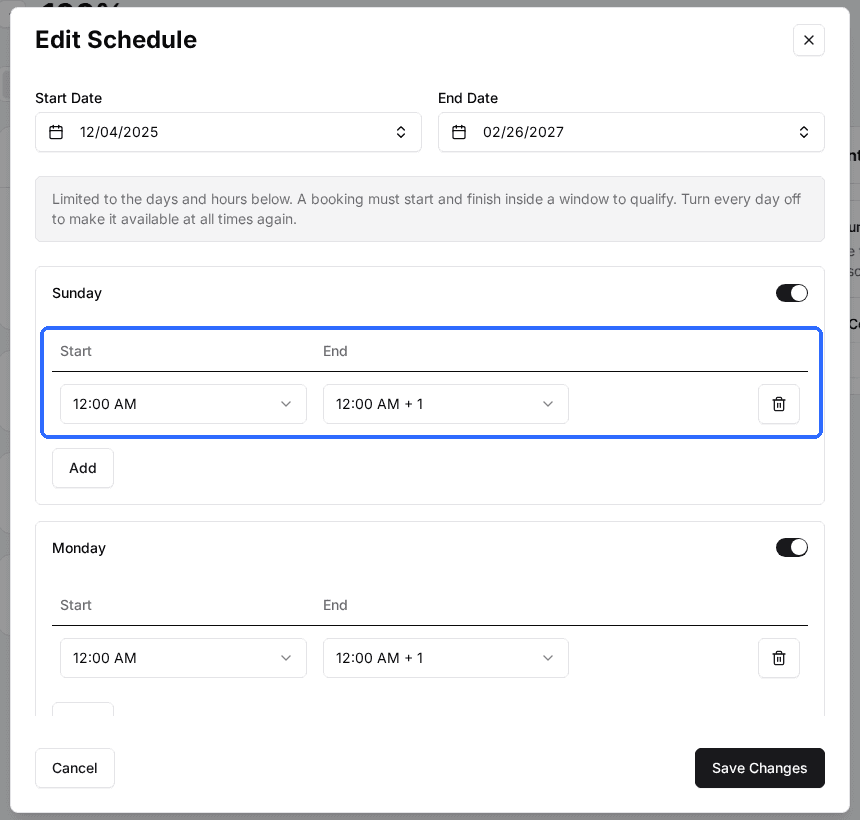
- •The booking date is outside the Start Date and End Date in the discount's Schedule. Rex checks the date being booked, not the day the guest is booking on.
Fix
Open the discount and check Discount is Active. On the Assign Packages tab, tick every package the code should work for. Click the row in the Schedule card to open Edit Schedule and set an End Date that covers the latest date guests can book.
The code works for some bookings but not others
Possible causes
- •The package being booked is not ticked on Assign Packages. A new package is not added to existing discounts automatically.
- •The booking does not fit inside that weekday's time window in Edit Schedule. The whole booking, start to finish, has to sit inside the window, so an 11:30 to 12:30 booking is refused by a window that ends at 12:00.
- •Applied Only For Durations lists specific lengths and this booking is a different length.
- •Apply Minimum Purchase Requirement is on and the booking subtotal is below the Minimum Purchase Amount ($).
- •For a BOGO discount, the Discounted Package or Discounted Add On set in BOGO Configuration is not in the booking.
Fix
Open the discount. Tick the missing package on Assign Packages (or the add-on on Assign Add Ons). Click the Schedule row and widen the hours on every weekday you mean to cover; an empty schedule has no time restriction. Then check Applied Only For Durations, the Minimum Purchase Requirements card and the BOGO Configuration card.
The code worked before and is now refused
Possible causes
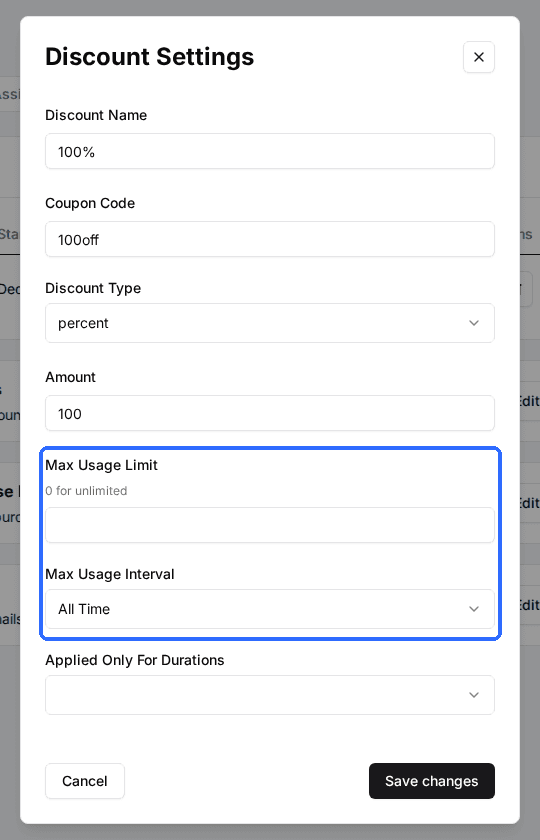
- •Max Usage Limit has been reached inside the Max Usage Interval (All Time, Rolling 24 Hours, Rolling 7 Days, Rolling 30 Days or Rolling 365 Days). The rolling window counts back from the moment the code is applied.
- •Is Per Person is on, so the limit counts each guest email separately and this guest has used up their share.
- •Max Usage Duration (Minutes) is set, and the minutes already discounted for this guest plus this booking would go over it.
- •The schedule's End Date has passed for the date being booked.
Fix
Open the discount's Discount Details tab. Raise Max Usage Limit or shorten Max Usage Interval, or set either limit to 0 for unlimited. A 0 in Max Usage Limit or Max Usage Duration (Minutes) means unlimited, not none.
Only some guests can use the code
Possible causes
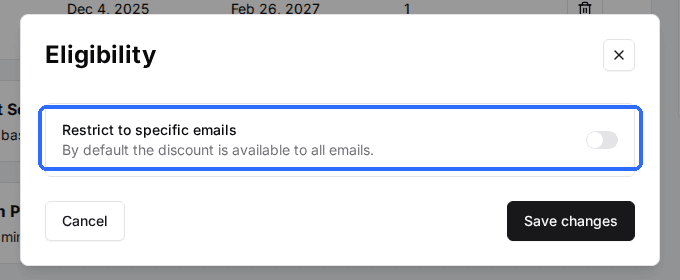
- •Restrict to specific emails is on in the Eligibility card, and the guest is booking with an email that is not in the Emails list.
- •Is Per Person is on and the guest booked without an email address, so the code cannot be counted for them.
- •Is Per Person is on and Usage Resets On is set to Membership Billing Cycle, so a member's uses count within their current billing cycle. A guest without an active membership falls back to the rolling window.
Fix
Open the discount. In the Eligibility card, add the guest's exact booking email or turn off Restrict to specific emails. Check Usage Resets On next to Is Per Person on the Discount Details tab.
A second code is refused with “Only one discount code can be applied per reservation.”
Possible causes
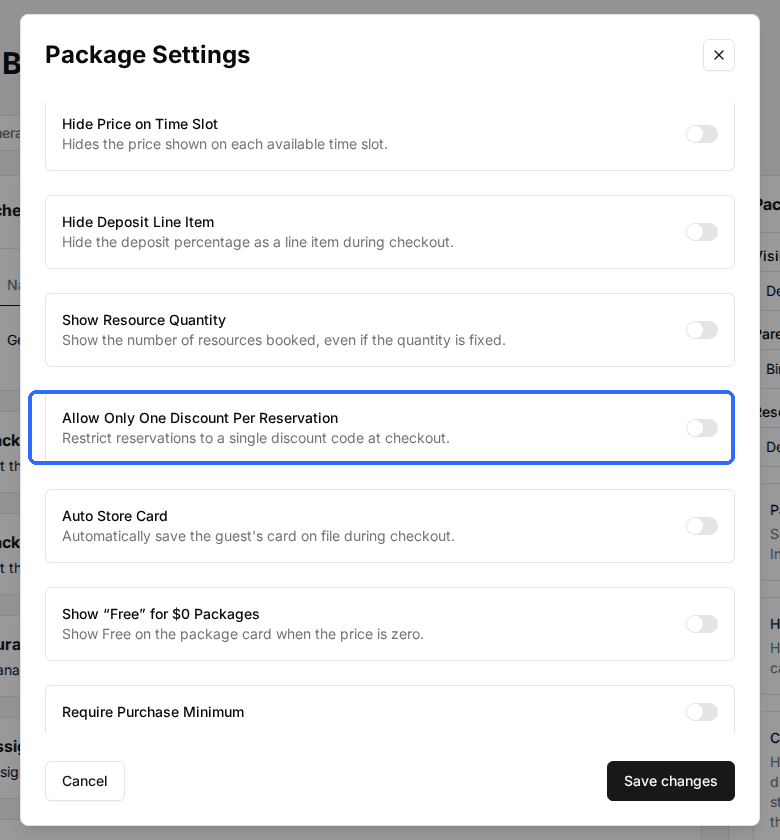
- •The package has Allow Only One Discount Per Reservation turned on. The setting is on the package, not on the discount.
Fix
Open the package, open the Package Settings card and turn off Allow Only One Discount Per Reservation if codes should combine on that package.
Changing a discount does not reprice bookings already made. A guest who was refused keeps the price they booked at, so the booking has to be adjusted by hand.
Still stuck? Note the booking date and time, the package, the guest's email and the code, then contact Rex support. Those four details are enough to tell which rule refused it.
Updated Oct 8, 2026
Was this helpful?