
Create booking links
Links under Promote build booking links for you. Pick where the link goes, pre-fill the date, party size or a discount code, add UTM tags, and Rex gives you a short link, a QR code and a click count. Use them in emails, social posts, flyers and on your website.
Create a link
Navigate to Links
The list shows each link's name, short link and click count.
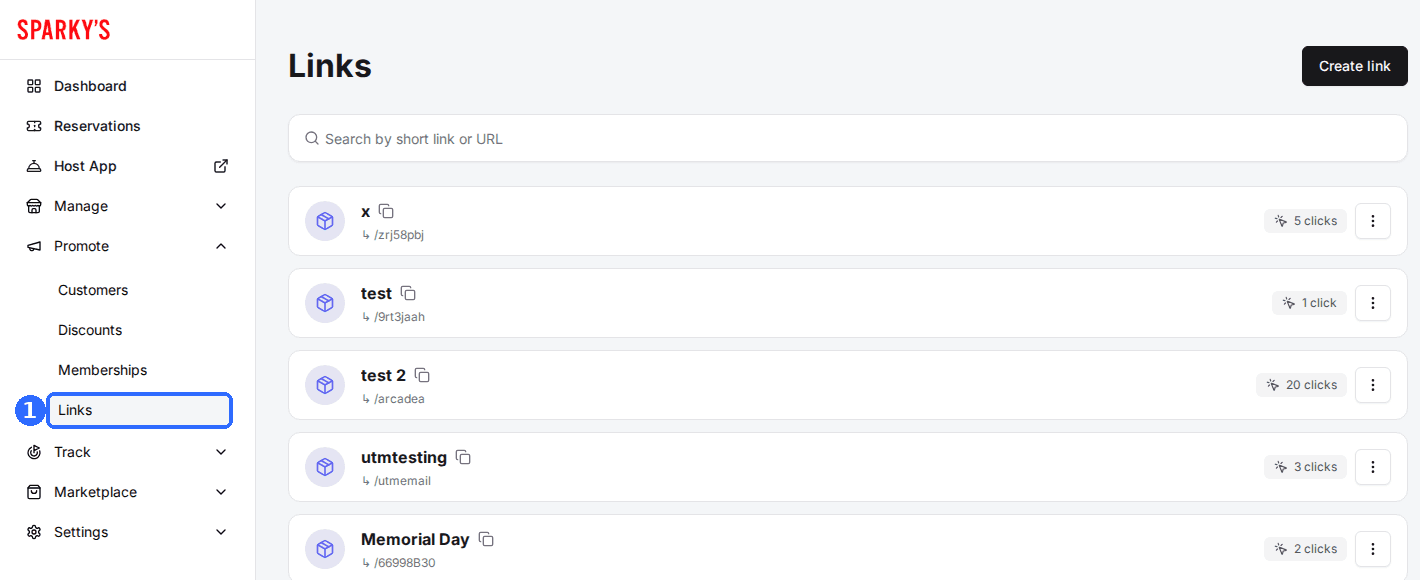
Click Create link
The New link window opens, with the settings on the left and the QR Code and Generated URL on the right.
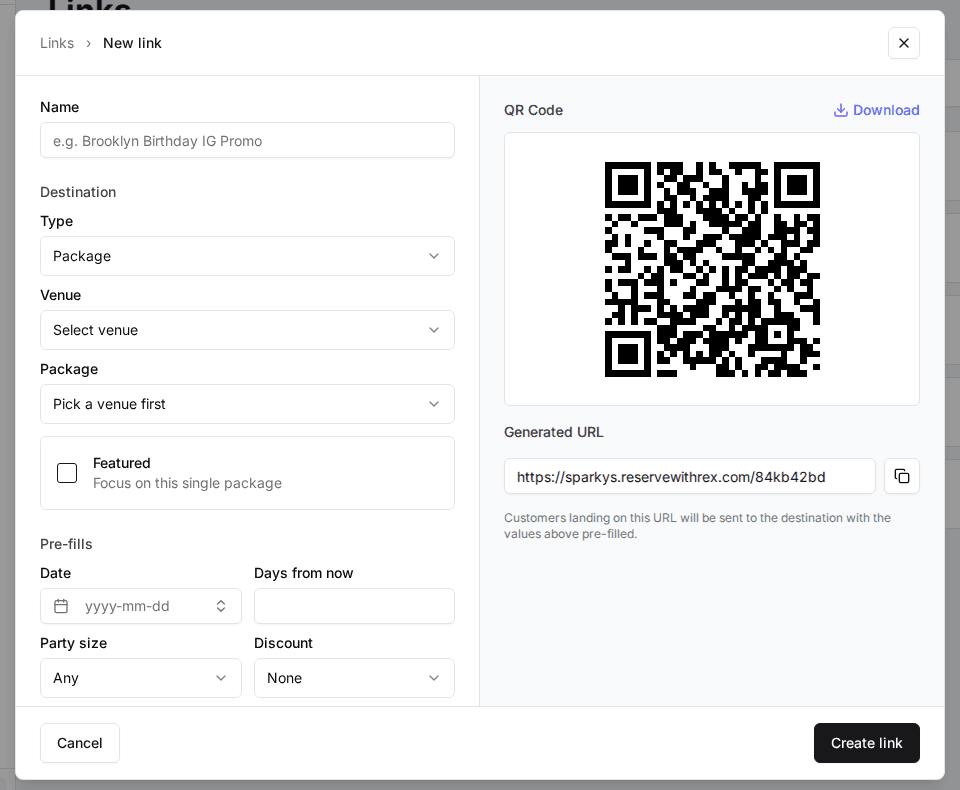
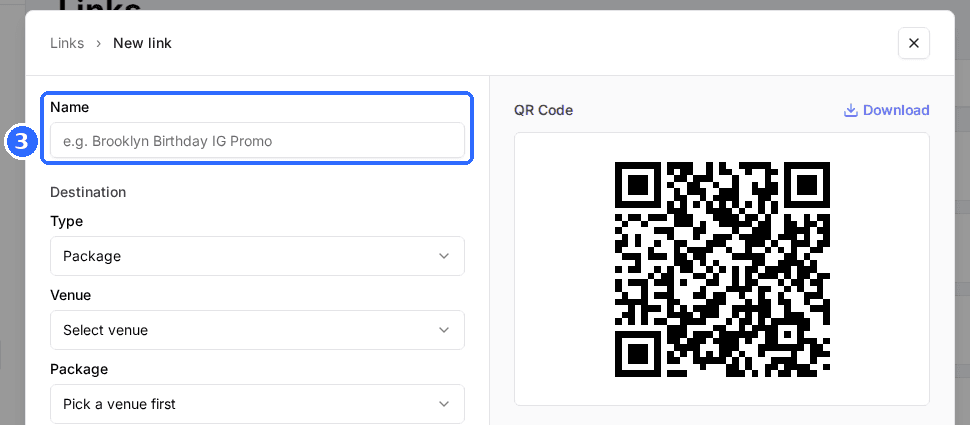
Enter a Name
Name is required. It is how the link appears in your list and the button text in its embed code.
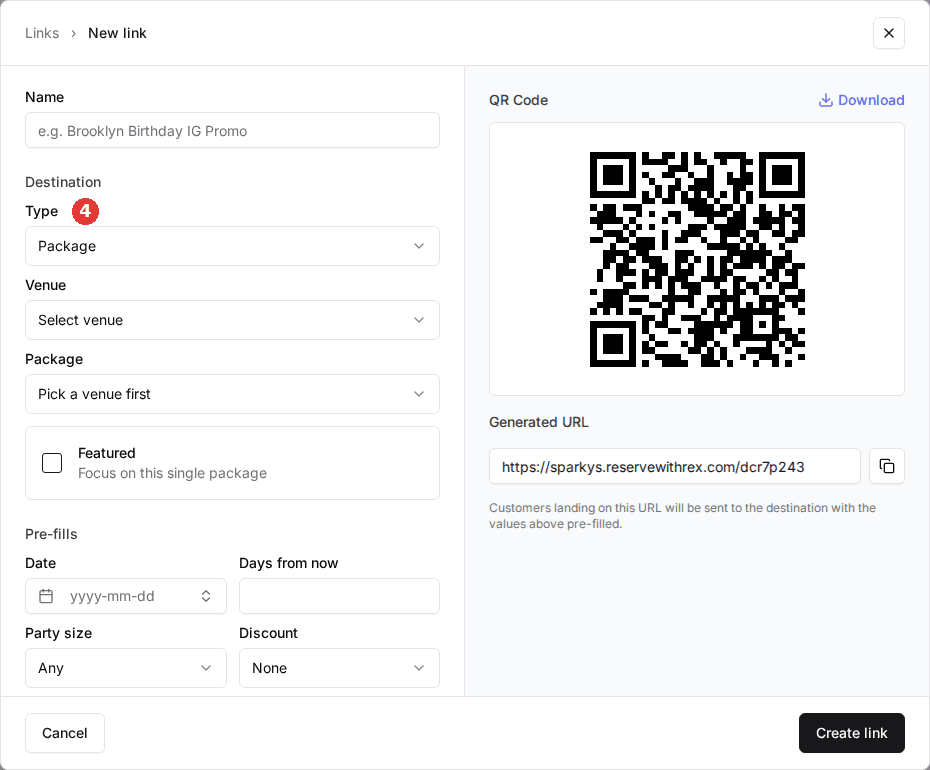
Choose the destination
Pick a Type. Package, Category and Venue also ask for a Venue, then the Package or Category. Membership takes an optional Plan. Turn on Featured on a Package or Membership link to show that one package or plan on its own.
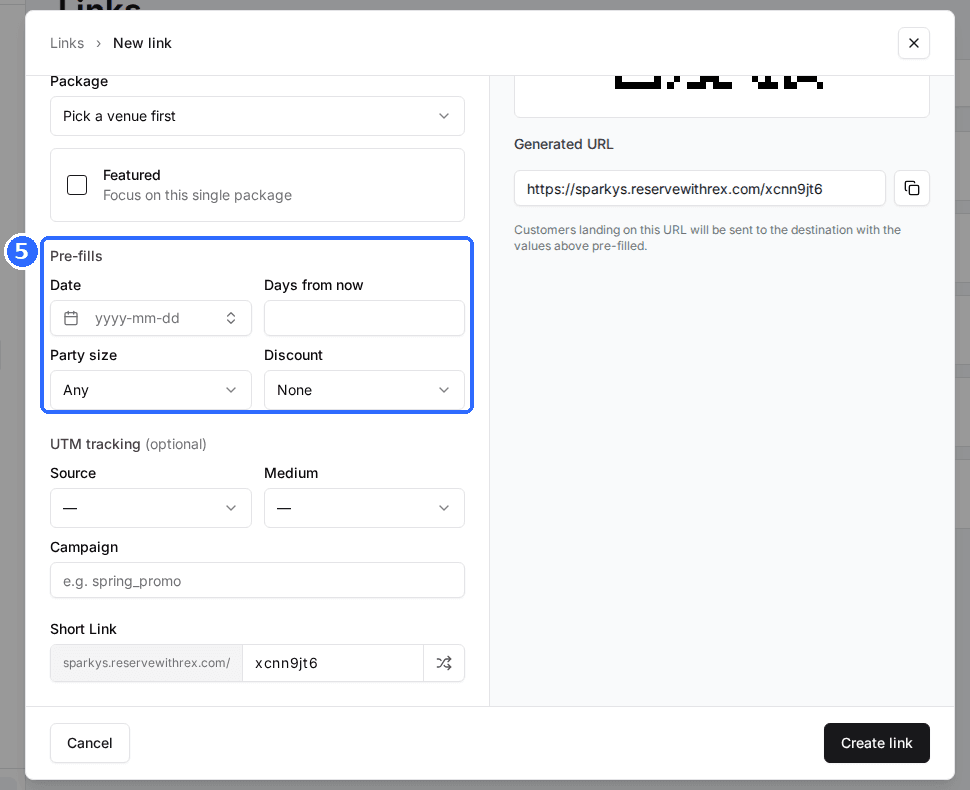
Set the pre-fills (optional)
Package, Category and General booking links can pre-fill a Date or a number of Days from now (one or the other), a Party size, and a Discount code that Rex applies at checkout.
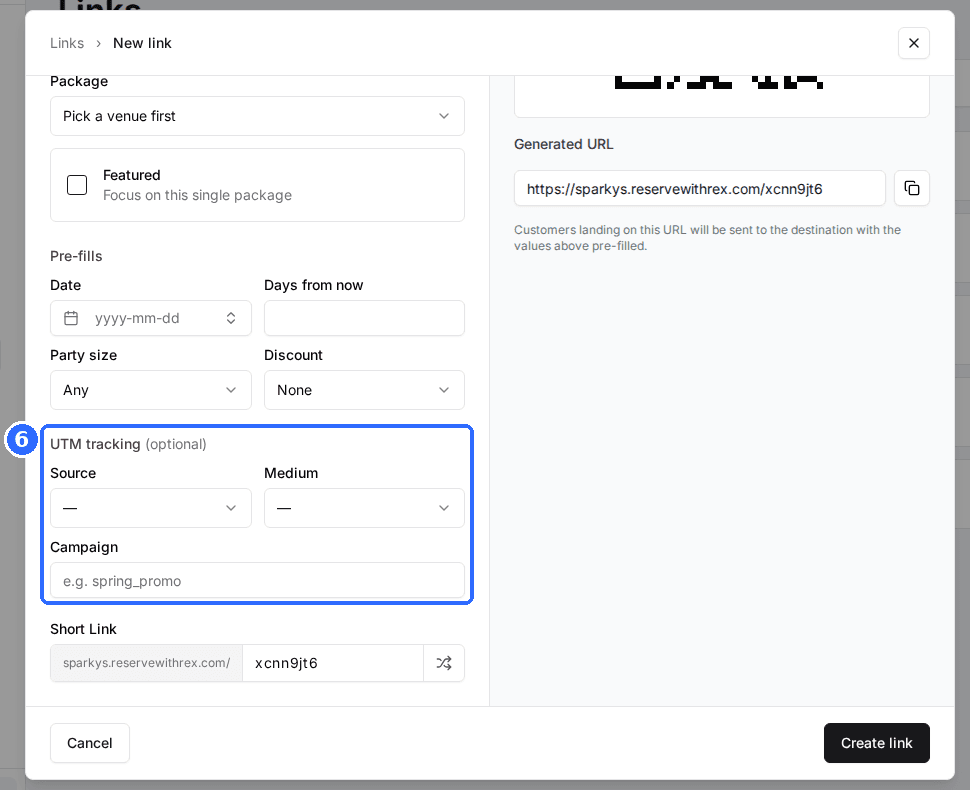
Add UTM tracking (optional)
Pick or type a Source and Medium, and enter a Campaign. Rex lowercases them and turns spaces into underscores.
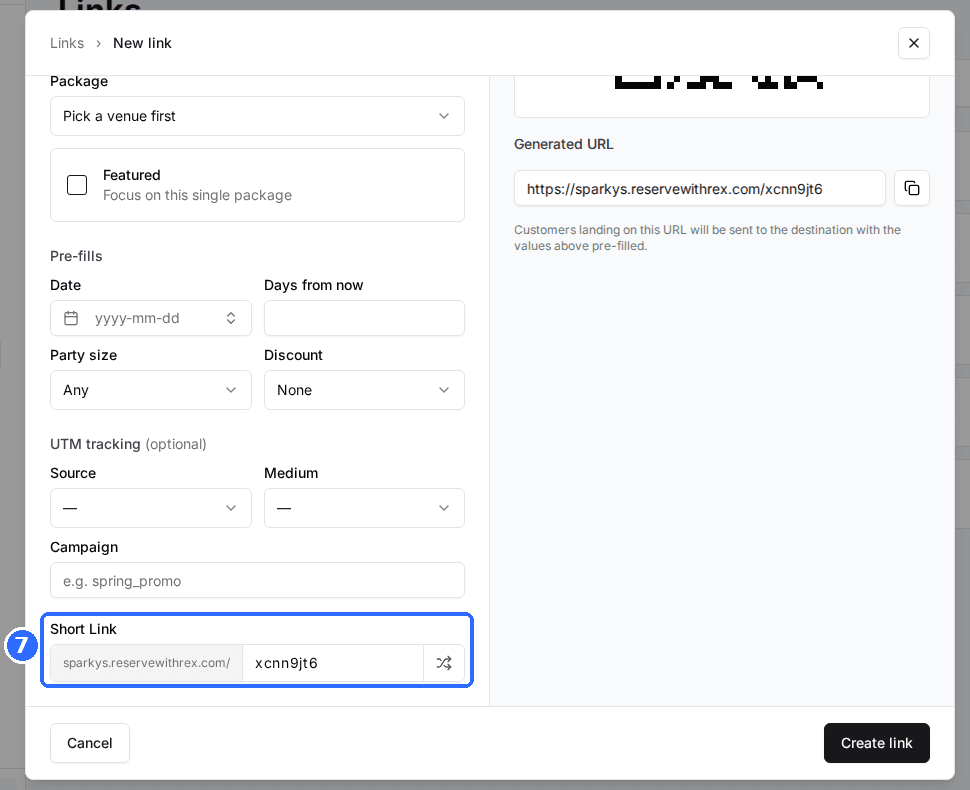
Set the Short Link
Rex suggests a random code; type your own, such as halloween, or click the shuffle icon for a new one. Use 6 to 64 letters or numbers.
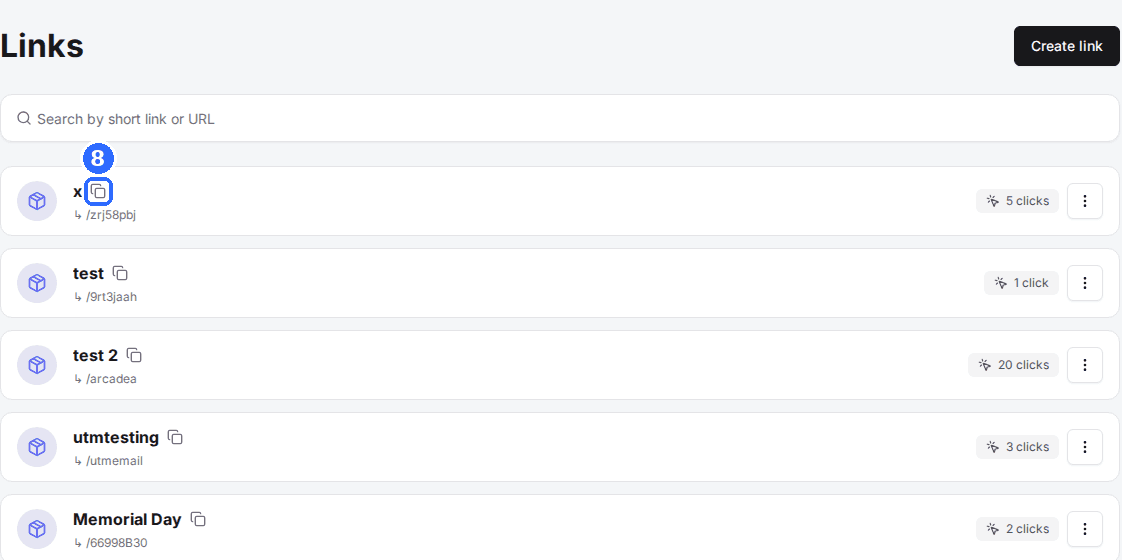
Click Create link
The link joins your list. Copy it with the copy icon next to its name.
Click Download above the QR code to save it as an image for flyers, table tents or screens. Scans go through the short link, so they count as clicks.
Where each type of link goes
| Field | Description |
|---|---|
| Package | The package list at the chosen venue with that package selected. With Featured on, the guest sees only that package. |
| Category | The package list at the chosen venue, opened on that category's tab. |
| General booking | Your booking site's start page, where guests choose a location. |
| Venue | Your booking site's start page, carrying the chosen venue. |
| Membership | Your memberships page, filtered to the Plan if you picked one. With Featured on, only that plan shows. |
| Events | Your events calendar. |
| Gift cards | Your gift card page. |
Manage and track links
- Each link in the list shows its click count. Clicks on the short link, the QR code and an embedded button all count.
- To change a link, open the menu on its row and click Edit. The short link stays the same unless you change it, so anything already printed keeps working.
- Delete is in the same menu.
- To put a link on your website as a button, open it and click Get embed code. See Embed a Rex link on your website.
Building a URL by hand
The Generated URL is a short link that forwards to a full booking address. If you need to build that address yourself, it is your booking site (yourvenue.reservewithrex.com, or your custom domain) followed by a path and these parameters:
| Field | Description |
|---|---|
| /package | The package list. Add venue=Venue%20Name to choose the venue (%20 is a space). |
| currentPackage | Selects a package by name, for example currentPackage=Birthday%20Party. |
| date | Pre-selects a date as YYYY-MM-DD. |
| future | Pre-selects a date this many days from today, instead of a fixed date. |
| guests | Pre-fills the party size. |
| code | A discount code Rex applies when the guest confirms their details. |
| #featured | Added at the end of a package or plan link, shows only that package or plan. |
| utm_source, utm_medium, utm_campaign | Tags the visit for your analytics tools. |
Example: yourvenue.reservewithrex.com/package?venue=Dallas¤tPackage=Birthday%20Party&guests=8&code=SPRING10#featured opens only the Birthday Party package at Dallas for 8 guests with SPRING10 applied. A hand-built URL has no click count; build it in Links if you want one.
Updated Oct 8, 2026
Was this helpful?