
Hide a package's duration from guests
By default, the Rex booking page shows a package's duration on its package card. Hiding the duration removes it from the card, so guests can browse and book the package without seeing its duration.
Hiding the duration only changes what guests see on the package card. The reservation still has its real duration behind the scenes — it holds the lane, table, or room for the correct duration and blocks the schedule accordingly. You're hiding the duration from view, not shortening the booking.
When to use this
Hiding the duration makes sense whenever the duration would confuse guests or simply doesn't matter to them:
- All-day or open-ended packages, where arrival time doesn't matter. For a day pass, open play, or a "come anytime" experience, the duration isn't meaningful to guests — so hide it and pair it with the All Day duration mode, which covers the rest of the day.
- Fixed-time events and party packages that start at a specific time. For something like a New Year's party or a ticketed event that begins at 7:00 PM, guests care about the start time, not the duration — hiding it keeps the focus on when the event begins.
- Packages with buffer or turnover time built in, where the duration (activity plus cleanup) isn't a number you want guests to see.
- Experiences you'd rather present as an experience than a set duration.
What hiding the duration changes
Hiding the duration affects one place: the package card. The duration shown there (for example, "4 Hours") is removed.
It does not change the time slots. If your time slots show a window like 7:00–9:00 PM, they'll keep showing it — that display is controlled separately by Show Time Windows (see the tip below). Hide Duration is also a per-package setting, so you can hide the duration on your all-day and event packages while leaving it visible on your standard ones.
Hide the duration on a package
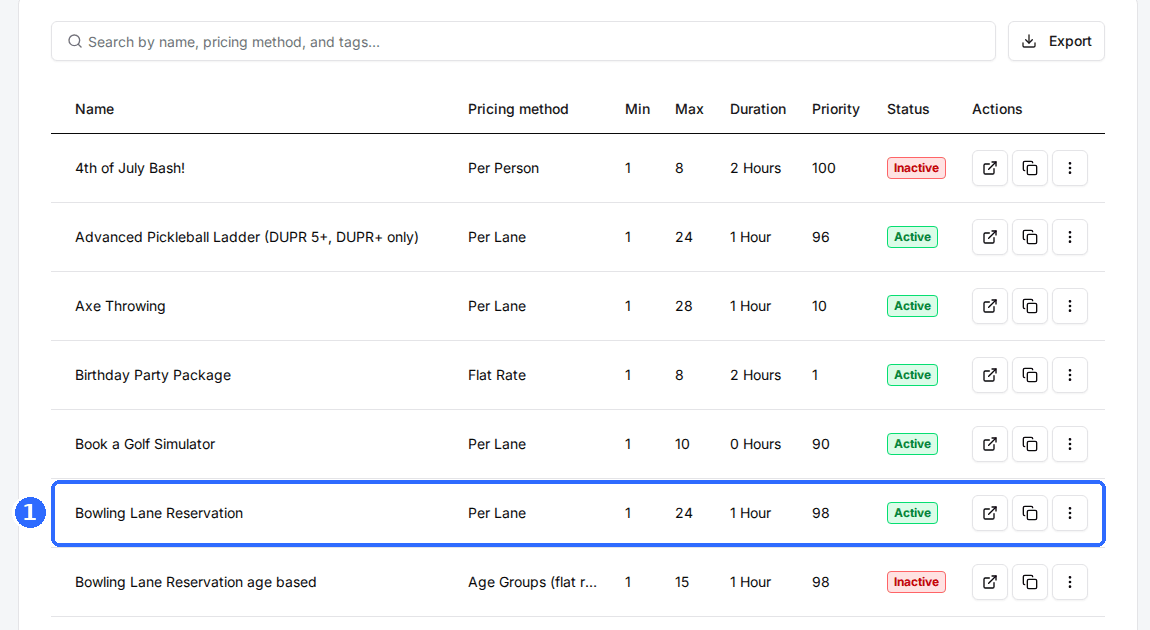
Open the package
Go to Manage → Venues, open the venue, switch to the Packages tab, and click the package you want to change.
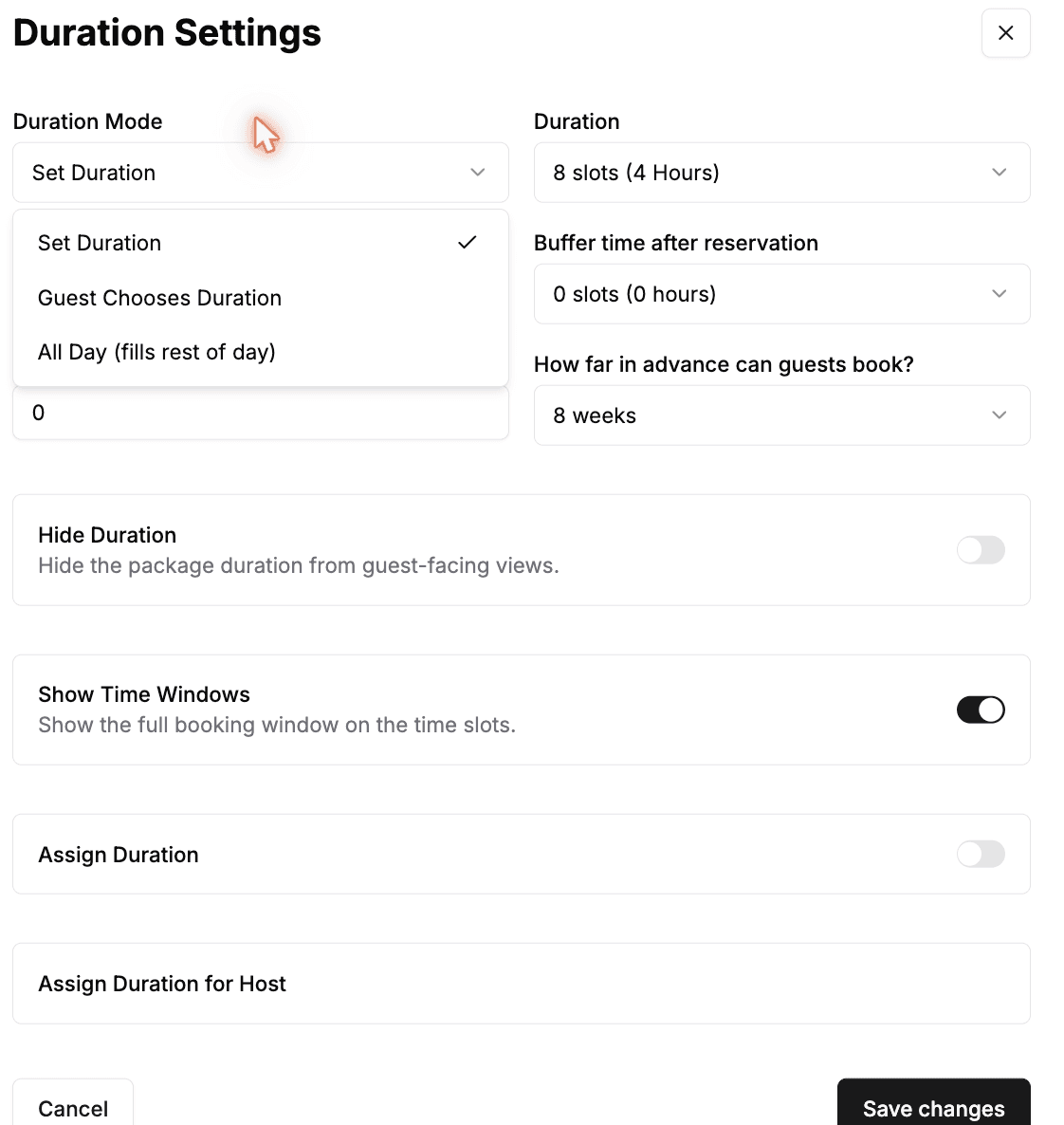
Open Duration Settings
On the package page, find the Duration Settings section and click Edit. This is also where you set the Duration Mode — Set Duration for a fixed duration, Guest Chooses Duration, or All Day (fills rest of day) for open-ended packages.
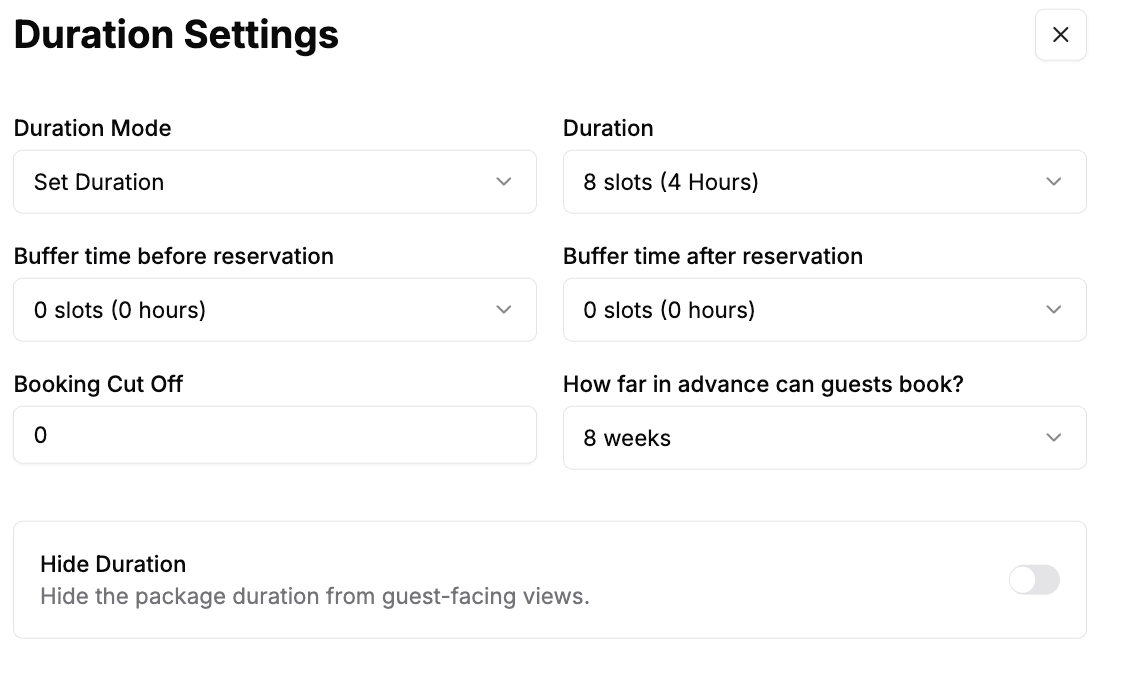
Toggle on Hide Duration
In the Duration Settings window, switch on Hide Duration (“Hide the package duration from guest-facing views”).
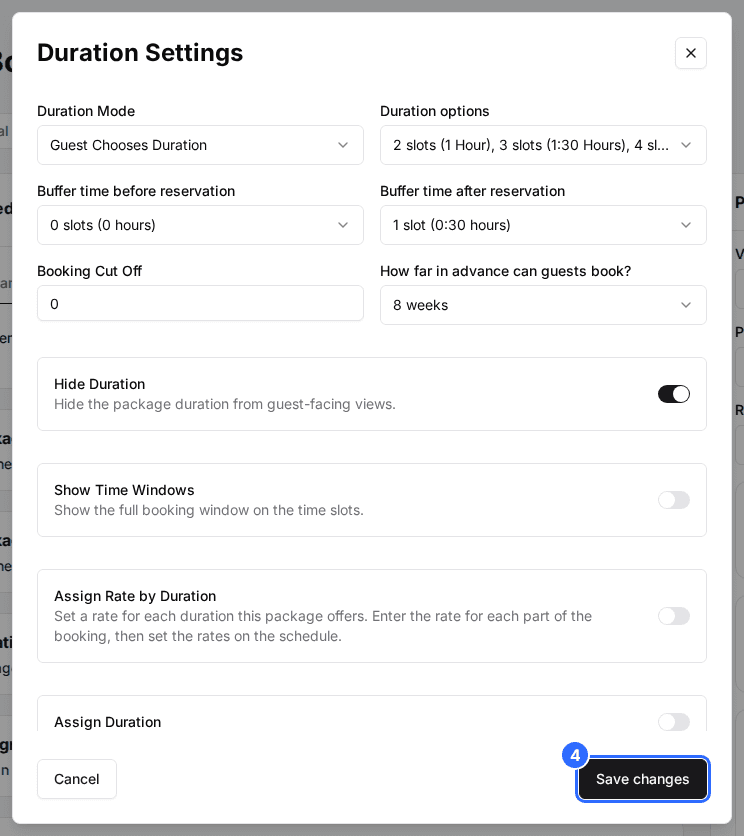
Save your changes
Click Save changes. The duration is now hidden from this package's card.
Tip: control the time slots with Show Time Windows
Just below Hide Duration is a Show Time Windows toggle, which controls what each time slot shows — the full booking window (like 7:00–9:00 PM) or just a start time. It's separate from Hide Duration and doesn't affect the package card: turn Show Time Windows on to display the start-and-end window on slots, or off to show only the start time.
Updated Oct 8, 2026
Was this helpful?