
Set custom start times
By default, guests can start a booking at any time inside a schedule's time slots, at your venue's time-slot interval. Start time only limits them to the exact start time of each slot, so you decide every time a group can begin.
Open the package's schedule
Click your venue, open the Packages tab, and click the package. In its Schedules card, click the schedule to open the Schedule window.
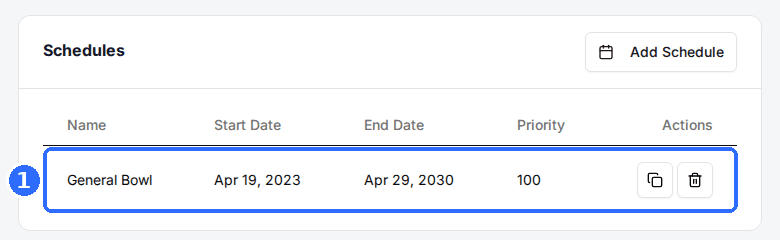
Add a slot for each start time
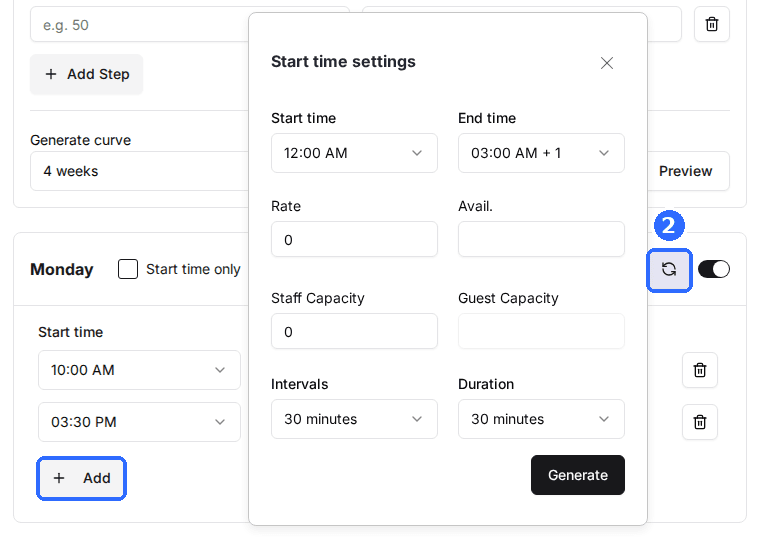
On each day you're open, add one slot per start time you offer, for example 12:00 PM, 1:30 PM, and 3:00 PM. Click Add for a single slot, or click the refresh icon on the day's header to open Start time settings, set Start time, End time, Intervals, and Duration, and click Generate.
Check Start time only
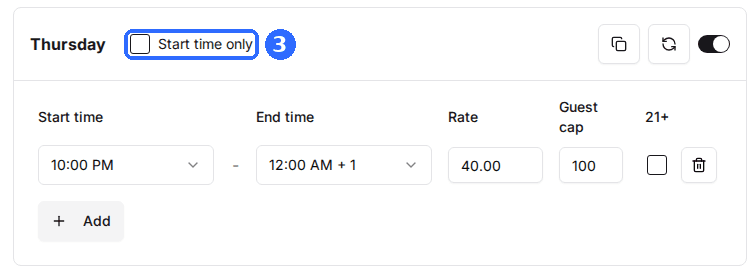
Tick the Start time only checkbox in the header of each day it should apply to. It's set per weekday, so a day left unticked keeps the default behaviour.
Save and verify
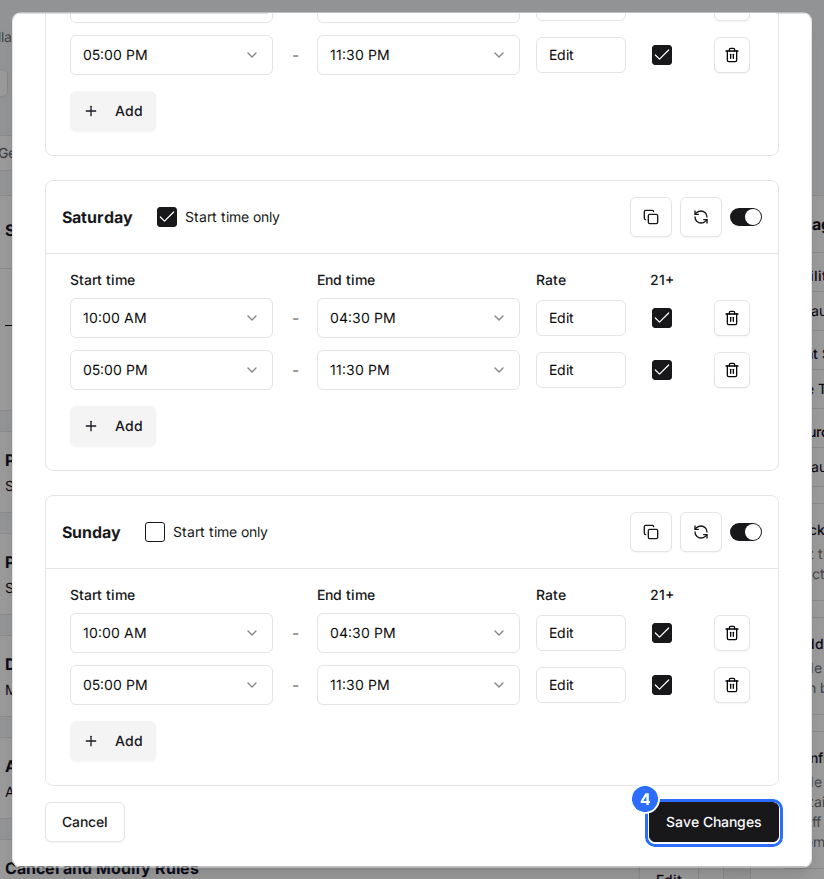
Click Save Changes, then open your reservation page. On the days you ticked, guests only see your slots' start times.
Intervals in Start time settings is the gap between generated start times. Set it to 90 minutes and Generate creates slots at 12:00, 1:30, 3:00 and so on.
Staff booking in the Host App can still pick any time. To hold them to the same start times, click Edit on the package's Host Settings card and switch on Apply Start Time Only for Host.
Updated Oct 8, 2026
Was this helpful?