
Set up leagues
A league in Rex is two pieces: a block in the Host App that holds your lanes on league nights so guests can't book them, and a package players use to sign up and pay. You can add a free check-in package so players confirm attendance each week.
Hold the lanes for league nights
Open the block form
In the Host App, tap the + button in the bottom bar and choose the Block tab. You can also drag across empty time on the calendar and choose Block time.
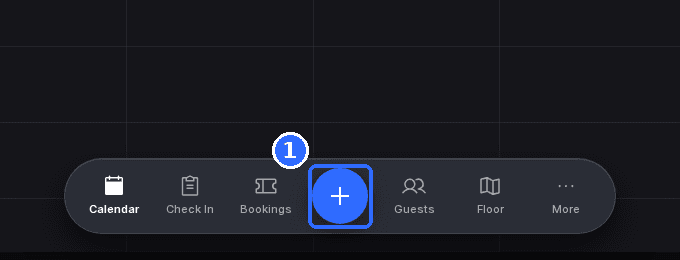
Pick the league dates
Under Date, pick every night of the league season. The picker stays open so you can select several days at once, and each one shows as a chip you can remove.
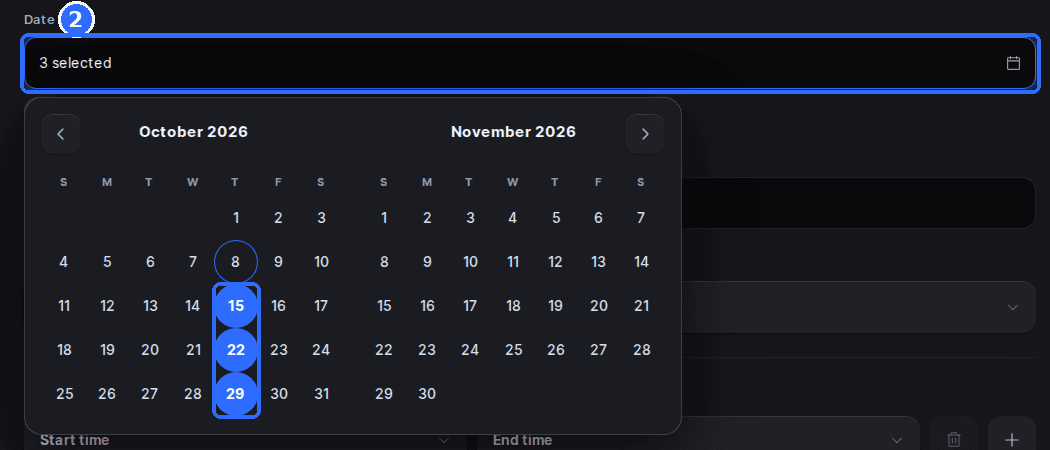
Name the block and set its hours
Enter a Block name, such as Summer league, and pick a Block color so it stands out on the calendar. Under Blocked hours, set the start and end time of league play, and add Block notes for your team if needed.
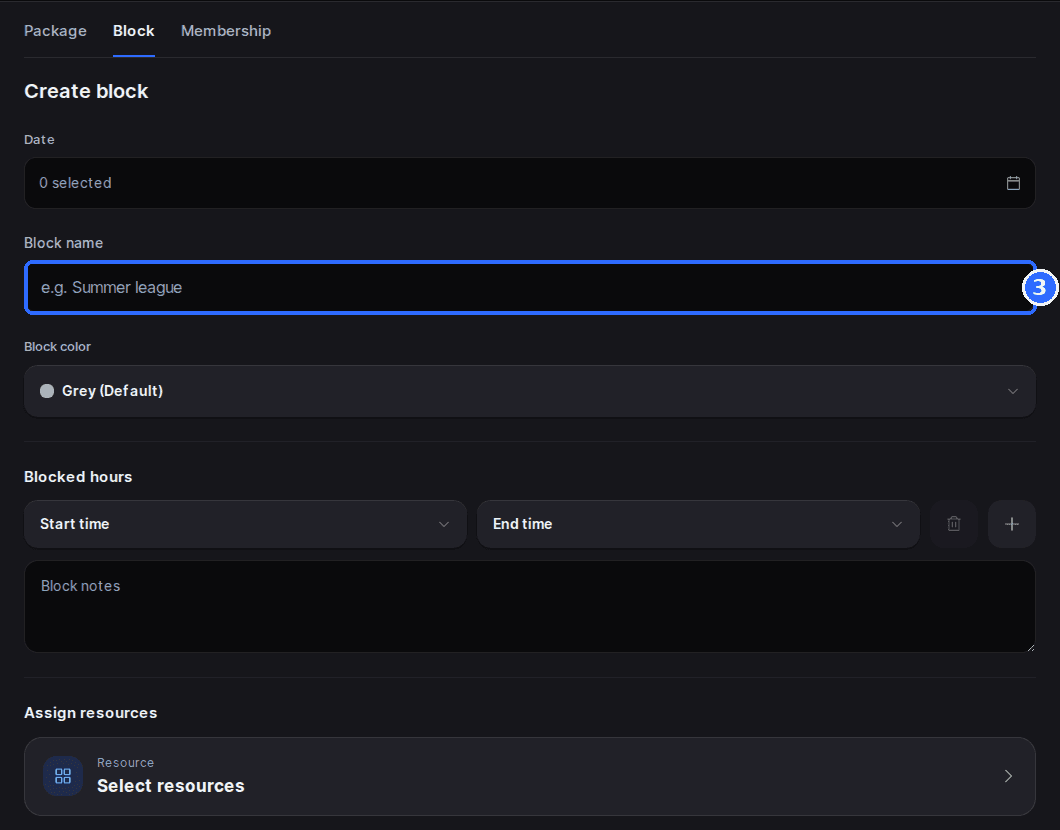
Assign resources and create the block
Under Assign resources, tap Resource and pick the lanes, bays, or courts the league uses. Tap Create block. Those resources are now unavailable to guests at those times on every date you picked.
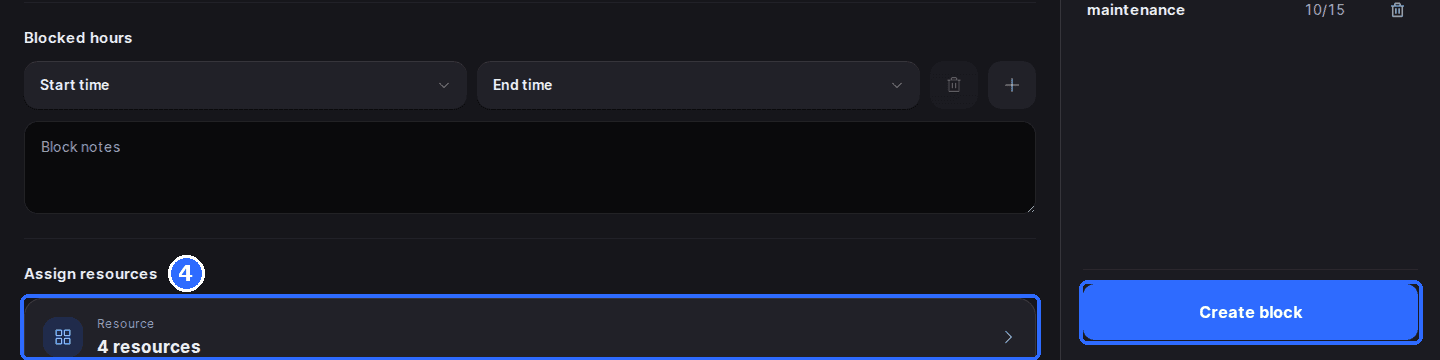
For more on blocks, including removing one, see Block time in the Host App.
Create the league sign-up package
Create a package for the league
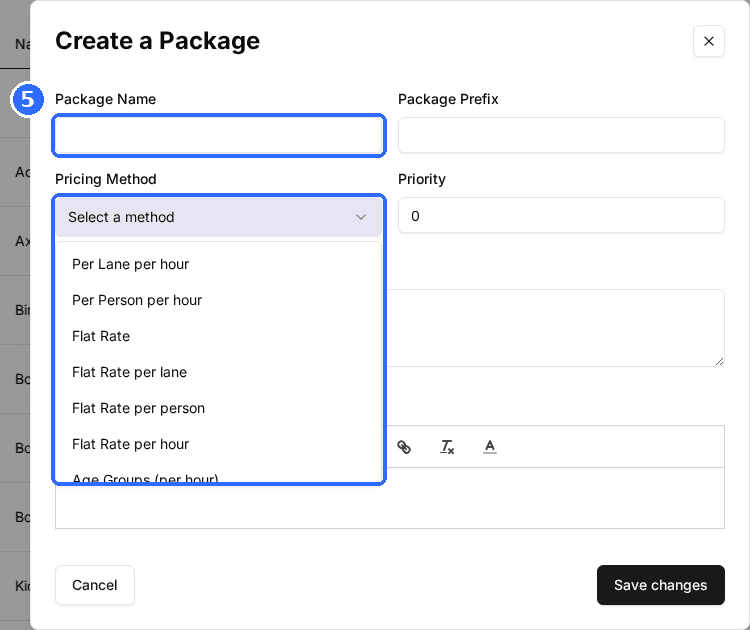
Click your venue, open the Packages tab, and click Create Package. Name it for the league, choose Flat Rate for a per-team fee or Flat Rate per person for a per-player fee, and click Save changes.
Set the team size
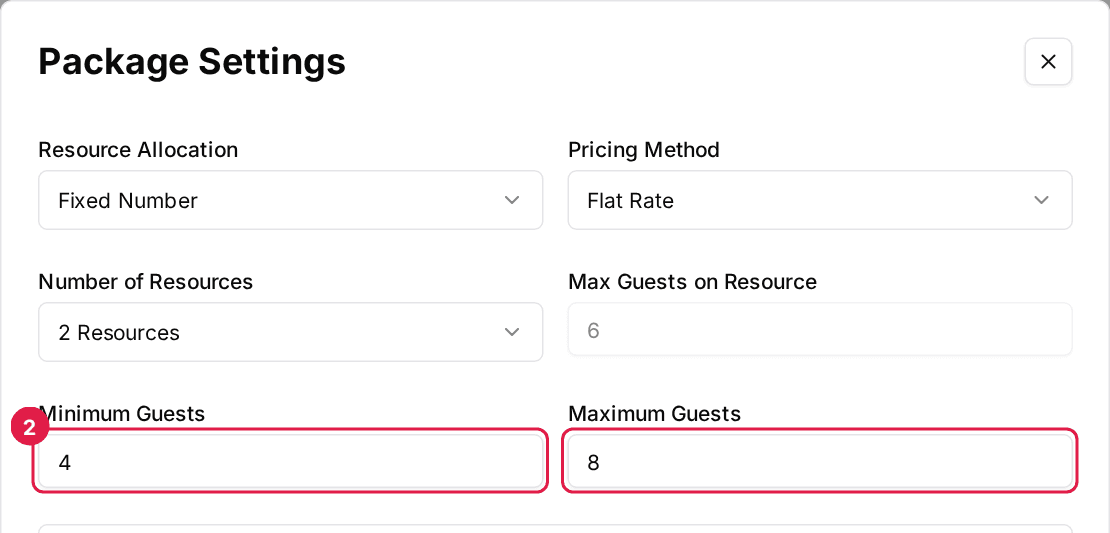
Click Edit on the Package Settings card and set Minimum Guests and Maximum Guests to the number of players a team can register. Click Save changes.
Schedule sign-ups on the first league night
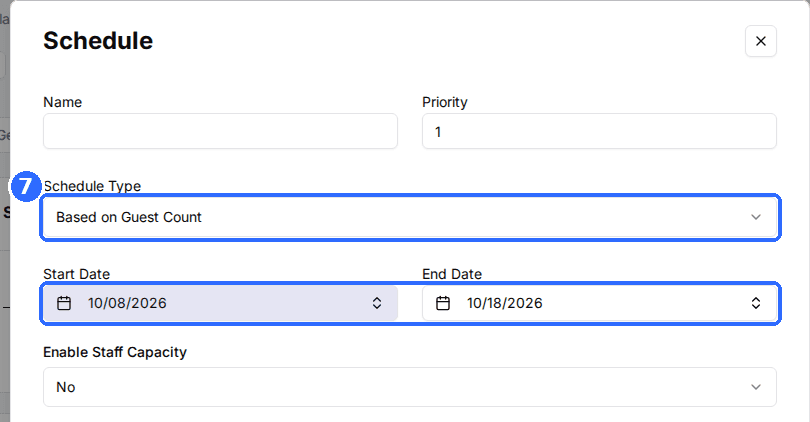
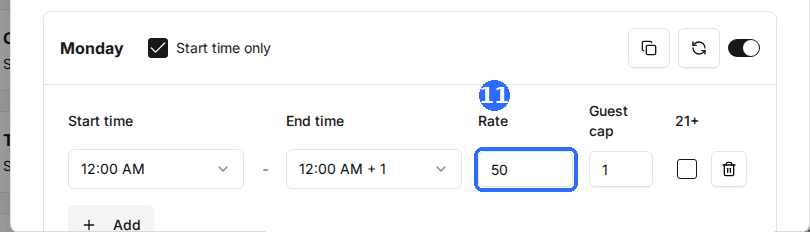
Click Add Schedule. Set Start Date and End Date to the first night of the league and Schedule Type to Based on Guest Count, so sign-ups don't need a free lane while your block holds them. Add one slot at the league start time with the registration fee as its Rate and the most players you'll take as its Guest cap.
Check Start time only and save
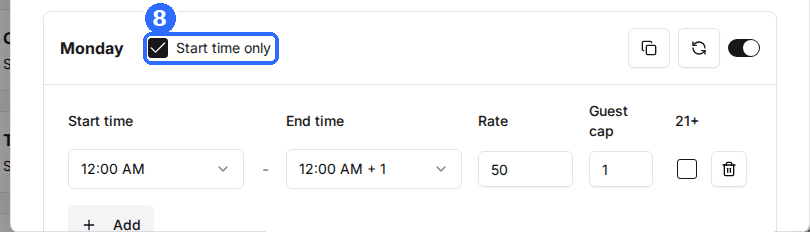
Tick Start time only on that day so players can only sign up for the league start time, then click Save Changes.
Turn the package on and share it
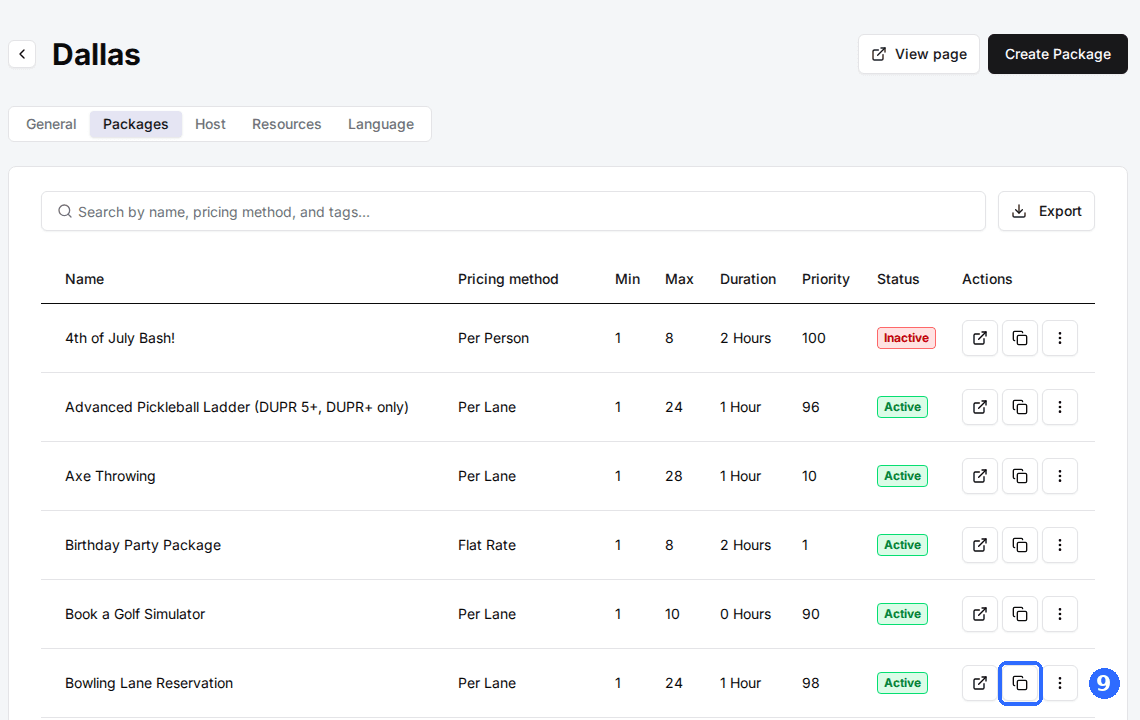
Switch on Package Status in Package Controls. On the Packages tab, click the copy icon in the package's row to copy its link for your league announcement.
Want sign-ups by invitation only? Switch on Hidden Package in Package Controls, and only people with the link can register.
Optional: add a weekly check-in package
Clone the league package
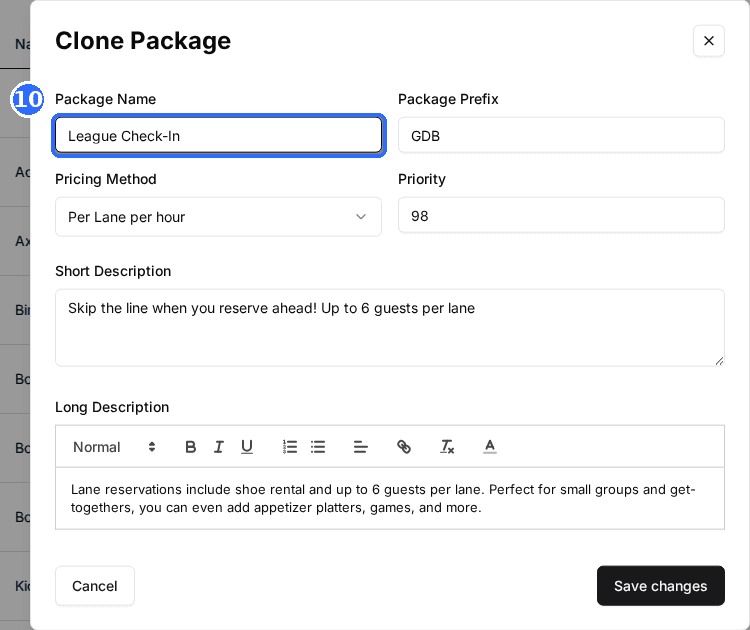
Open the league package, choose Clone Package from the Actions menu, name the copy League Check-In, and click Save changes.
Schedule it for every league night
Open the clone's schedule and set its dates to cover the whole season, with a slot on the league weekday and a Rate of 0. Click Save Changes and share the link with players so they confirm each week.
Updated Oct 8, 2026
Was this helpful?