
Manage a reservation
Every reservation has a details page in the admin dashboard. It shows who booked, what they booked and what they paid, and its Actions menu resends the confirmation, refunds, cancels and syncs the reservation.
Open a reservation
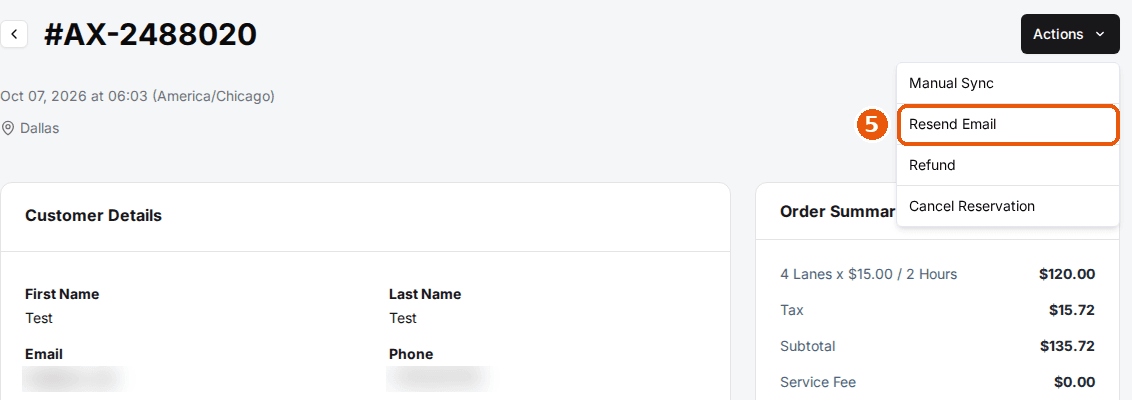
Click Reservations in the left menu and click any row. The page shows the reservation number, when it was created, the venue and an Actions button in the top right.

Review customer details
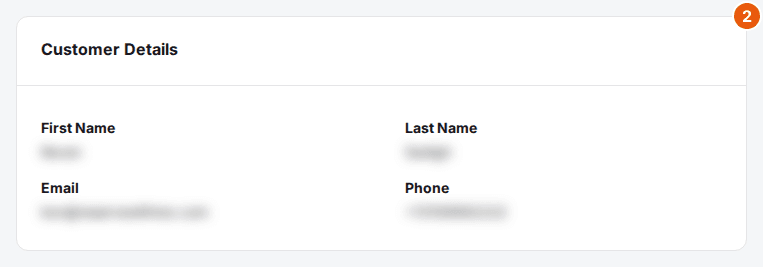
The Customer Details card shows the guest's first and last name, email address and phone number.
Review reservation details
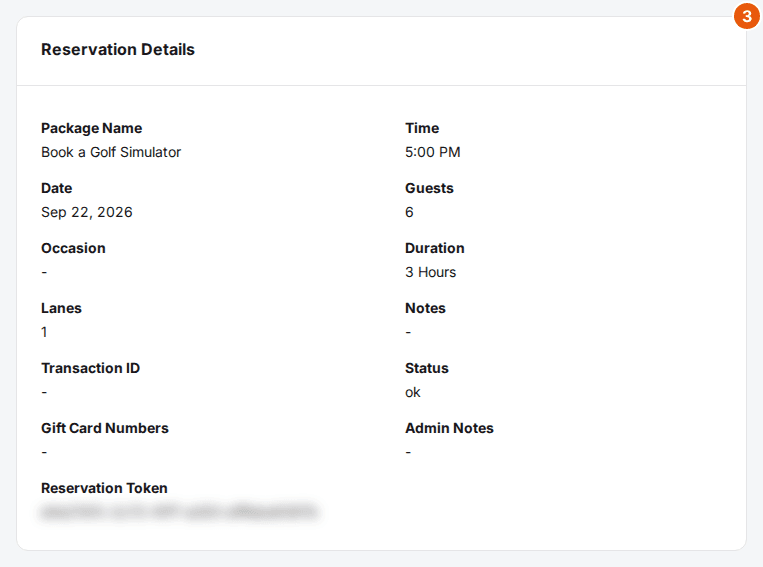
The Reservation Details card shows the package, date, time, duration, guests, occasion, number of lanes, notes, transaction ID, status and admin notes. If the booking form asked custom questions, a Custom Fields card shows the answers.
Review the order summary and payments
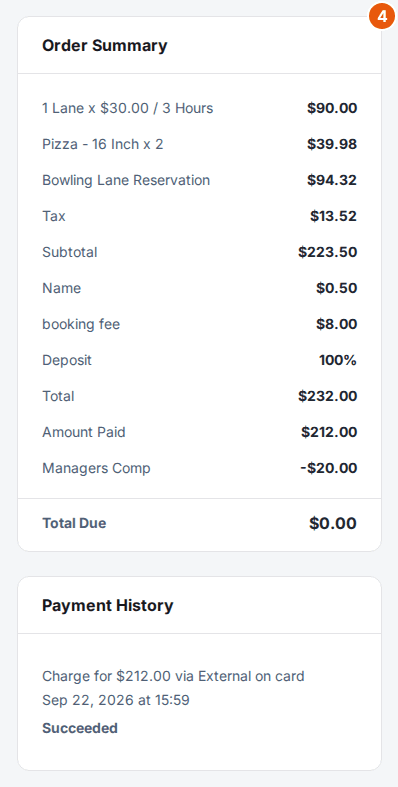
The Order Summary card breaks down the price: the booking, add-ons, any modification fee, discount or manager's comp, tax, subtotal, service fee, deposit, total and amount paid. Total Due shows what's still owed. Payment History lists every charge and refund, and Timeline shows each sync to your integrations.
Resend the confirmation email
Click Actions, then Resend Email. Check or change the Email Address (separate several addresses with commas) and click Send.
Issue a refund
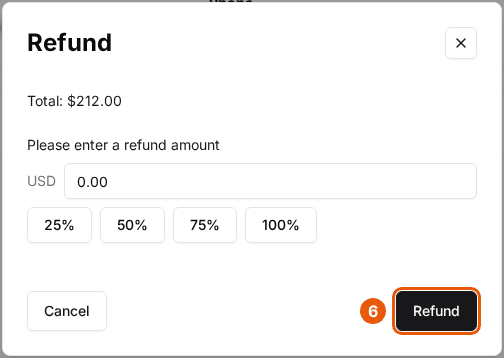
Click Actions, then Refund. Total shows how much can still be refunded. Enter an amount up to it, or click 25%, 50%, 75% or 100% to refund that share, then click Refund.
Cancel a reservation
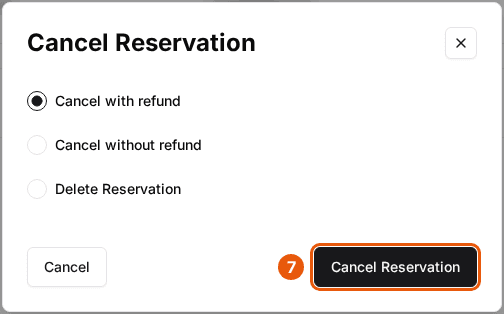
Click Actions, then Cancel Reservation. Choose Cancel with refund to cancel and refund the payment, Cancel without refund to cancel and keep the payment, or Delete Reservation to remove the reservation. Then click Cancel Reservation.
Sync an integration
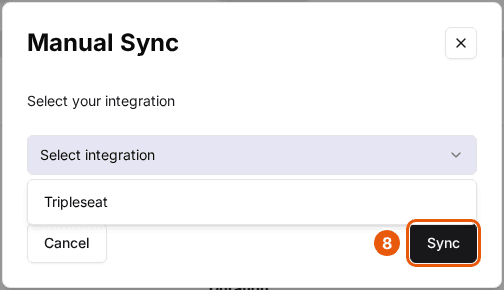
Click Actions, then Manual Sync, select Tripleseat or Steltronic, and click Sync to send the reservation again. Only the integrations turned on for the venue are listed.
Submit a DUPR match
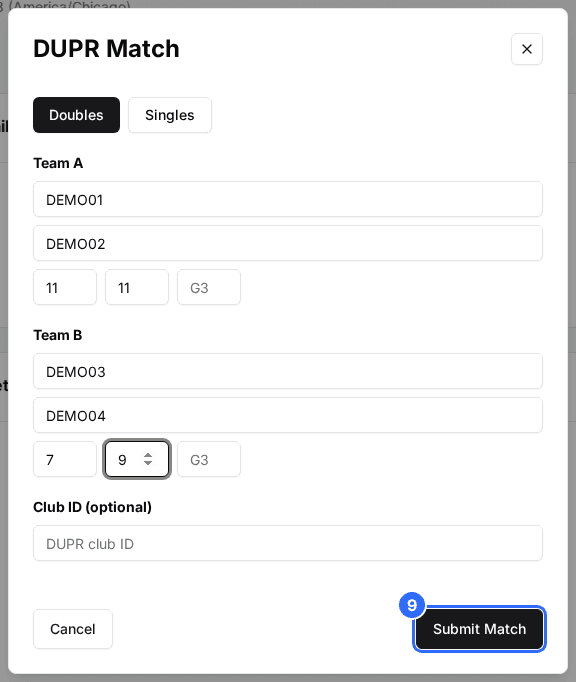
For a package with DUPR turned on, click Actions, then Submit DUPR Match. Pick Doubles or Singles, enter each team's player DUPR IDs and the game scores, and click Submit Match. Once a match is submitted, the action reads Edit DUPR Match.
On a reservation that is already cancelled or still pending, Resend Email is unavailable and Delete Reservation is the only cancel option. On an unpaid reservation, Cancel with refund is unavailable.
| Field | Description |
|---|---|
| First Name | The guest's first name. |
| Last Name | The guest's last name. |
| The guest's email address. | |
| Phone | The guest's phone number. |
| Package Name | The package booked. |
| Time | The start time. |
| Date | The date of the reservation. |
| Guests | The number of guests, including guests added through add-ons. |
| Occasion | The occasion picked when booking, such as a birthday. |
| Duration | How long the reservation lasts. |
| Lanes | How many lanes are booked. The label uses your own resource name, such as Bays or Tables. |
| Notes | Notes the guest entered when booking. |
| Transaction ID | The payment processor's reference for the payment. |
| Status | The reservation's current status. |
| Gift Card Numbers | Gift cards used to pay. |
| Admin Notes | Internal notes added by your staff. |
| Reservation Token | The code in the guest's links to view and change the booking. |
To find a reservation first, see View, filter, and search reservations.
Updated Oct 8, 2026
Was this helpful?