
Refund a reservation from the Host App
Hosts can refund a reservation on the spot from its Actions menu. You choose the amount, and when your venue uses discounts you also choose how the guest gets it back:
Refund to card
Sends the amount back to the original payment method. It goes to the payment processor straight away and can't be undone.
Best for: A guest who should get their money back, such as a lane that went out of order.
Issue coupon
Emails the guest a single-use coupon for the amount. The payment stays with the venue.
Best for: Goodwill gestures where you'd rather the guest comes back and spends it with you.
Refund reservation is greyed out until something has been paid on the reservation, and on a cancelled reservation. To cancel and refund in one go, use Cancel reservation and choose With refund instead.
Open the reservation
Tap Check In in the dock, find the reservation and tap it. You can also tap the booking on the Calendar.
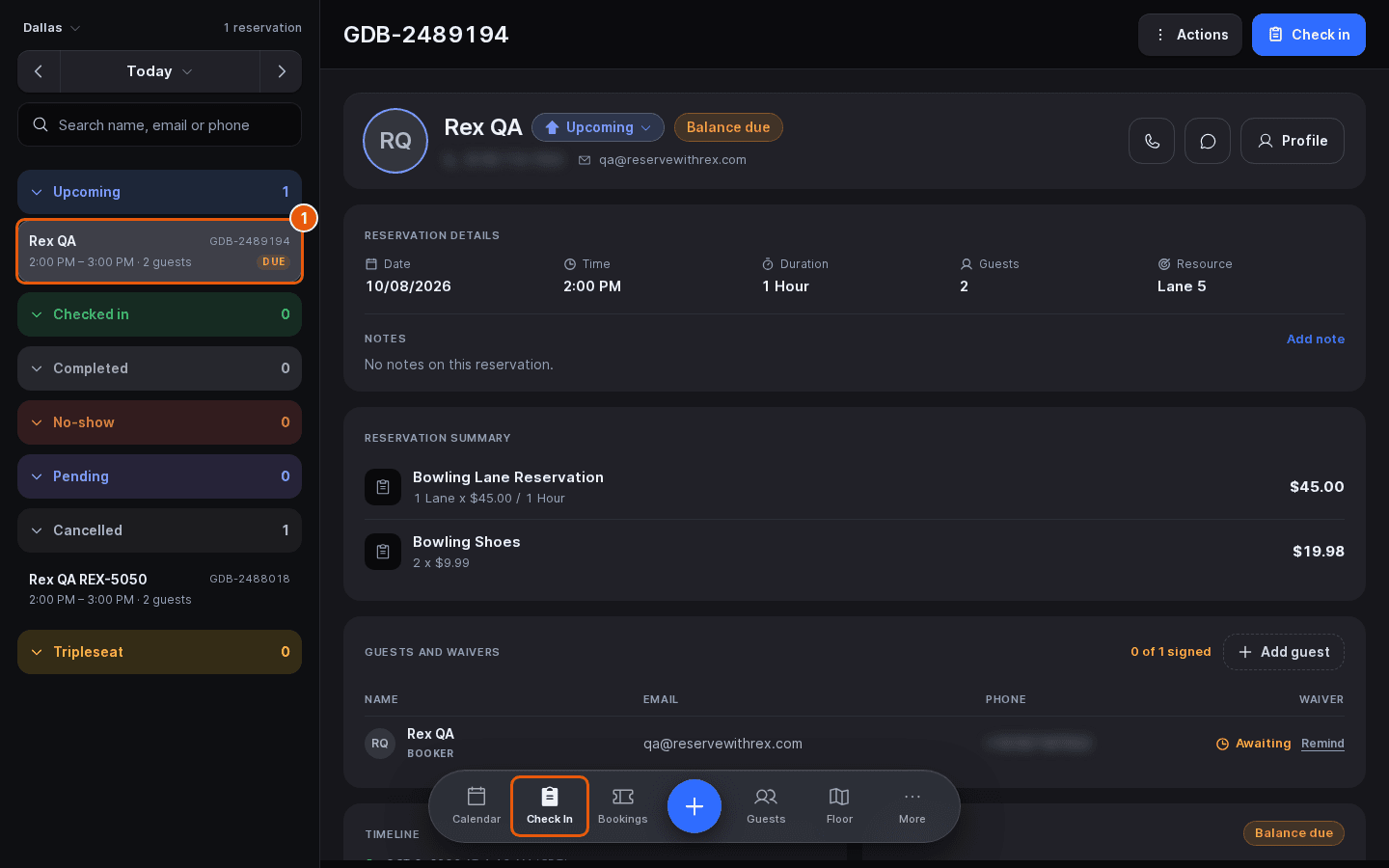
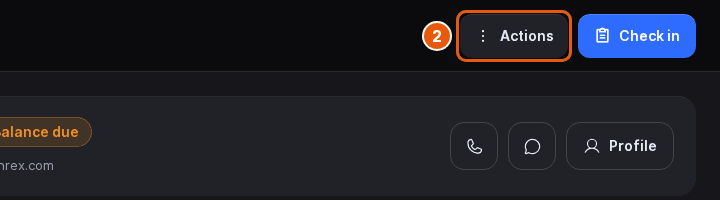
Click Actions
Actions is at the top right of the reservation.
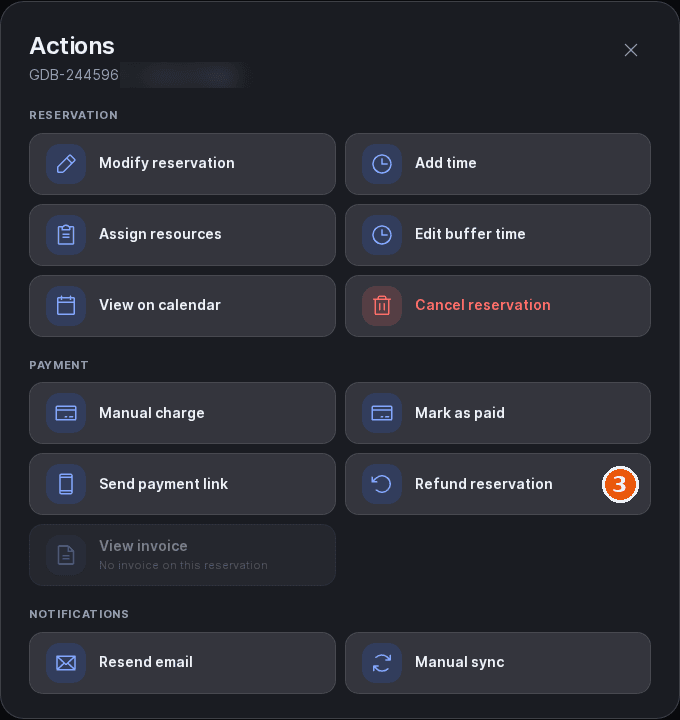
Select Refund reservation
It's in the Payment group. The Refund this reservation sheet opens.
Select Refund to card or Issue coupon
Refund to card is picked to start with. The choice only shows when Discounts Enabled is on for the venue; without it, the sheet goes straight to the amount and refunds to the card.
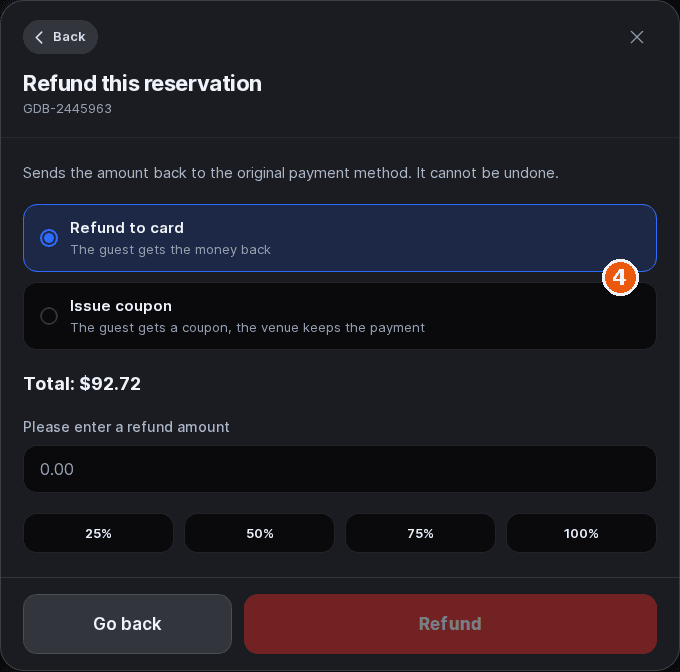
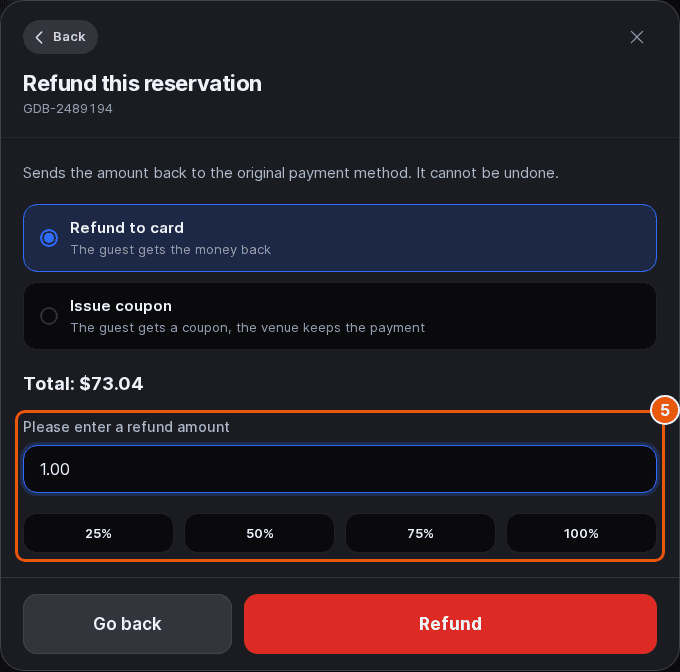
Enter the amount
Type it into the amount field, or tap 25%, 50%, 75% or 100%. The percentages are shares of the order total shown on the Total line. A coupon can't be more than the guest paid, less anything already refunded; Rex tells you the most it can issue if you go over.
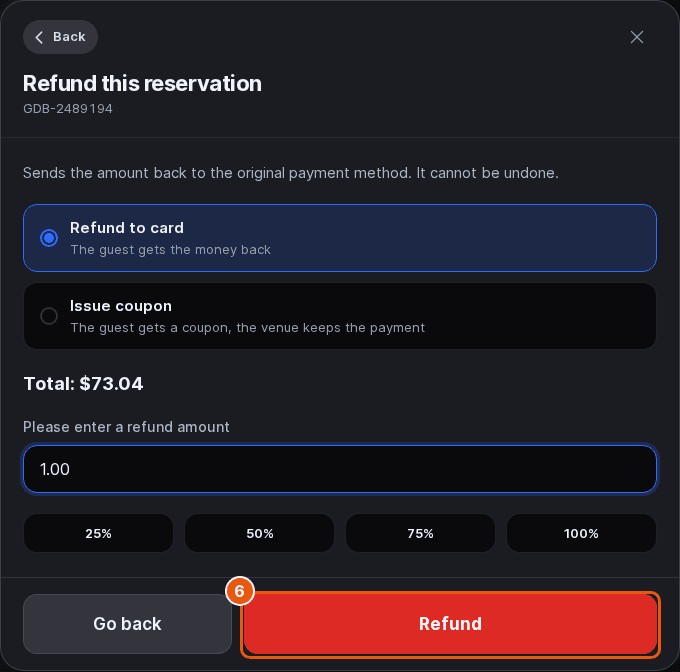
Click Refund
The button reads Issue coupon when you picked a coupon. It stays disabled until you enter an amount.
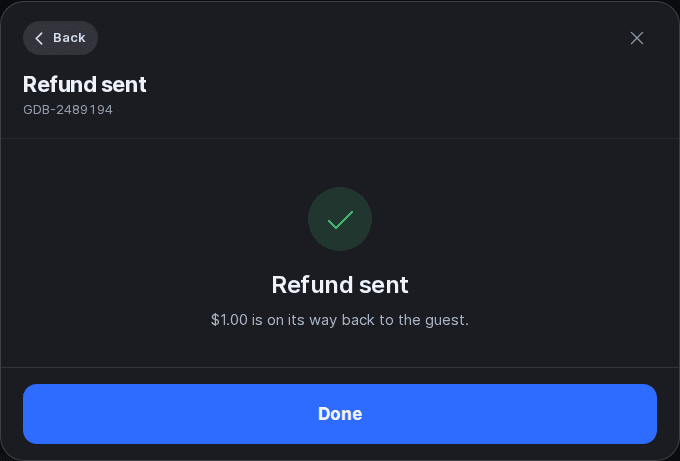
Verify the refund
The sheet shows Refund sent, or Coupon issued with the coupon code. Tap Done to close it. The Payment card on the reservation shows the amount under Refunded to guest, and an issued coupon is logged in the Timeline.
To offer coupons, turn on Discounts Enabled under Venue Controls on the venue's General tab in the admin dashboard (Manage › Venues › your venue). Coupons work like any other discount code; see Discount codes.
Updated Oct 8, 2026
Was this helpful?