
Reservation page showing no availability
Test from the guest booking page in a private browser window, on the date the guest reported. The Host App uses its own booking window and cut-off (How far in advance can hosts book? and Host Cut Off Time (hours) in the package's Host Settings), so a time can show for staff and still be closed to guests.
A package shows no times on any date, or is missing from the booking page
Possible causes
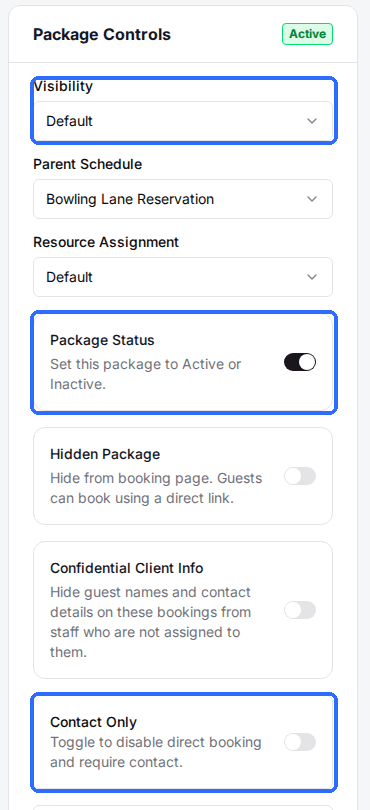
- •Package Status is set to Inactive in Package Controls.
- •Visibility is set to Admin Only, so the package is only bookable by staff.
- •Contact Only is on, so guests get a contact button instead of times.
- •No resource category is assigned, so there is nothing to book. The package page shows “Assign a resource category to make this package visible”.
- •Hidden Package is on, which hides the package from the booking page but keeps it bookable from a direct link.
Fix
Open the package. In Package Controls, set Package Status to Active, Visibility to Default or Frontend Only, and turn off Contact Only (and Hidden Package if guests should find it on the page). If the resource alert shows, open the Assign Resource Category card and add a category.
No times on certain days or at certain hours
Possible causes
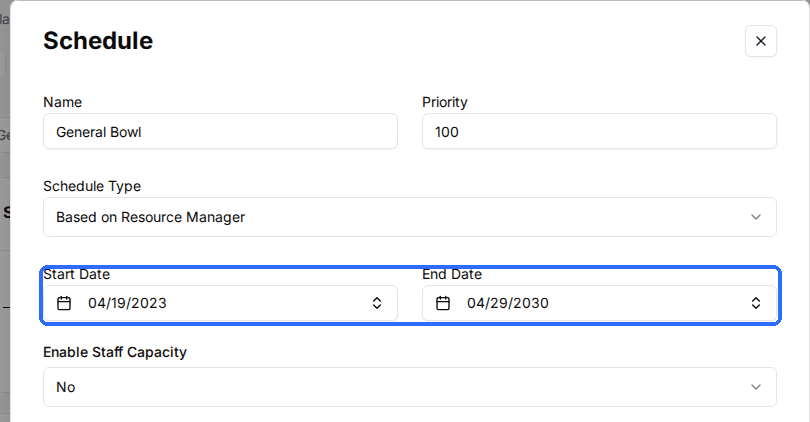
- •None of the package's schedules covers that date: it falls outside the schedule's Start Date and End Date.
- •The schedule has no time slots on that weekday, or none at that hour.
- •The package's duration does not fit before the schedule's last slot ends.
Fix
Open the package and click the schedule in the Schedules card. Check Start Date and End Date, then the time slots for the weekday the guest wants. Click Add Schedule if the date needs a schedule of its own.
Times near the current time are missing
Possible causes
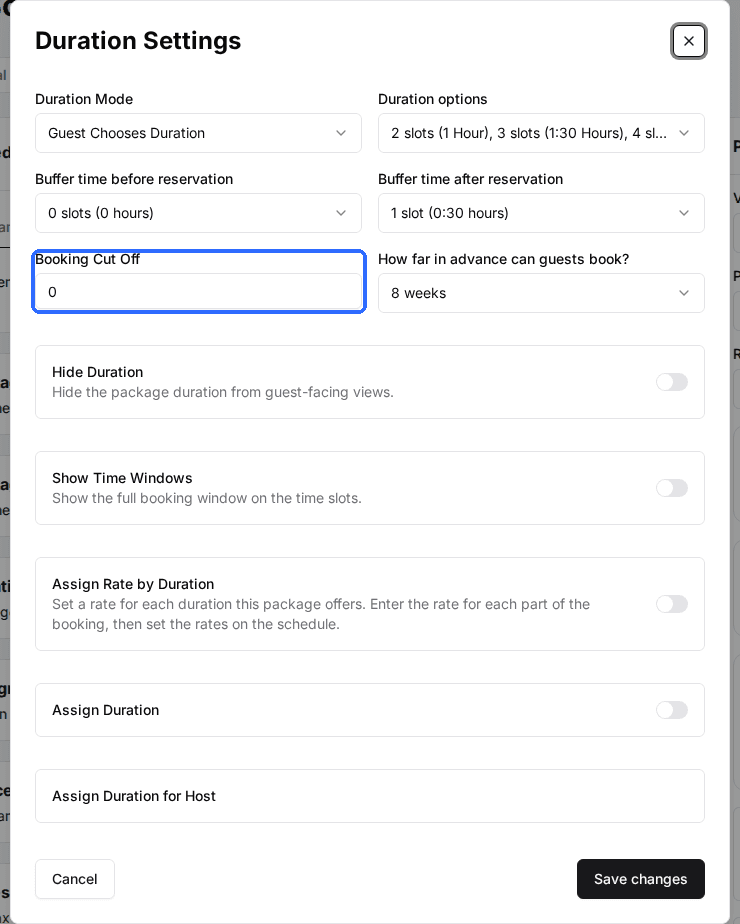
- •The package's Booking Cut Off stops guests booking a slot that starts within that many minutes from now.
Fix
Open the package's Duration Settings card and lower Booking Cut Off. Set it to 0 to let guests book right up to the start time.
Dates further ahead show nothing
Possible causes
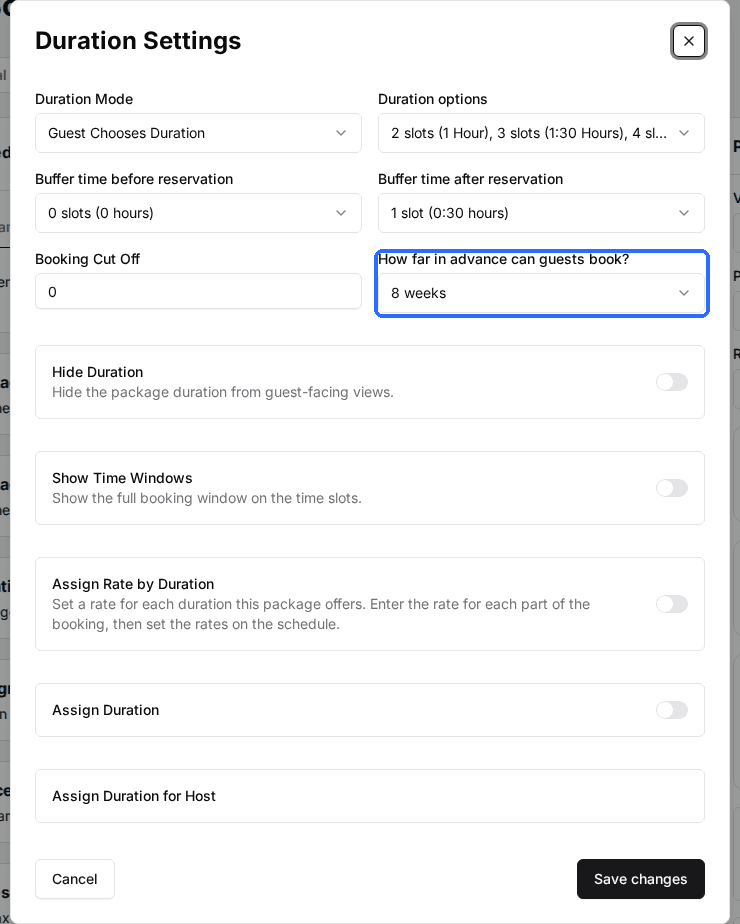
- •The date is past the package's How far in advance can guests book? setting.
- •The date is past the venue's Calendar Display Range, which limits how far ahead the booking calendar goes.
Fix
Raise How far in advance can guests book? in the package's Duration Settings card. Then check Calendar Display Range in the Venue Settings card on the venue's General tab.
Some time slots are missing on a day that otherwise has times
Possible causes
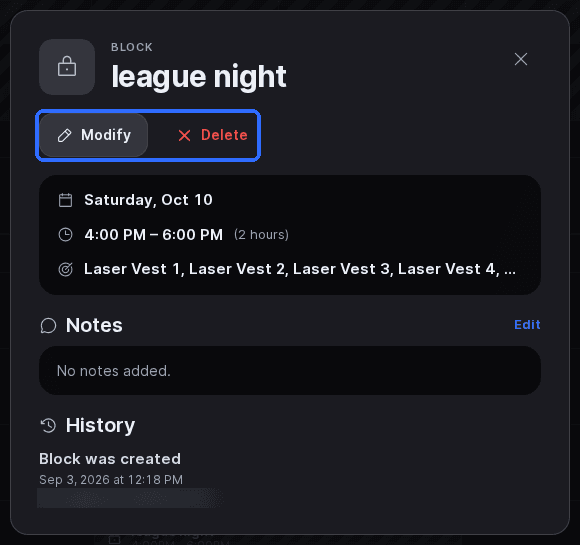
- •A block in the Host App covers those resources at that time.
- •The schedule has Enable Staff Capacity set to Yes, and that slot's Staff cap is already used by reservations starting at the same time.
- •Every resource in the package's resource categories is already booked at that time.
Fix
In the Host App, open Calendar on that date and tap any block over the missing times to Modify or Delete it. For staff capacity, open the package's schedule and raise the Staff cap on that slot, or set Enable Staff Capacity to No.
Nothing shows for the whole venue? Check Venue Controls on the venue page: Venue is Open must be on and Venue Coming Soon off. For how start-time caps work, see Staff capacity.
Updated Oct 8, 2026
Was this helpful?