
Resend a confirmation email to a guest
When a guest did not get their confirmation email, or wants it at another address, send it again from the reservation. You can do it from the admin dashboard or the Host App.
From the admin dashboard
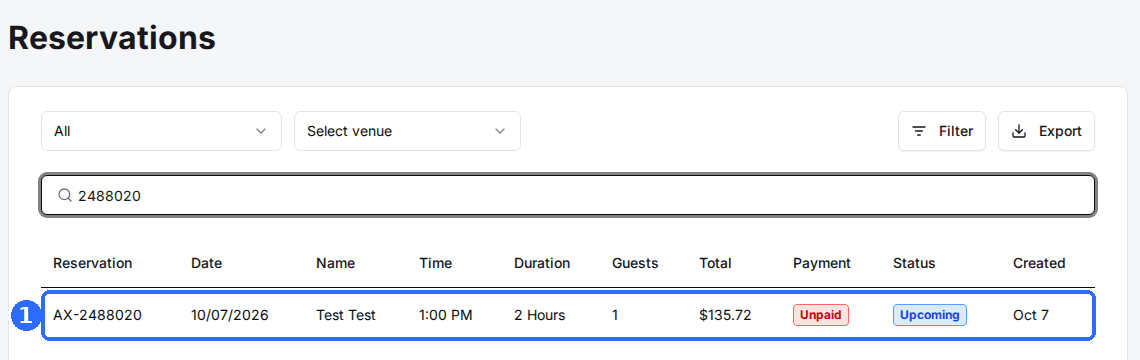
Open the reservation
Click the reservation in the list to open Reservation Details.
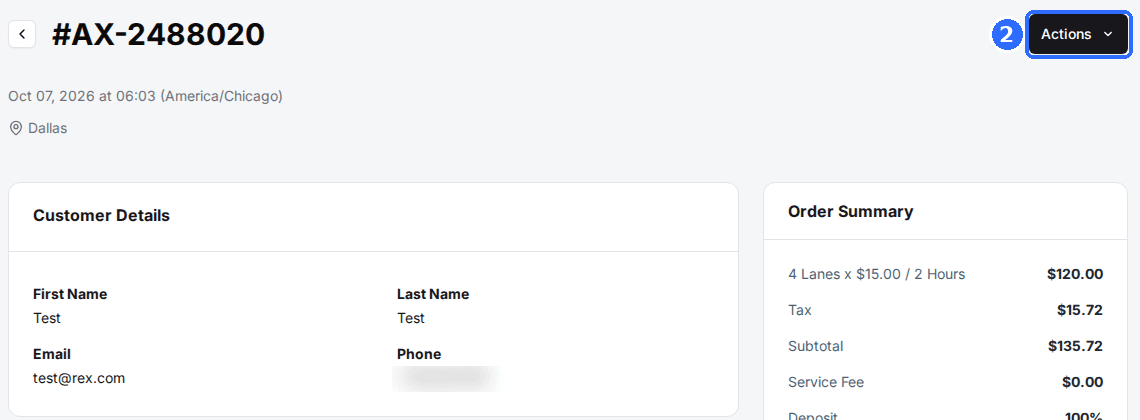
Click Actions
The Actions button is at the top right of Reservation Details.
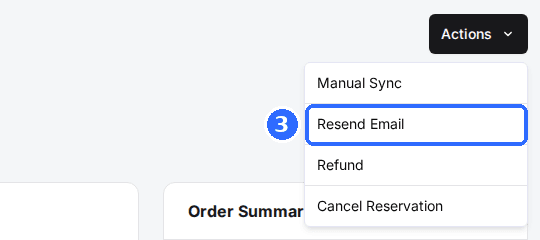
Select Resend Email
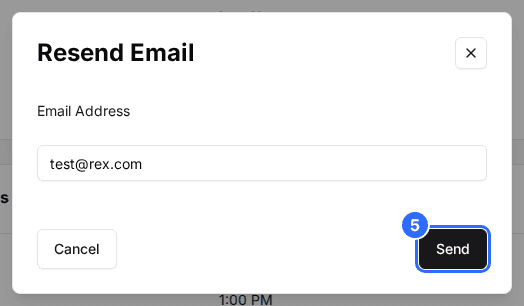
The Resend Email dialog opens with the guest's email address filled in.
Enter the email address
Keep the address in Email Address or change it. To send to several people, separate the addresses with commas.
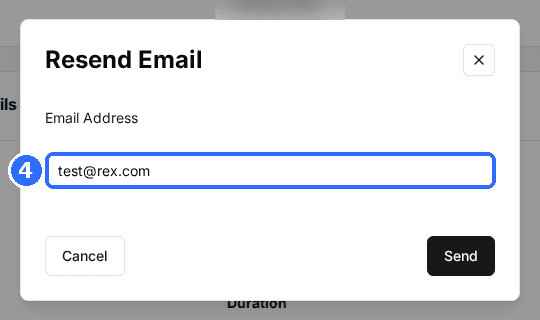
Click Send
Rex sends the reservation's confirmation email to every address in the field.
In the admin dashboard, Resend Email is greyed out for Pending and Cancelled reservations. A Pending reservation has not been paid yet, so there is nothing to confirm.
From the Host App
Open the reservation, tap Actions and choose Resend email under Notifications. Check the Email field, then tap Send email.
The guest gets the same confirmation email they got when they booked. If it still does not arrive, ask the guest to check spam, and check that the address on the reservation is spelled correctly.
Updated Oct 8, 2026
Was this helpful?