
Set venue taxes and fees
Each venue has a base sales tax plus any number of additional named taxes, as a percentage or a flat amount. Defining a tax on the venue doesn't charge it by itself: each package picks which of the venue's taxes apply and can add its own fees, such as a service charge or a booking fee.
Define your venue's taxes
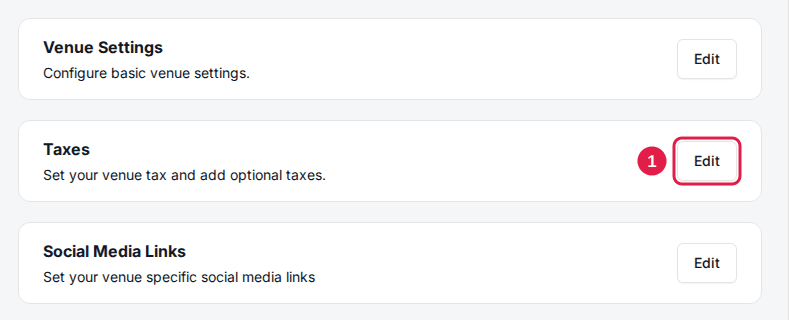
Click Edit on the Taxes card
On the venue's General tab, find the Taxes card and click Edit. The Taxes dialog opens.
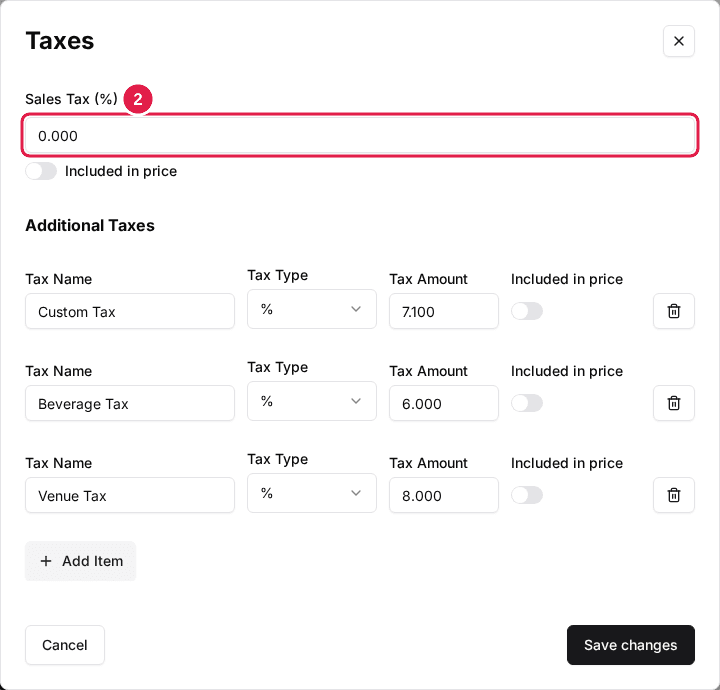
Enter your Sales Tax (%)
Enter your base sales tax as a percentage, for example 7 for 7%.
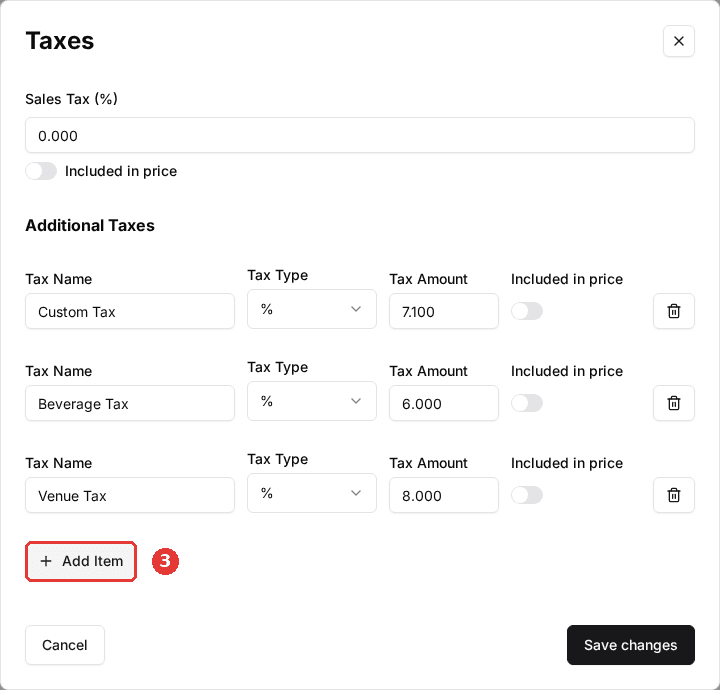
Click Add Item for each additional tax
Under Additional Taxes, click Add Item once per extra tax, then fill in its Tax Name, Tax Type and Tax Amount.
Click Save changes when you're done. Every field must be filled in, amounts must be non-negative numbers, and two taxes can't share a name.
| Field | Description |
|---|---|
| Sales Tax (%) | Your venue's base tax rate, charged as a percentage of the price. |
| Included in price | Appears under Sales Tax (%) and on each additional tax. When on, the prices guests see while browsing include that tax. You still enter pre-tax prices, and the order summary still lists the tax on its own line. |
| Tax Name | The label guests see for the tax, for example "City Tax" or "Liquor Tax". Must be unique. |
| Tax Type | % charges a percentage of the price; $ charges a flat amount. |
| Tax Amount | The percentage or the flat amount, depending on the Tax Type. |
Name additional taxes the way you want guests to read them. Separate "Food Tax" and "Liquor Tax" entries keep mixed bookings clear, and the $ type works for a fixed per-booking charge.
Choose which taxes a package charges
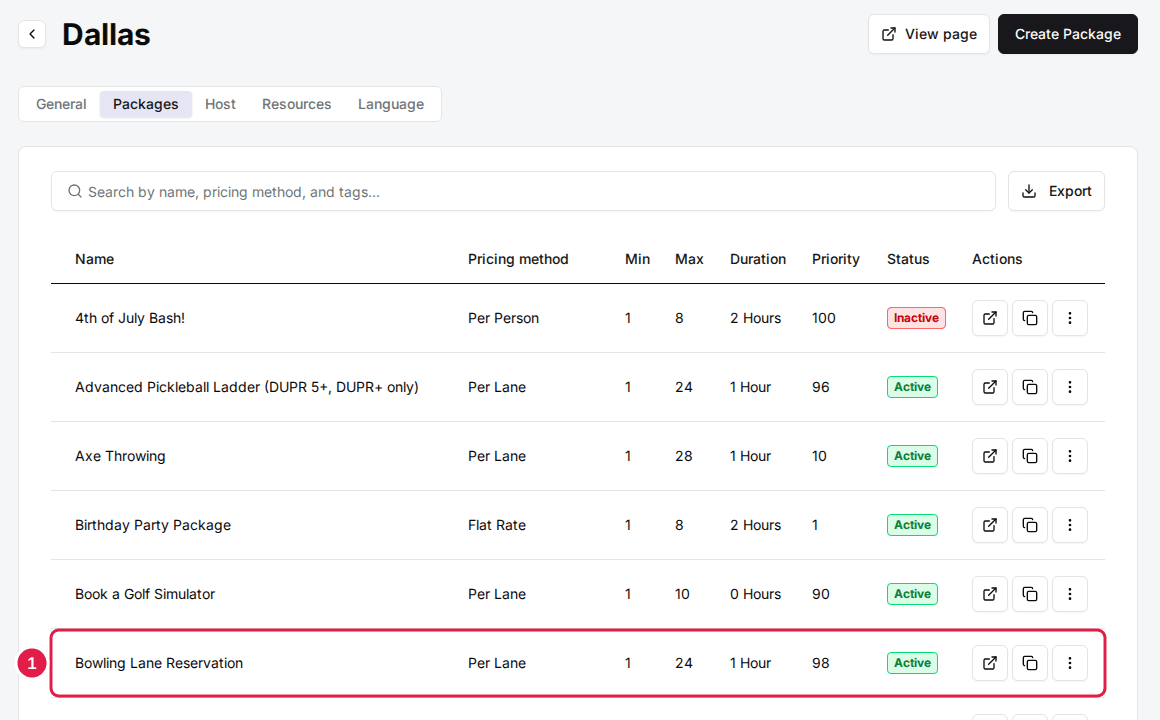
Open the package
On the venue's Packages tab, click the package you want to set up.
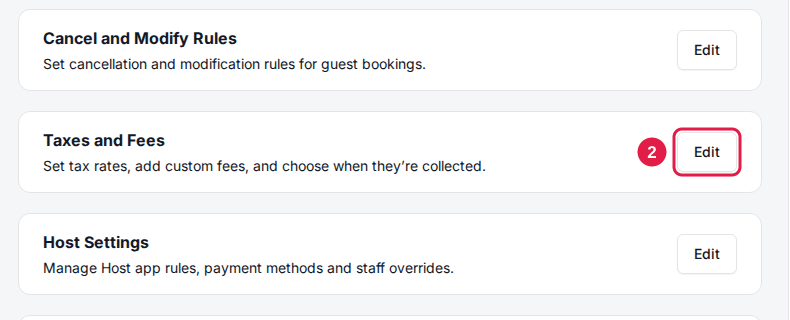
Click Edit on the Taxes and Fees card
The Taxes and Fees dialog opens on its Edit Tax tab.
Select the Tax and Fees Collection Type
This decides whether the package's taxes and fees are charged when the guest pays at booking or left on the balance. It has no effect when the package takes a flat deposit amount.
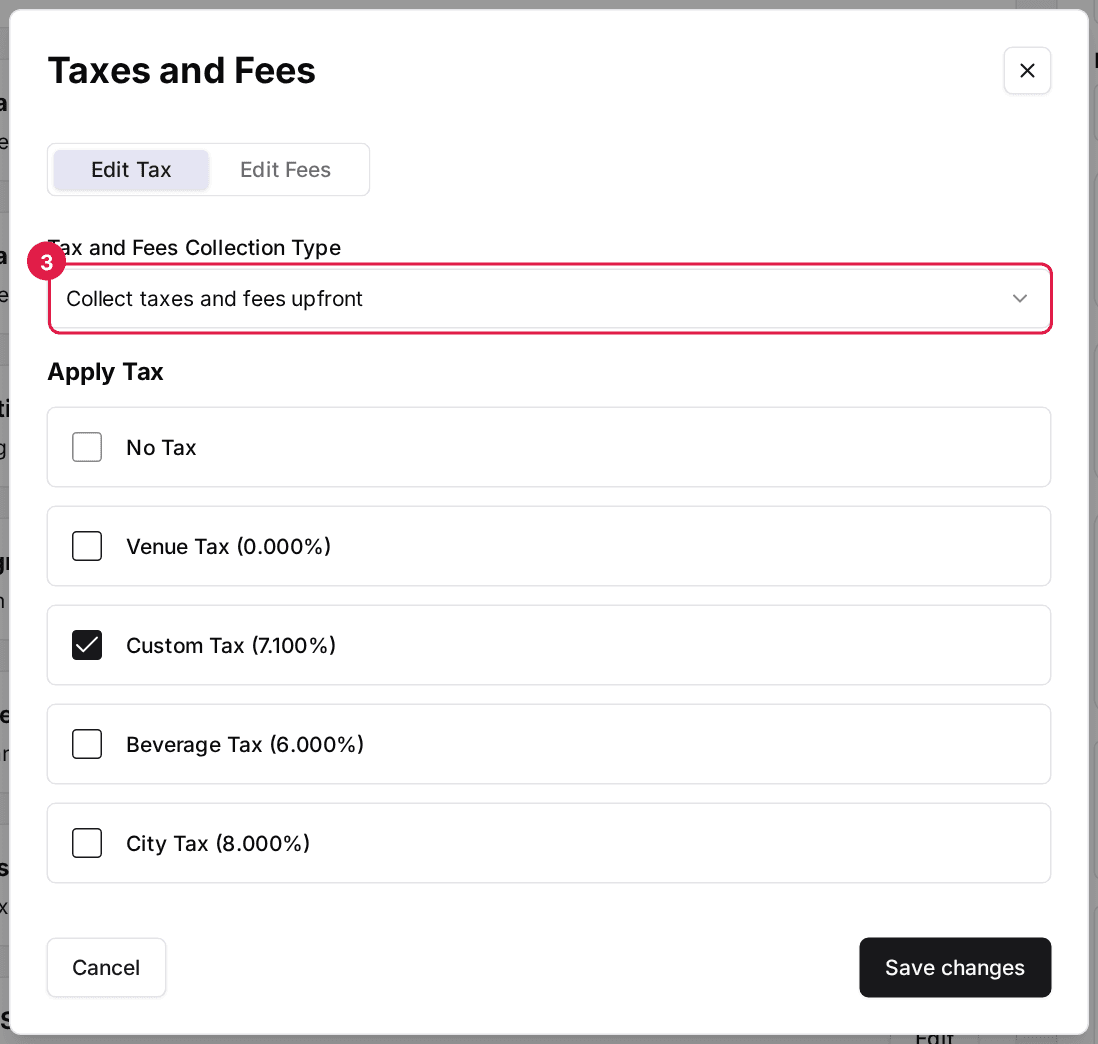
Collect taxes and fees upfront
DefaultThe amount charged at booking includes the taxes on that amount, and the package's fees are charged in full.
Best for: Venues that want fees settled when the guest books.
Use Deposit %
The package's deposit percentage is applied to the price, taxes and fees together, so fees are split the same way as the price.
Best for: Venues whose deposit should be a clean share of the whole total.
Don't collect up front
Only the price, or the deposit percentage of it, is charged at booking. Taxes and fees stay on the balance.
Best for: Venues that settle taxes and service charges on the day.
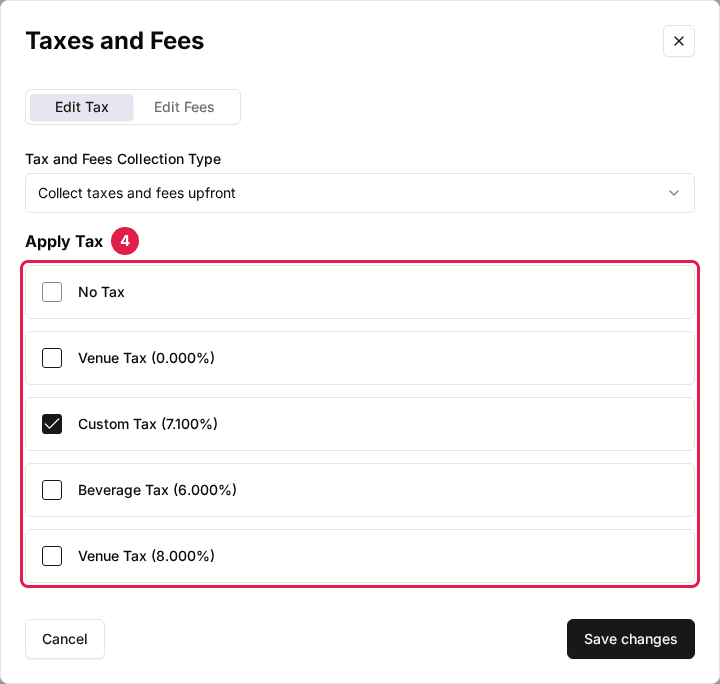
Select the taxes under Apply Tax
Tick Venue Tax for your sales tax and any additional taxes by name. Only the ticked taxes are charged on this package's bookings. Tick No Tax for a tax-free package; it can't be combined with the others.
Click Save changes to save the Edit Tax tab.
Save changes only saves the tab you're on, then closes the dialog. Changes made on Edit Fees aren't saved by saving Edit Tax (and the other way round), so save one tab, reopen the dialog, and then do the other.
Add custom fees to a package
Custom fees add charges such as a booking fee, facility fee or service charge to the package's bookings. Each fee shows as its own line in the guest's order summary.
Click the Edit Fees tab
Click Edit on the package's Taxes and Fees card to open the dialog again if it's closed, then switch to the Edit Fees tab.
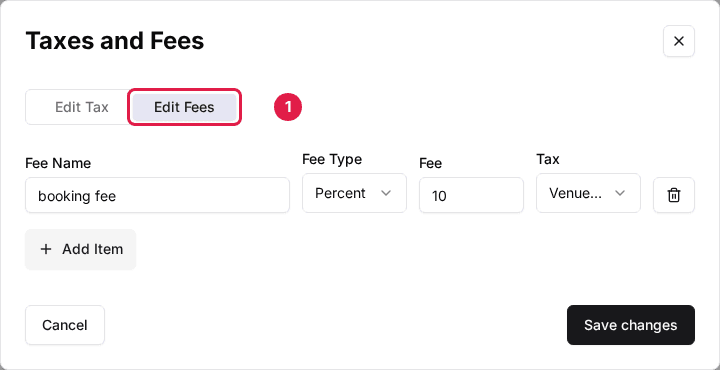
Click Add Item for each fee
A new row appears. Fill in the fee's fields, described below. Use the trash icon to remove a fee.
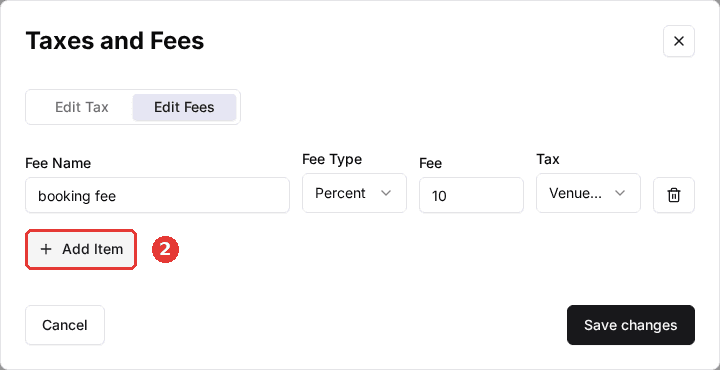
| Field | Description |
|---|---|
| Fee Name | The label guests see in the order summary, for example "Service Charge". |
| Fee Type | Percent charges a percentage of the package price; Flat Rate charges a fixed amount. |
| Fee | The percentage or the amount, depending on the Fee Type. |
| Tax | The tax charged on the fee itself: No Tax, Venue Tax, or one of your additional taxes. |
Click Save changes to save the fees.
Make a test booking on your reservation page after changing taxes or fees and check that the order summary shows each tax and fee the way you expect.
Updated Oct 8, 2026
Was this helpful?