
Find and view signed waivers
The Waivers page in the Host App lists every waiver your guests have been sent, signed or not. It's the place to search for a guest's waiver and open the signed document. To check one party's waivers before they play, use the reservation instead (see the last section).
Find a waiver on the Waivers page
Navigate to Waivers
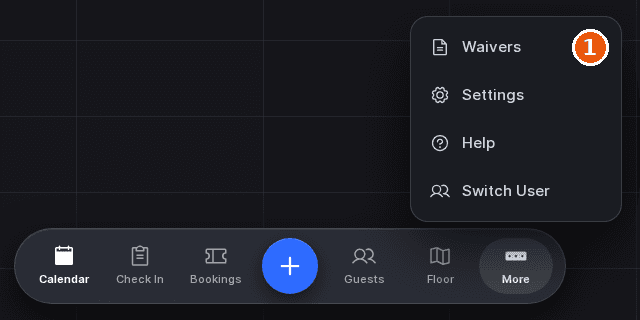
Tap More in the dock, then Waivers. Waivers only appears in the menu when your venue collects waivers.
Select a tab
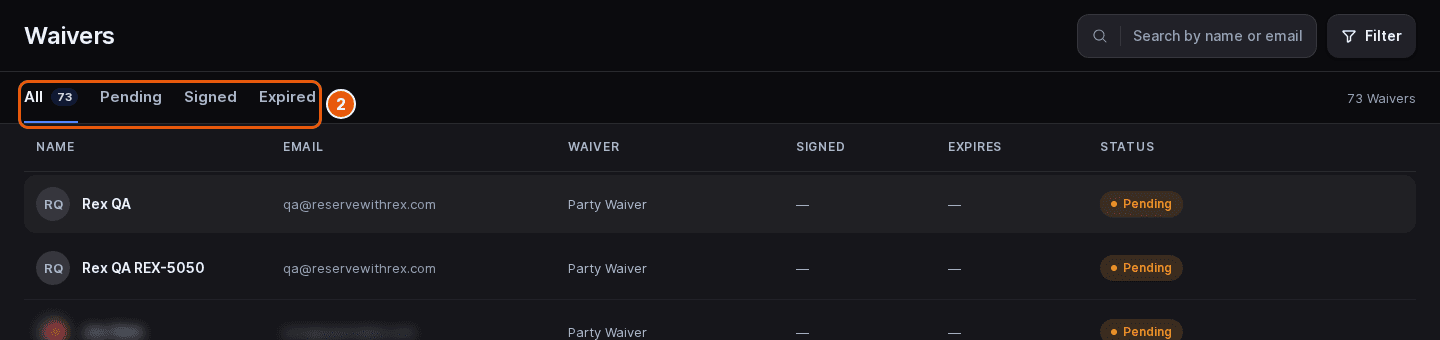
Choose All, Pending (sent but not signed yet), Signed or Expired. The active tab shows how many waivers it holds.
Search for the guest
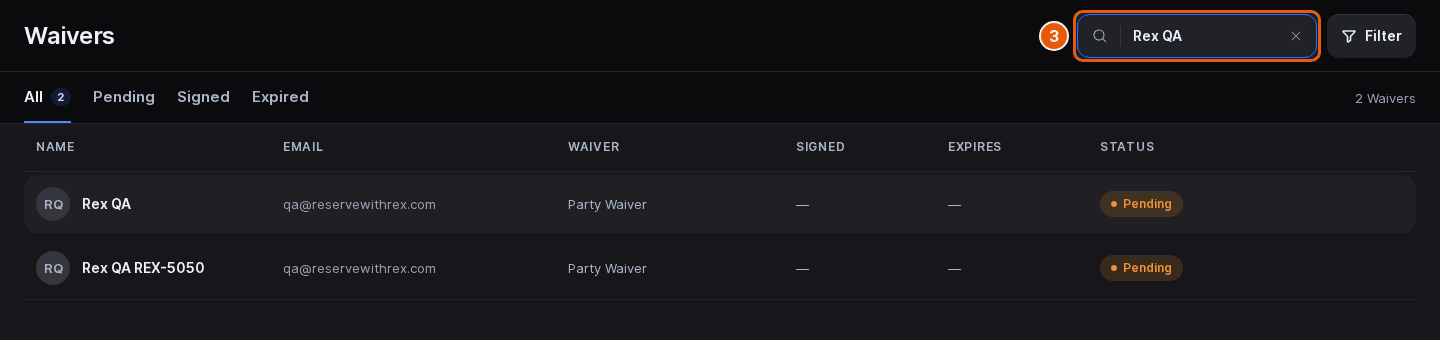
Type a name or email in the Search by name or email box. The list updates as you type.
Filter by date if you need to
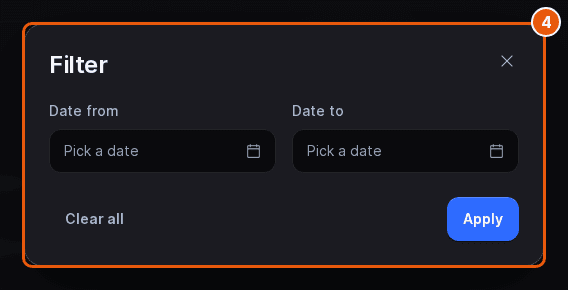
Tap Filter, set Date from and Date to, then tap Apply. The dates match when the waiver was created. A number on the Filter button shows how many dates are set; Clear all removes them.
Open the signed document
In a signed row, tap View. The signed waiver opens as a PDF in a new browser tab.
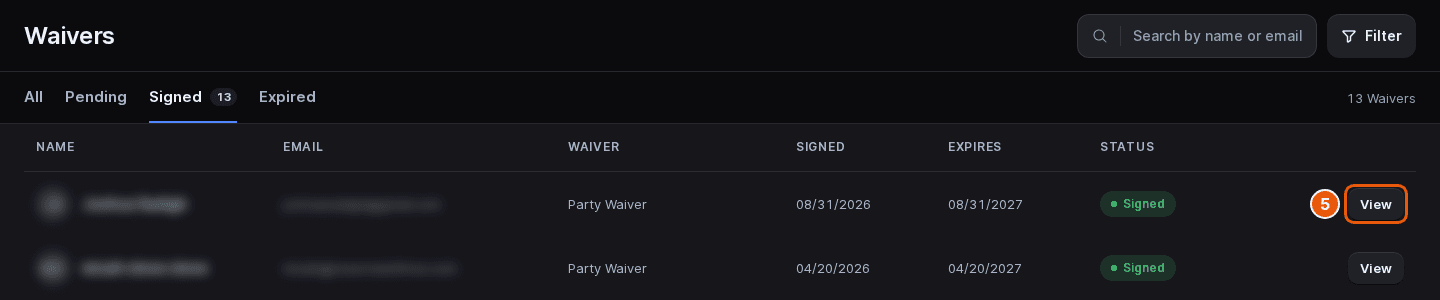
Tap any column heading to sort the list by it. The columns are:
| Field | Description |
|---|---|
| Name | The guest's name. |
| The guest's email address. | |
| Waiver | The waiver template the guest was asked to sign. |
| Signed | The date the guest signed. |
| Expires | The date the signed waiver expires. |
| Status | Signed, Pending or Expired. |
Check waivers on a reservation
Open the reservation on the Check In page: tap its card on the calendar, then View details. The Guests and waivers card lists everyone on the reservation, with a count such as 2 of 4 signed. The Waiver column shows each guest's state:
| Field | Description |
|---|---|
| Signed | The guest has a signed waiver on file. |
| Not required | This guest doesn't need to sign one. |
| Awaiting | A waiver was sent and isn't signed yet. Tap Remind to send it again. |
| Send waiver | Nothing has been sent yet. Tap it to email the waiver to the guest. |
The reservation shows whether a waiver is signed, but not the document itself. To read the signed copy, open it from the Waivers page. A guest's profile also has a Waivers row showing how many of their waivers are still active; see Look up a guest and view their profile.
Updated Oct 8, 2026
Was this helpful?