
Connect GoTab
GoTab is a POS. With the integration on, guests can pay for their booking through GoTab, Rex opens a tab in GoTab for each booking, and checking a guest in creates a tab with their package and add-ons so staff can keep ringing up on-site purchases.
Rex support connects Rex to GoTab, so there's no API key for you to enter. You need your GoTab Location from your GoTab rep. If Get Products and Spot Lists stays empty after you enter it, contact Rex support.
What to ask your GoTab rep to create
Rex posts to a few items in your GoTab POS. Send your GoTab rep the message below so they can set everything up at once.
Hi [GoTab rep], we're setting up the Rex GoTab integration and need the following in our GoTab POS.

1. Deposit Product
Name: Reservation Deposit (or similar).
A liability (non-revenue) item. Deposits sit on it until the guest checks in.
Open Price, so it accepts any amount.

2. Fallback Product
Name: Fallback Product (or similar).
Used whenever a package has no product of its own.
A revenue item with Open Price.

3. Rex Reservations Spot
One spot we'll use as both the Deposit Spot and the Fallback Spot in Rex.

4. A product for each package (we'll send the list)
All Open Price, because package totals vary with guests, duration, taxes, fees and discounts.

Please also send us our Location ID so we can enter it in Rex.

Thanks!
Make every GoTab item Rex posts to an Open Price item. Package totals change with guest count, duration, taxes, fees and discounts, so fixed-price items reject most charges.
Add GoTab to your account
Navigate to Global Integrations
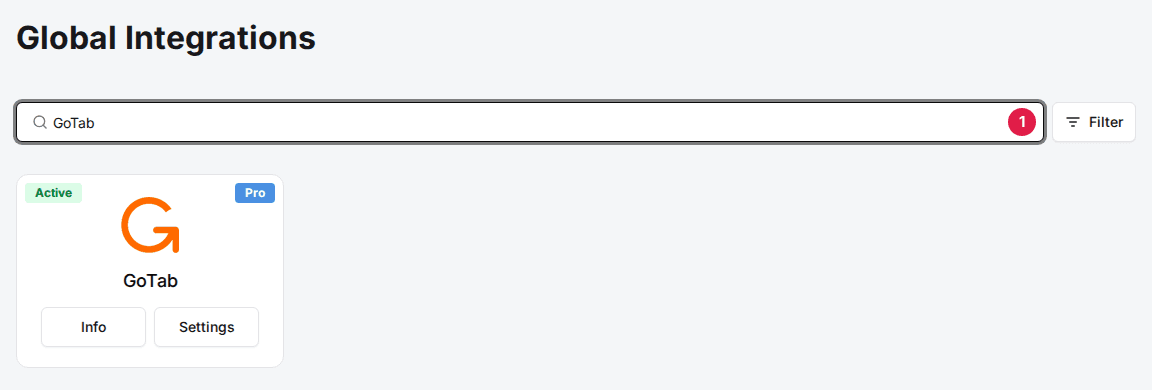
Type GoTab in the search box to find its card.
Add the GoTab card
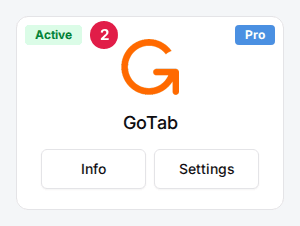
Click Add, then Confirm and Add. GoTab carries a Pro badge: if your account isn't on the Pro plan, the Add window says that adding it upgrades your subscription. If the card already shows Info and Settings, it's added.
Set up each venue
Navigate to the venue
Open the venue. The Integrations section is at the bottom of the General tab.
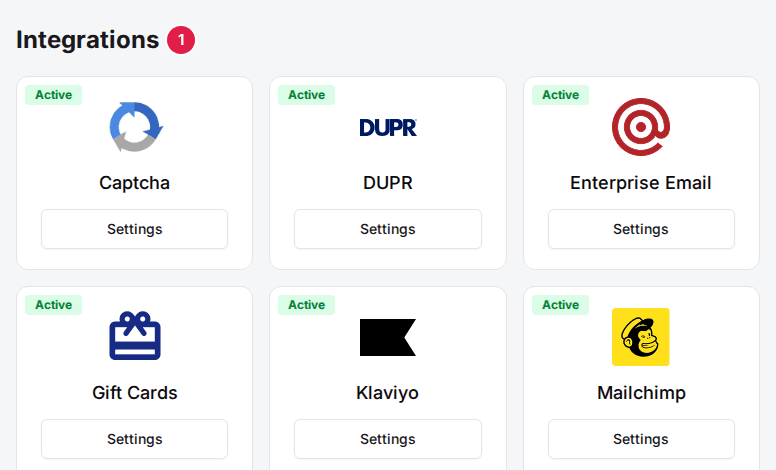
Click Settings on the GoTab card
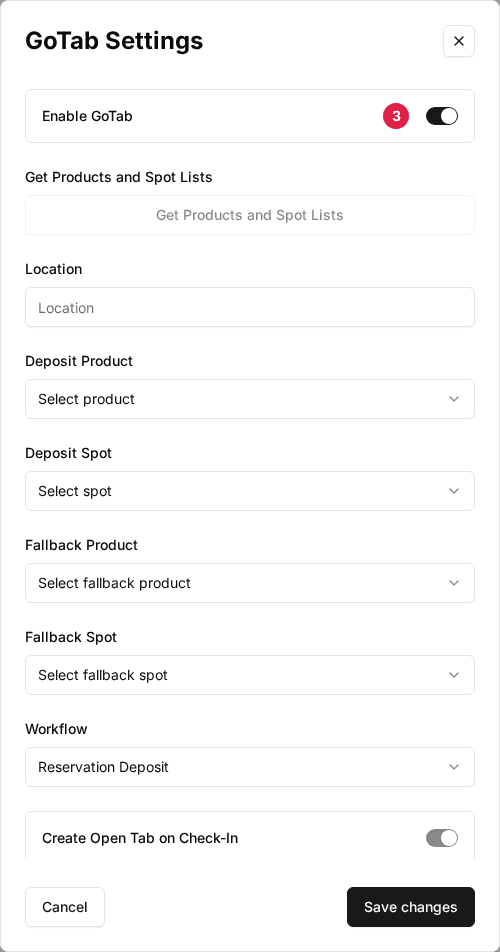
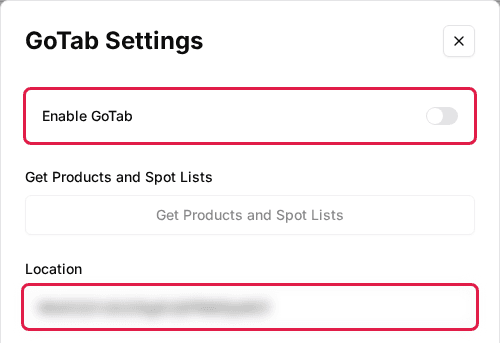
The GoTab Settings window opens.

Toggle Enable GoTab to ON
Enter your Location
Paste the Location ID your GoTab rep gave you.
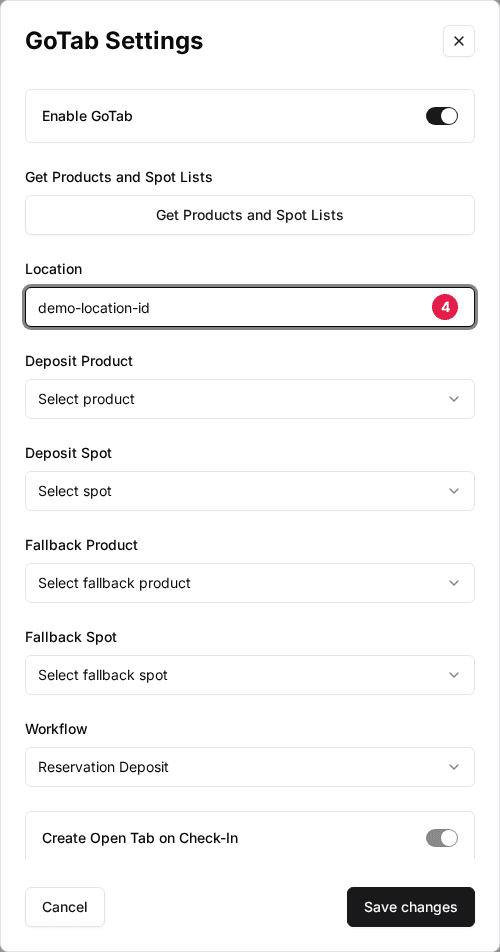
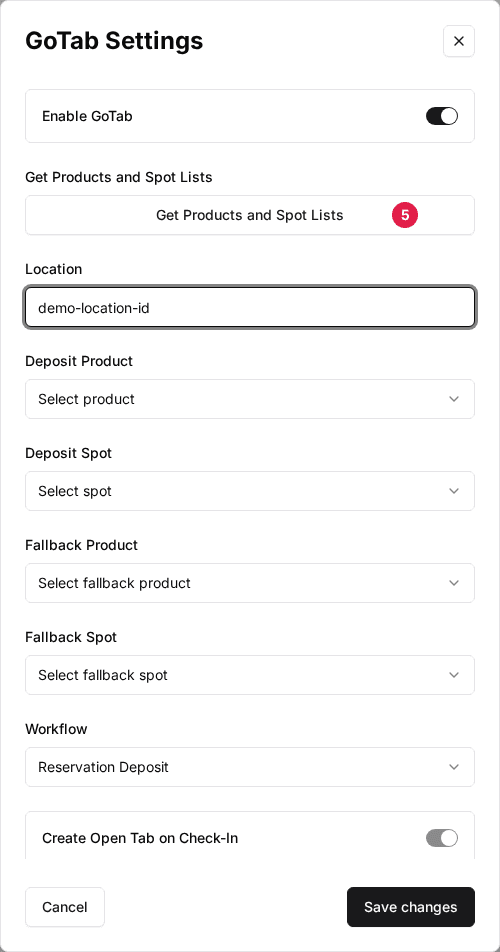
Click Get Products and Spot Lists
Rex loads the products and spots at your GoTab location into the dropdowns below, including the items your rep just created.
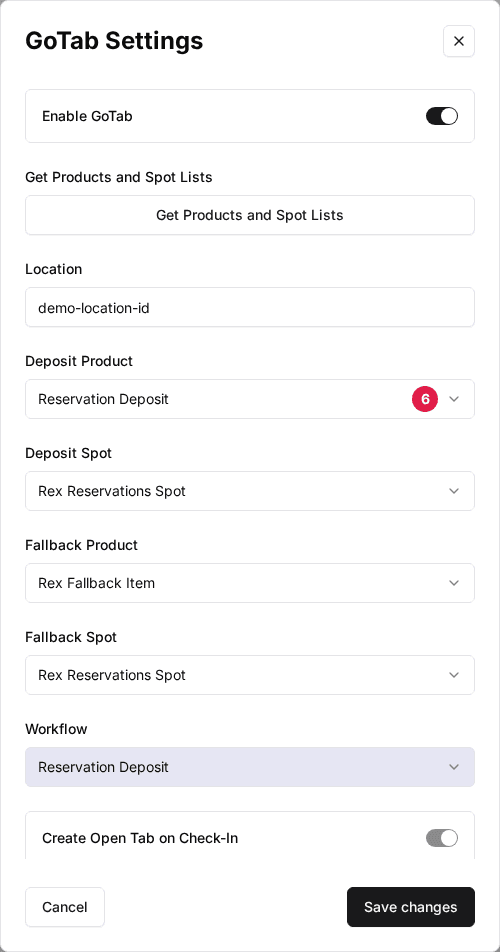
Select your products and spots
Set Deposit Product to your deposit item, Fallback Product to your fallback item, and both Deposit Spot and Fallback Spot to the Rex Reservations Spot.
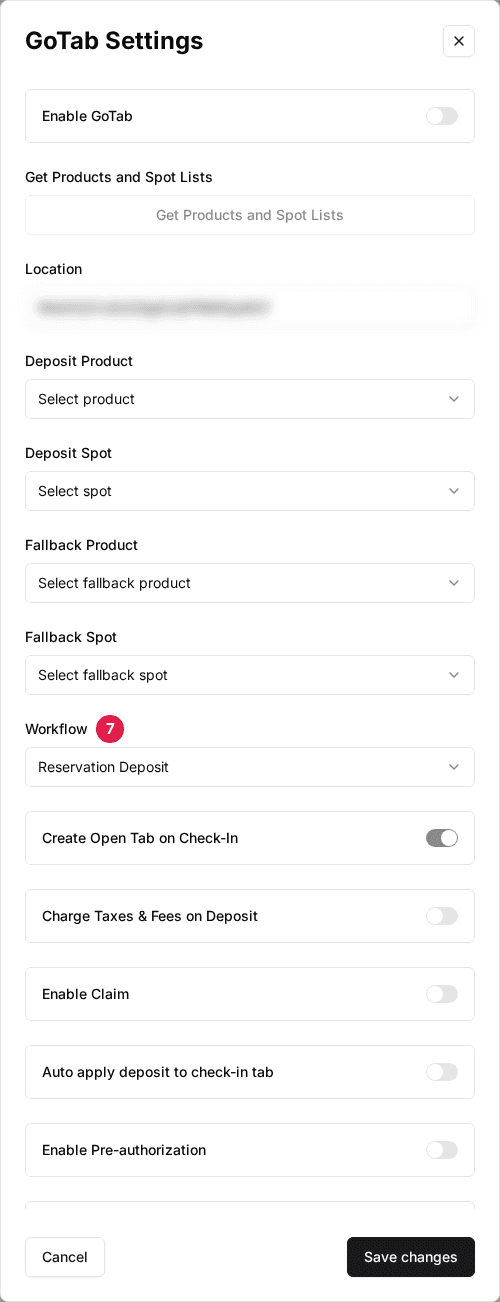
Select a Workflow
Choose Reservation Deposit or Paid In Full (see below), set the switches in the table further down, then click Save changes.
Take payments through GoTab
To have guests pay through GoTab, set GoTab as the venue's payment processor: on the venue's General tab, click Settings on the Payment card, choose GoTab in the Payments dropdown and click Save changes. Rex opens a GoTab tab when a guest books only when GoTab is the venue's processor. Check-in tabs are created either way.
Choose a workflow
The Workflow decides when Rex creates tabs in GoTab, and it affects your accounting.
Reservation Deposit
RecommendedTwo tabs over the life of a booking. At booking, Rex creates a deposit tab on your Deposit Product. At check-in, Rex creates a second tab with the package and add-ons, and can apply the deposit to it.
Best for: Most venues. The deposit is held as a liability until the guest arrives, and revenue is recognised on the day of the visit.
Paid In Full
One tab, created when the guest books, holding everything they bought. No deposit tab. Checking in only opens a new tab if Create Open Tab on Check-In is on.
Best for: Venues that want everything in GoTab at the moment of booking, accepting that revenue is recognised then.
Venue settings
These switches sit below Workflow in the venue’s GoTab Settings window, in this order. The window also shows an Enable Pre-authorization switch between Auto apply deposit to check-in tab and Schedule Tab; leave it off, it doesn’t change anything at the moment.
| Field | Description |
|---|---|
| Create Open Tab on Check-In | Paid In Full only. Checking a guest in opens a new tab so staff can ring up on-site purchases. |
| Charge Taxes & Fees on Deposit | Adds taxes and fees to the deposit amount sent to GoTab. Turn it on when guests pay 100% up front, so Rex and GoTab totals match. |
| Enable Claim | Sends the guest to GoTab's claim page when they pay, so the tab is linked to their GoTab account by phone number. |
| Auto apply deposit to check-in tab | Reservation Deposit only. At check-in, Rex applies the guest's deposit as a payment on the new tab, so the balance shows what they still owe. |
| Schedule Tab | Schedules the booking tab to open at the reservation's start time instead of straight away. Deposit tabs always open straight away. |
| Allow Cancel Tab on Uncheck In | When a host un-checks a guest in, they can also cancel the tab created at check-in. |
| Enable Embedded Wallet Payments (beta) | Shows GoTab's payment form inside the Rex checkout instead of sending the guest to GoTab. |
| Sync Memberships to GoTab Segment | Adds Rex members to a GoTab customer segment, by phone number. Enter the segment in GoTab Segment UUID. A membership plan can use its own GoTab Membership Segment ID instead. |
Map packages to GoTab products
Give each package its own GoTab product so tabs show the right line item and your GoTab reports split by package. Open the package from the venue's Packages tab and click Settings on the GoTab card in the package's Integrations section.
| Field | Description |
|---|---|
| Enable GoTab Integration | On by default. Turn it off and checking in this package's bookings doesn't create a GoTab tab. |
| Product | The GoTab product this package posts to. Unmapped packages use the venue's Fallback Product. |
| Spot | Where this package's tabs go. Unmapped packages use the venue's Fallback Spot. |
| Deposit Tab Name | The name of the deposit tab in GoTab. Click the plus icon to insert reservation details (see Tab name variables). |
| Check In Tab Name | The name of the tab created at check-in. Same variables. |
Click Save changes when you're done.
When a mapped product no longer exists in GoTab
A stale mapping behaves differently from a missing one. An unmapped package falls back to the Fallback Product and still works. A package mapped to a product that was later deleted or recreated in GoTab doesn't fall back: check-in fails with "Sorry, set check in reservation is not completed." for that package only, while other packages check in normally.
To fix it, open the package's GoTab Settings, pick the product again from the Product dropdown and click Save changes. The dropdown is read live from your GoTab location, so every product in it exists.
If your products are rebuilt, re-imported or the location is re-provisioned in GoTab, the product IDs change. Re-pick the product on every package straight away rather than waiting for a host to hit the error at check-in.
Map resources to GoTab spots
You can send a resource's tabs to its own spot, for example one spot per lane. On the venue's Resources tab, click Edit in the resource's menu, open the Mapping tab, click Get GoTab Spot List, pick the GoTab Spot and click Save. To map many at once, choose Bulk Edit Resources from the venue's Actions menu, select GoTab and click Continue.
Map add-ons to GoTab products
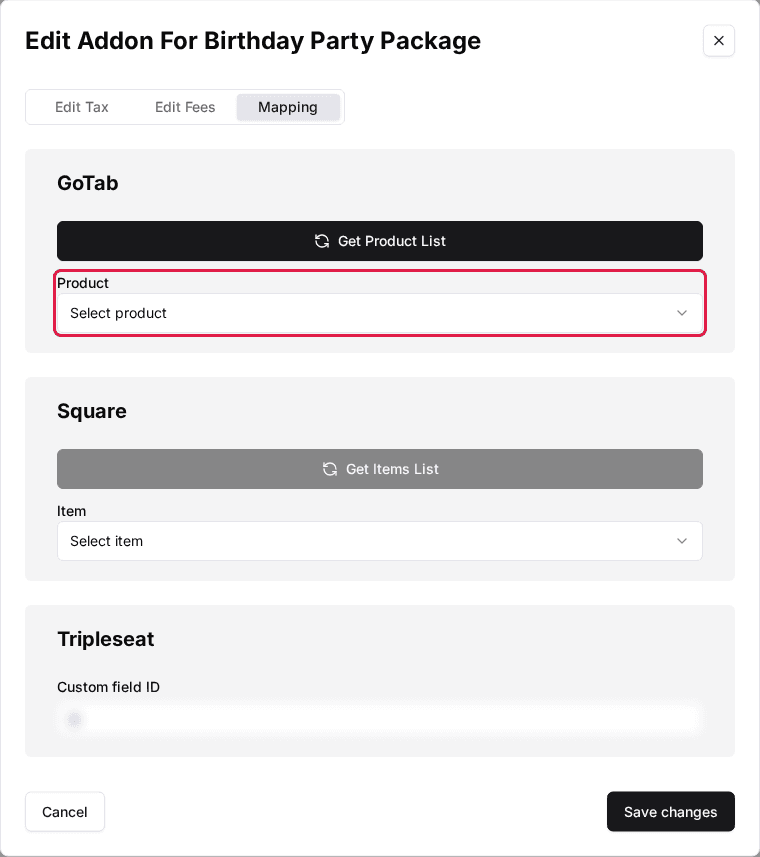
An add-on only appears on a GoTab tab if it has a GoTab product, and it can use a different product in each package. Open the add-on, go to its Assign tab and click the Edit Mapping icon on the package's row. On the Mapping tab, click Get Product List in the GoTab section, pick the Product and click Save changes.
Tab name variables
Tab names can mix plain text with these variables, which Rex fills in when it creates the tab. The variable picker shows them by these names. With no name set, Rex names the tab after the guest and the reservation date and time, with DEPOSIT - in front for a deposit tab.
| Field | Description |
|---|---|
| Prefix | The package's prefix, or the venue's if the package has none. |
| ReservationNumber | The Rex reservation number. |
| ReservationName | The guest's first and last name. |
| ReservationDate | The reservation date. |
| ReservationTime | The reservation start time. |
| NumberOfGuests | The guest count. |
| CelebratingAge | The age worked out from the guest of honor's birthdate. |
| GuestOfHonorName | The guest of honor's name, from checkout questions. |
| GroupName | The group name, from checkout questions. |
| Deposit | The deposit amount. |
| TotalAmount | The reservation total. |
| PackageNames | The package name. |
| Chaperones | The number of chaperones, from checkout questions. |
| GuestsPlusChaperones | Guests and chaperones added together. |
| PizzaSelection | The pizza choice, from checkout questions. |
| Address | The guest's address, from checkout questions. |
| GuestNames | The name of every guest on the reservation, when the package collects them. |
| GameSelection | The game choice, from checkout questions. |
| CustomerEmail | The guest's email. |
| CustomerPhone | The guest's phone number. |
How Rex picks the product and spot
| Field | Description |
|---|---|
| Deposit tab | Uses the venue's Deposit Product (or the Fallback Product if no Deposit Product is set). The spot is the resource's GoTab Spot if it has one, then the package's Spot, then the venue's Fallback Spot. |
| Check-in tab (and Paid In Full tab) | Uses the package's Product, or the venue's Fallback Product if the package has none. The spot follows the same order as above. |
What happens at each stage
| Field | Description |
|---|---|
| Guest books online | With GoTab as the venue's processor, Rex opens a tab carrying the reservation details. It holds the deposit (Reservation Deposit) or the full total (Paid In Full). |
| Host checks the guest in | If the venue and package have GoTab on (and, for Paid In Full, Create Open Tab on Check-In is on), Rex opens a check-in tab with the package, each mapped add-on and any additional activities, minus what's already paid. |
| Booking changed | Rex creates a new tab with the updated amounts and cancels the old one. |
| Booking cancelled | Rex cancels the GoTab tab. A staff cancellation without refund leaves the tab alone, because cancelling a paid GoTab tab refunds it. |
| Host un-checks the guest in | With Allow Cancel Tab on Uncheck In on, the host can cancel the check-in tab or keep it. |
| Time extended in the host app | Rex adds the extra time to the check-in tab. |
With Tripleseat also connected and Enable Tripleseat GoTab Check In on, checking in a Tripleseat event opens a GoTab tab and writes the tab ID back to the event's Custom Field for GoTab ID. See Connect Tripleseat.
Troubleshooting
Check-in fails for one package with "Sorry, set check in reservation is not completed."
Possible causes
- •The package's GoTab product was deleted or recreated in GoTab
Fix
Open the package's GoTab Settings, pick the product again from the Product dropdown and click Save changes.
Get Products and Spot Lists loads nothing
Possible causes
- •Enable GoTab is off or Location is empty
- •Location is wrong
- •Rex isn't connected to GoTab for your account yet
Fix
Turn on Enable GoTab, check the Location ID with your GoTab rep and try again. If the lists are still empty, contact Rex support.
An add-on is missing from GoTab tabs
Possible causes
- •The add-on has no GoTab product for that package
Fix
Open the add-on's Assign tab, edit the package's mapping and pick a GoTab Product.
Updated Oct 8, 2026
Was this helpful?