
Set up multi-activity bookings
Multi-activity bookings let a guest reserve several activities in one checkout — for example bowling first, then axe throwing — each with its own start time. You switch it on for a main package, then choose which other activities guests can add and how they're scheduled.
Multi-activity bookings are part of the Rex Pro plan. If you don't see the Additional Activities card on your packages, your current plan doesn't include the feature — upgrade to Pro from Billing & Plan in your dashboard.
Enable multi-activity on a package
Open your main package
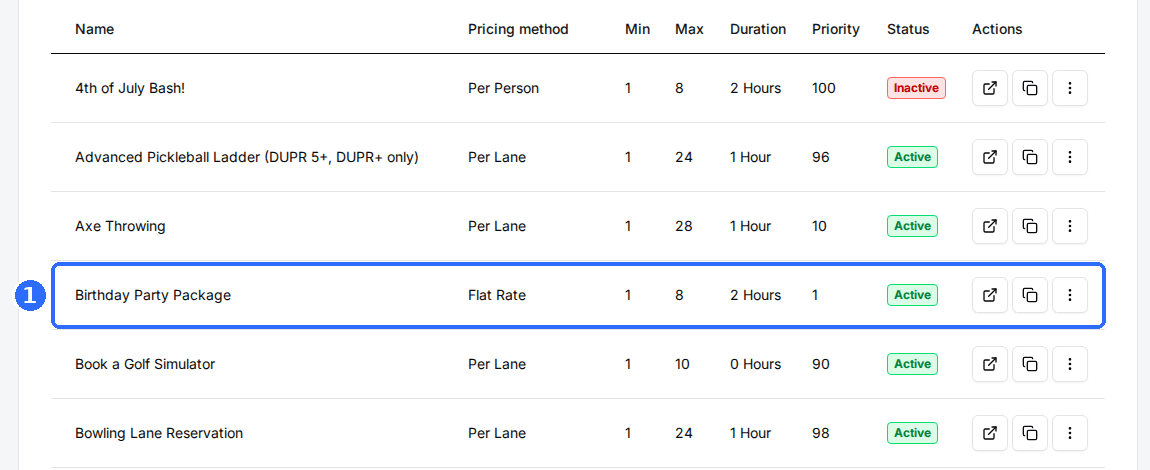
Open your venue, go to the Packages tab, and select the package guests book first — your main activity (for example, Bowling Lane).
Open the Additional Activities card
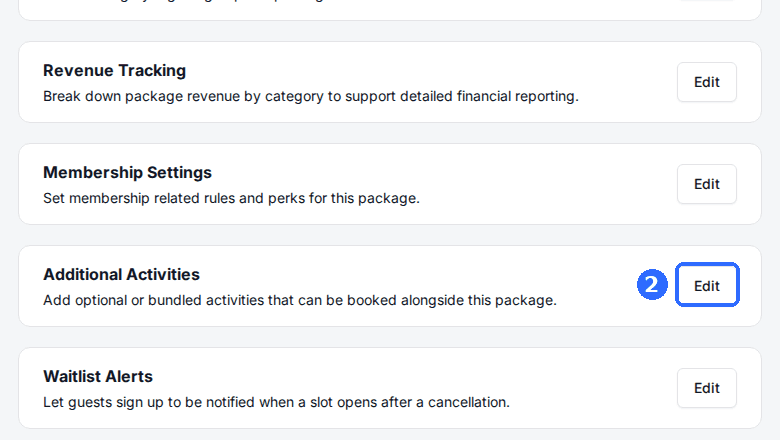
Scroll down the package's settings to the Additional Activities card — “Add optional or bundled activities that can be booked alongside this package” — and click Edit.
Turn on Allow Multi Activities
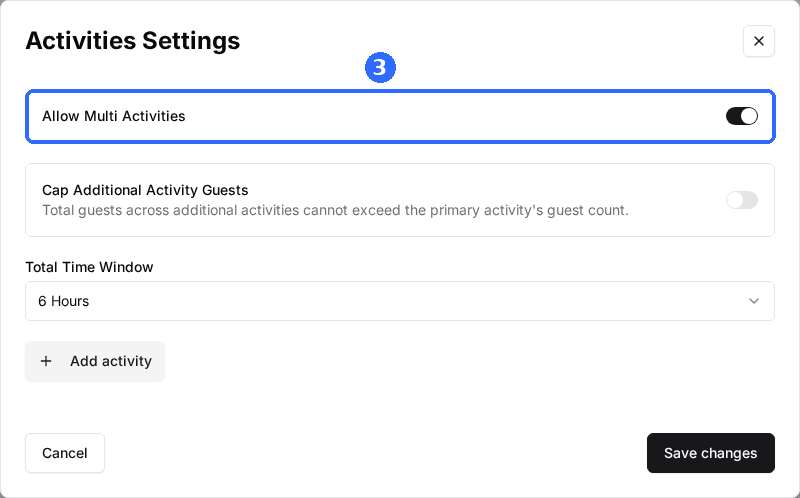
In the Activities Settings window, toggle on Allow Multi Activities.
Set the Total Time Window
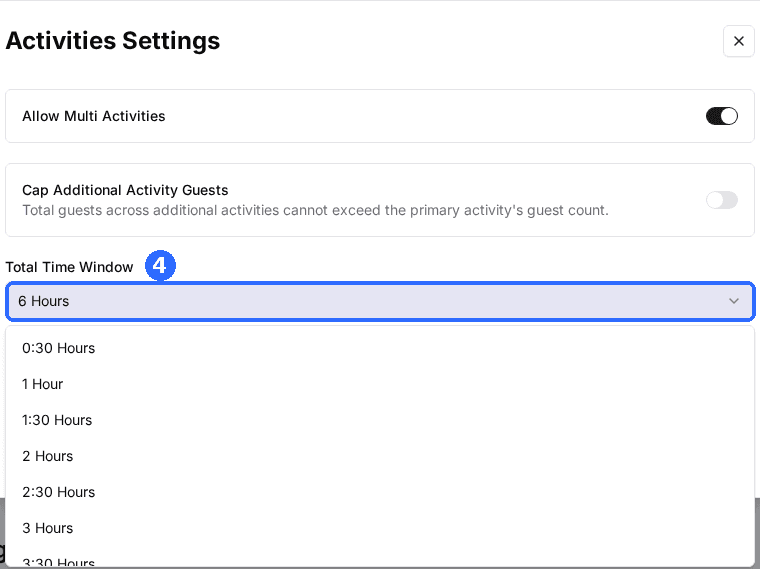
Choose how long after the main activity starts guests can schedule their added activities. The next section explains how this works.
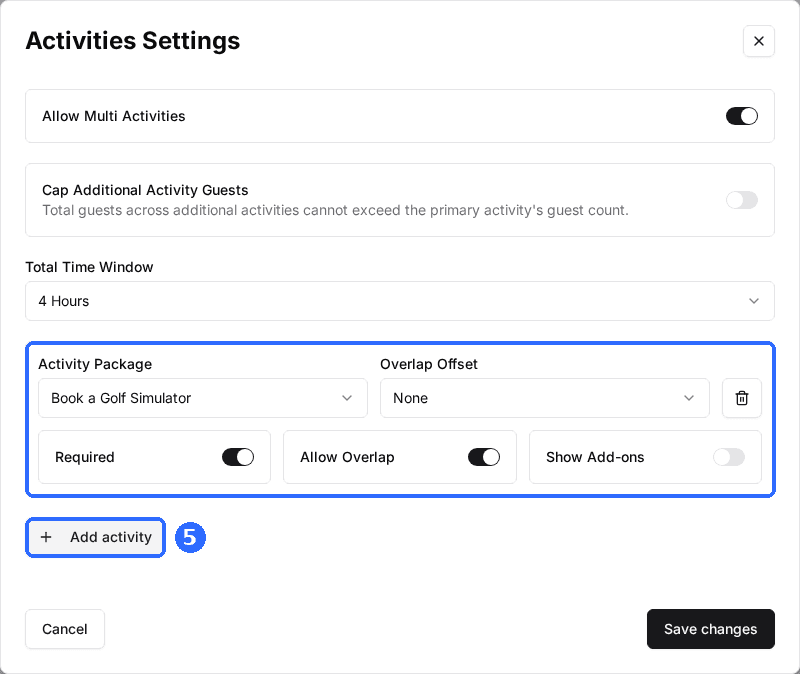
Add each activity guests can book
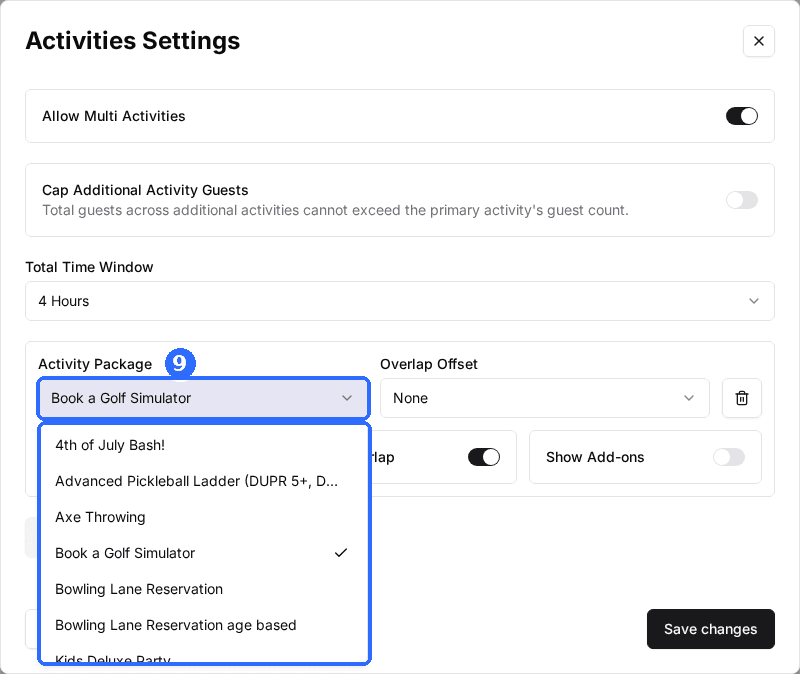
Click Add activity, pick a package from the Activity Package list, and set its Required, Allow Overlap, and Show Add-ons options. Repeat for every activity you want to offer.
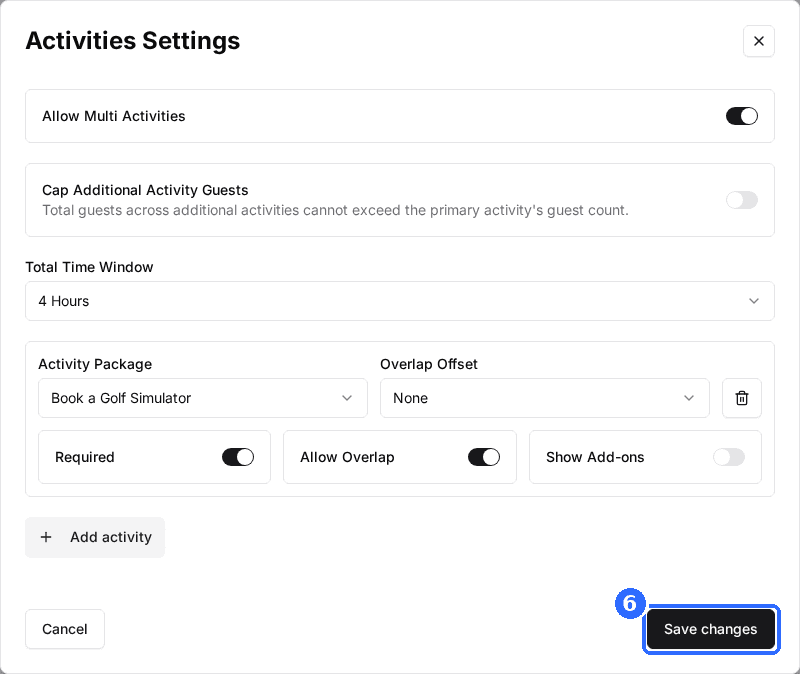
Save changes
Click Save changes. Each added activity keeps its own schedule, duration, and pricing.
What each setting does
| Field | Description |
|---|---|
| Total Time Window | How long after the main activity's start time guests can schedule the activities they add. For example, a 3-hour window on a 6:00 PM bowling booking lets guests slot added activities any time up to 9:00 PM. |
| Cap Additional Activity Guests | Off by default. When on, the guests across all added activities cannot add up to more than the main activity's guest count — so a booking for 4 stays a booking for 4 however many activities the guest adds. Leave it off and each added activity can be booked for any number of guests. |
| Required | When on, guests must book this activity before they can check out, and it's marked with an asterisk (*) on the booking page. Leave it off to make the activity optional. |
| Allow Overlap | When off (the default), the activity can only start after the main activity finishes, so the two run back-to-back. When on, it can start while the main activity is still going, so they can run at the same time. |
| Overlap Offset | How far after the main activity starts the added activity begins. Only available when Allow Overlap is on, and reset to None if you turn Allow Overlap off. |
| Show Add-ons | When on, this activity's own add-ons are offered whenever a guest books it, and its required add-ons must be selected (and are charged) before checkout. Off by default — with it off, the add-on step keeps showing only the main package's add-ons and your venue-wide add-ons, exactly as before. |
By default, added activities are scheduled one after another: Rex only offers start times after the main activity ends, so guests move from one to the next within the time window. The gap between them comes from each package's duration and buffer time — set those in Set up your schedule and pricing and Configure advanced package settings. Turn on Allow Overlap for anything that can happen at the same time, such as food service during a game. With Allow Overlap on, Overlap Offset pins the added activity to a set interval after the main one starts — so a 30-minute offset always places it half an hour in, rather than leaving the guest a range of times to pick from.
Show an added activity's add-ons
Normally the add-on step only offers add-ons that belong to the main package (plus any venue-wide add-ons). If an added activity has its own add-ons — say bowling shoes on a Bowling package that guests add to a Golf booking — those aren't shown. The Show Add-ons toggle on each activity row changes that.
Turn Show Add-ons on for an activity and, once a guest schedules that activity, its add-ons appear on the add-on step alongside the main package's. Required add-ons that belong to the added activity must be selected before checkout and are charged with the reservation, and they flow through to your POS like any other add-on. If the guest removes the activity, its add-ons disappear again. Staff bookings made in the Host App follow the same rule.
Show Add-ons is off by default, so existing multi-activity packages keep working exactly as they do today until you switch it on per activity. An add-on assigned to both the main package and an added activity never shows twice — it appears once, using its main-package setup.
Offer a discounted add-on (optional)
You can reward guests for booking more by offering an activity at a special price that's only available as an add-on. Say 30 minutes of laser tag costs $20 on its own, but you want bowling guests to add it for $10. You don't want that $10 price bookable by everyone — so you make a separate, lower-priced version and hide it, then attach it to your bowling package:
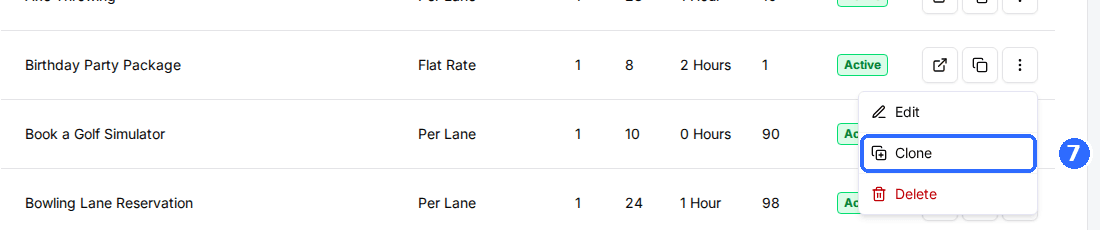
Clone the package and lower its price
Duplicate the activity's package and set the discounted add-on price.
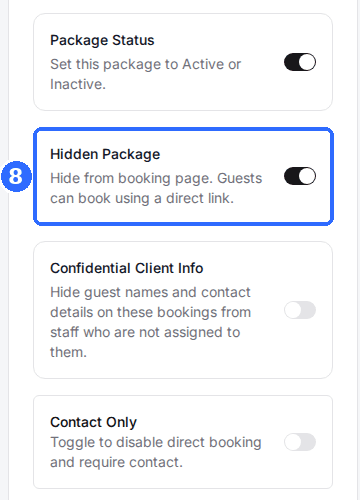
Hide it from the booking page
On the cloned package, turn on Hidden Package. It no longer shows on its own — guests can only reach it through the multi-activity flow or a direct link.
Attach it to your main package
Open your main package's Additional Activities card and add the hidden package to the list. It now appears only as an add-on when guests book the main activity.
For more on these building blocks, see Configure package pricing and Create hidden packages available only to select guests.
What guests see
When a guest books the main activity and picks a date and time, an Additional Activities step appears. They tap Add on each activity they want, choose a start time, and click Continue. Required activities are marked with an asterisk (*) and a “*Required Activity” note, and must be scheduled before the guest can continue. If every added activity is optional, guests can skip the step.
Updated Oct 8, 2026
Was this helpful?